Number of tracks don’t really matter. It could have 32 tracks and it wouldn’t change. The number of available parameters that are able to be P-locked is what is important and that hasn’t changed much from DT1 to DT2.
As far as I understand, it’s unique parameters per track, which obviously changes the calculation. Nothing I myself am particularly worried about, though.
2 Likes
not the way i see it, it’s 80-16, this paste is gritty 
it does matter
if you plock all the settings on the FX page on a single trig for example (there’s seven) and copy this single trig between tracks 1-16, by the time you get to track 12 (11x7+3) you will see the Lock Mem Full warning (although the locks are shown temporarily, a reboot will show the TRUE picture … it’s 79!) 7x11+2
3 Likes
see here about 80/79 +nuance (same numbers for ST btw)
the manual wording isn’t helpful as it doesn’t properly signify that parameters on different tracks do add to the allocation - it mentions as many trigs in a pattern, but not trigs in a track
the average is 79/16 i.e. nearly 5 per track of unique parameters, but within each track these 5 (on average) can be used as much as you want
1 Like
Note that Preset locks don’t count as plocks, so if you go heavy on plocks on one trig you might want to save it as a preset (hold trig +Preset/Flying note button)
6 Likes
Weird, I just did this, and didn’t get a warning.
I p-locked all the filter params (8 of them), and then did the the fx params (another 7 for 15 total p-locks). I then copied the trigs (I did all 128 steps), to all 16 tracks. I didn’t see a warning and checked the trigs and all the p-locks were there. It seemed to play fine, but sounded horrible 
I believe you, I’m just not sure why I would get a different result.
Edit: I just did it again, and DID see the lock mem full message. I was copying the whole track and not just the trig, and that’s why I didn’t see a warning. Also when I restarted the DT2 (as you suggested) there were many p-locks missing. So there is indeed grit in that paste!
5 Likes
You’re right! I stand corrected, it does NOT work how I was thinking.
Although I’ve never ran out of p-locks before TBH
1 Like
For some reason I only ever run out of p-locks on the Analog Rytm from time to time. Never happened on Digitakt, A4 or DN Keys when I had it…
i did run out of P-locks immediately when i had the DT1 fresh.
folks, lets have something straight:
the “Soul” of those Elektron machines IS the p-locking, right ?
there you have it 
1 Like
I just hit the limit in a project on the Digitakt2. Kinda disappointing. I don’t feel like what I do on the Digitakt2 is that complex and I hit the limit. A (lock mem full) warning comes down from the top of the screen, saddens me.
1 Like
so what’s the limit?
1 Like
No clue  I’m not gonna sit there and count em out for ya… Elektron should clearly provide this information. Have fun
1 Like
 I knew you Woodknot do something as tedious as that I was just hoping that someone chimed in off the top of the dome
1 Like
Then either you just moan about it, and live with your dissatisfaction.
Or try to document yourself by rtfm, learn something, try to come up with an alternative e.g. by saving a heavily plocked trig as a new preset and using it as a plocked preset. Then sharing with the community your new knowledge with regained enthusiasm.
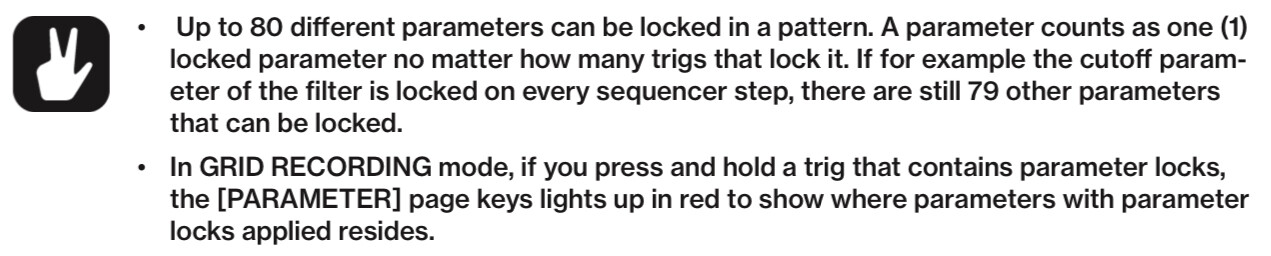

8 Likes
how do you think presets are handled? They technically would lock all parameters per track.
1 Like
pretty sure it’s different because preset is like a json and you substitute the default track values rather p-locking in sequencer that bound to pattern which is different.
that’s why p-locking preset saves p-locks headroom.
also, imo the problem with p-locks are machines, if you use single machine across the pattern you probably won’t go over 80 p-locks (which is locking 10 pages of 8 parameters), but when you start p-locking different machines on different tracks you can easily go over the limit because they are unique per machine.
I used to run a lot into the limit (which is lower on rytm or og/dn/dt) but actually it’s pretty simple thing to avoid you just need to understand what you are locking, also trig page is not counting against the limit, so using velocity mod can save some of these too
3 Likes
Calm down, I’m just having fun and I’m here to learn and figure out solutions. Thanks for the info, You seem like a very knowledgeable person.
Manual is not clear. Max locks also depend on the number of tracks using these locked parameters. Boring to test…
2 Likes
I love how you come up with new angles on one problem, at least ^^
I had to test to understand behavior (see above link), still not sure !
Also depends on number of tracks using parameter locks.
Not specified in the manual.
2 Likes