Hi there everybody!
I am new to this forum and Elektron gear, and I own a Digitakt II for just 2 weeks now.
This function used to work but now it doesn’t anymore, and I don’t know why?
I am running Windows 11 Pro with Cubase 15 Pro and a Focusrite 2i2 gen 4 interface on this laptop.
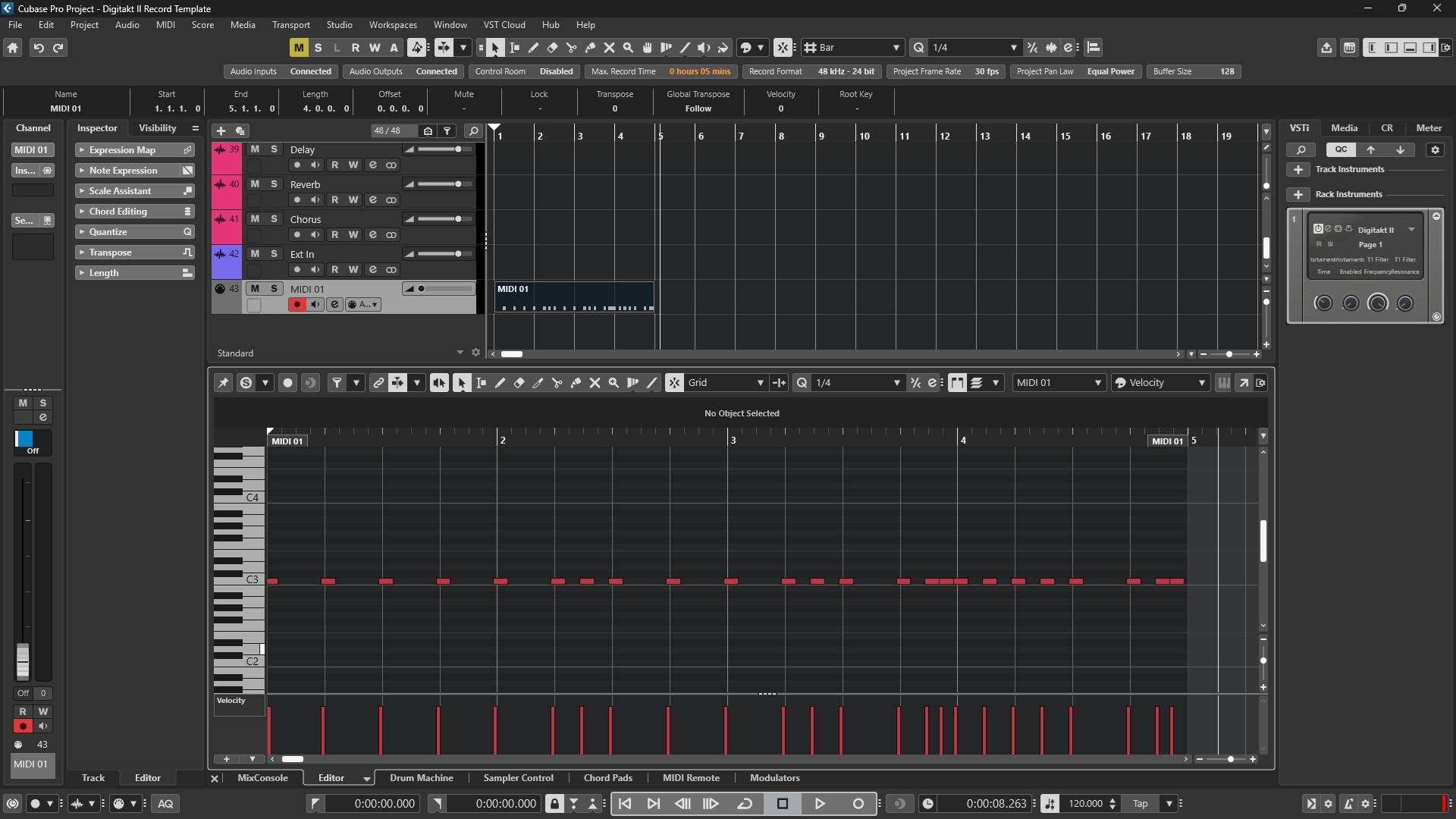
Whenever I press a Trig Pad on the Digitakt II, Cubase 15 Pro detects the MIDI trigger from the Digitakt II, but when I run a sequence on the Digitakt II, Cubase 15 does not detect anything, not even a single channel.
I have checked google many times, and read a lot on the subject and I think I ruled out anything, but still it isn’t working.
- I have set the Digitakt II to System > USB Config > Overbridge (Tried changing it to USB MIDI and USB AUDIO/MIDI and changing back to Overbridge)
- Overbridge detects the Digitakt II
- Opened Overbridge in Cubase 15 Pro
- System > MIDI CONFIG > SYNC all turned on (tried switching send or receive both on and off)
- Set all the MIDI Channels for each pad from channel 1 to 16
SYSTEM > MIDI CONFIG > Port Config (Settings):
OUT PORT FUNC > MIDI
THRU PORT FUNC > MIDI
INPUT FROM > MIDI+USB
OUTPUT TO > MIDI+USB
OUTPUT CH > TRK CH
PARAM OUTPUT > CC
ENCODER DEST > INT+EXT
TRIG KEY DST > INT+EXT
MUTE DEST > INT+EXT
RECEEIVE NOTES > CHECKED
RECEIVE CC/NPRN > CHECKED
SYSTEM > MIDI CONFIG > CHANNELS Config (Settings)
Track 1 to 16 channel 1 to 16
FX CONTROL CH > OFF
AUTO CHANNEL > OFF
PROG CHG IN CH > AUTO
I have checked all the mute states
Green Page is all Green
Purple Page is all Purple
-
RESET Cubase 15 Pro Preferences
-
Checked all the MIDI CONFIG in Cubase 15 Pro
-
Done an Empty Reset, Reset it Factory Settings on the Digitakt II
-
Reinstalled Overbridge after which the Digitakt II was not detected at all anymore by Overbridge (had to use system restore to revert back and Overbridge detected the Digitakt II again)
-
Deleted all Digitakt II drivers in Device Manager and reinstalled the device
-
Tried changing the sound / ASIO DRIVER from Steinberg ASIO, Focusrite ASIO to Digitakt II
-
I use a USB connection, tried swapping the cables, ports, reboot the latop + Digitakt II
-
Creating a new Project on the Digitakt II does nothing
-
Relaunching Overbridge or the Engine does nothing
-
All audio channels are detected in Cubase 15 Pro and playing the audio from the Digitakt II inside Cubase is fine
It seems to have to do more with the Digitakt II, as at the software level, Cubase 15 Pro detects the manual trigs from the Digitakt II, just not the sequencer outs for tracks 1 to 16 when played.
BTW syncing is going fine, whenever I press play or stop in Cubase 15 Pro the Digitakt II is following.
I want to record the MIDI sequence from the Digitakt II to arrange, edit and compose in Cubase 15 Pro, instead of using 20+ times stereo audio files at 96Khz 24Bit which costs a lot of disk space.
Can somebody please help me? I am struggling with this for days now and it used to work…?
Thanks a lot  !
!
Kind Regards,
Levien