Ahh turns out I was on 1.03 not 1.03A !
The little A in the bottom left was throwing me
Updated to 1.03A, so hope the problem is cleared up now
Ahh turns out I was on 1.03 not 1.03A !
The little A in the bottom left was throwing me
Updated to 1.03A, so hope the problem is cleared up now
Same here.
I am routing Synth -> Audio Interface -> Ableton -> (USB) Digitakt 2 to Sample Recorder.
Signal gets received into Sample Recorder, but I am unable to monitor (Mon setting = N/A) while playing/recording.
I can listen back to what I (silently) recorded using FUNC+Y.
Velocity Modulation with Pushed Encoders
Was just trying to add some Velocity Modulation, hoping to push the encoder for some nice stepping through values, but it seems only to go straight to 127 or -128. On the DNII when pushed down it steps through values 4, 8, 12 etc.
Hey! I have the same weird issue with my unit.
I also have this buzzing tone when i press page for fill’s.
Did you have to send your unit in for repair?
Thanks in advance for answering!
Greetz
i’m getting loads of artefacts and breakups with the external inputs via either the overbridge plugin or the standalone app.
Having an issue in jump\standard mode recording. When I turn it in and press buttons, it’s going to the step on which I pressed, instead of recording this trigger in a sequence. After relaunch it starts to work well. 1.03A
Not sure if this is considered a Digitakt II bug or an Overbridge bug, but Overbridge seems to be reporting an incorrect latency to Ableton when using the plugin with Digitakt II. When I record, all the samples show up about 6ms late.
Shouldn’t the plugin be able to report its exact latency? I seem to remember it being perfectly on the grid when I would record with Digitakt (v1).
Edit: I’m running firmware 1.03A
This is a long-standing bug they never fixed (even on the DT1). I’m told they may have figured it out recently, but I still encounter this. It seems to happen more often when you have an external MIDI controller connected via USB. I really wish I could stop rebooting this thing, they’re gonna have to replace the power switch early 
Definitely write into support so they know it’s not an edge case affecting a small subset of users.
Digitakt II just went completely silent after recording a long sample. Recording went fine, but after assigning sample to track and hitting play, all sound was gone.
Had just created a new project and was working on the 1st pattern. I was able to save everything and everything seemed running fine , except no sound from any of the outputs.
Loading the factory preset project didn’t help either.
After reboot it seems OK, but this is some really strange behavior.
Make sure you’re on 1.30A.
OK cool, thanks!!
Missed that. Just did the update.
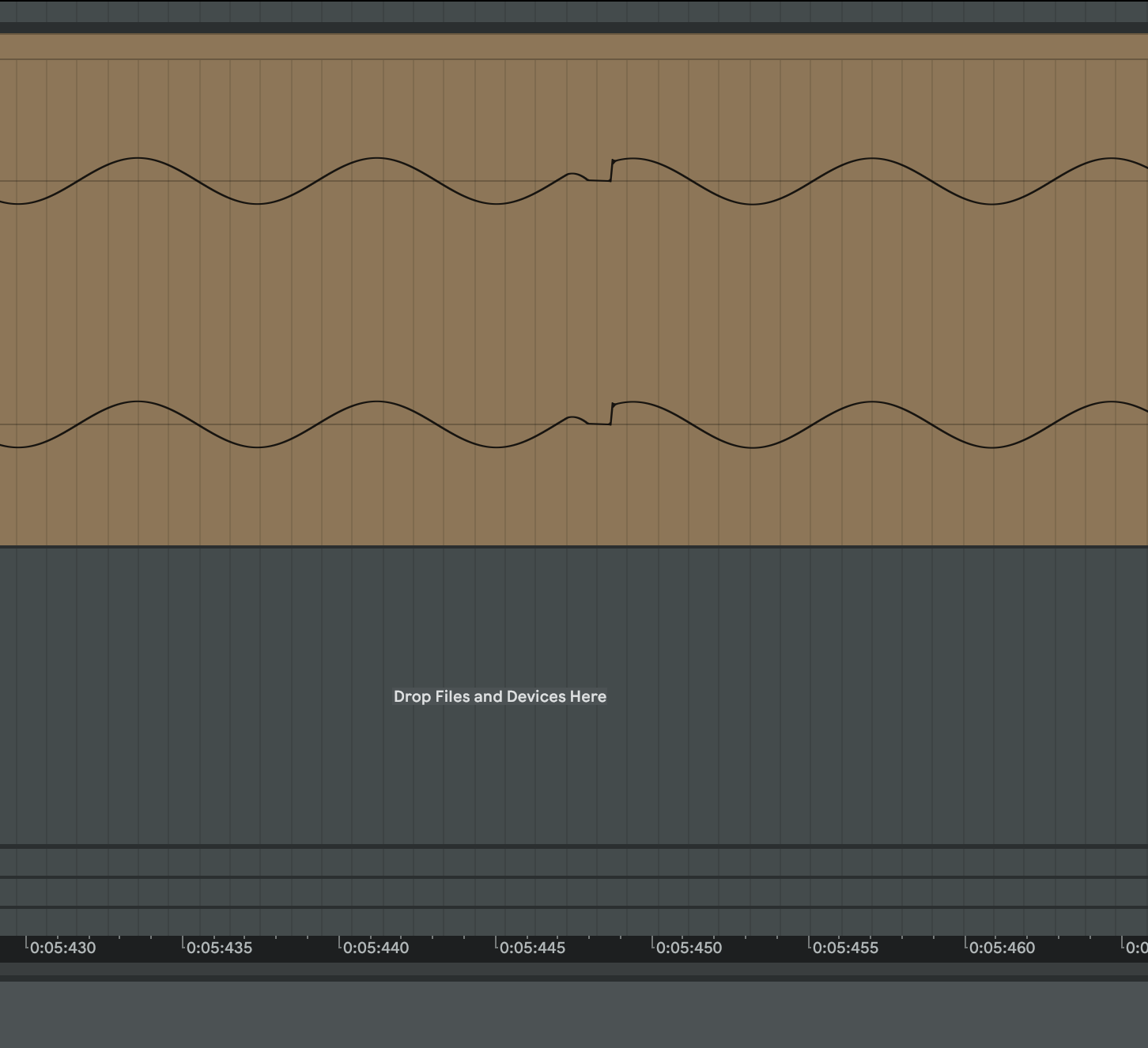
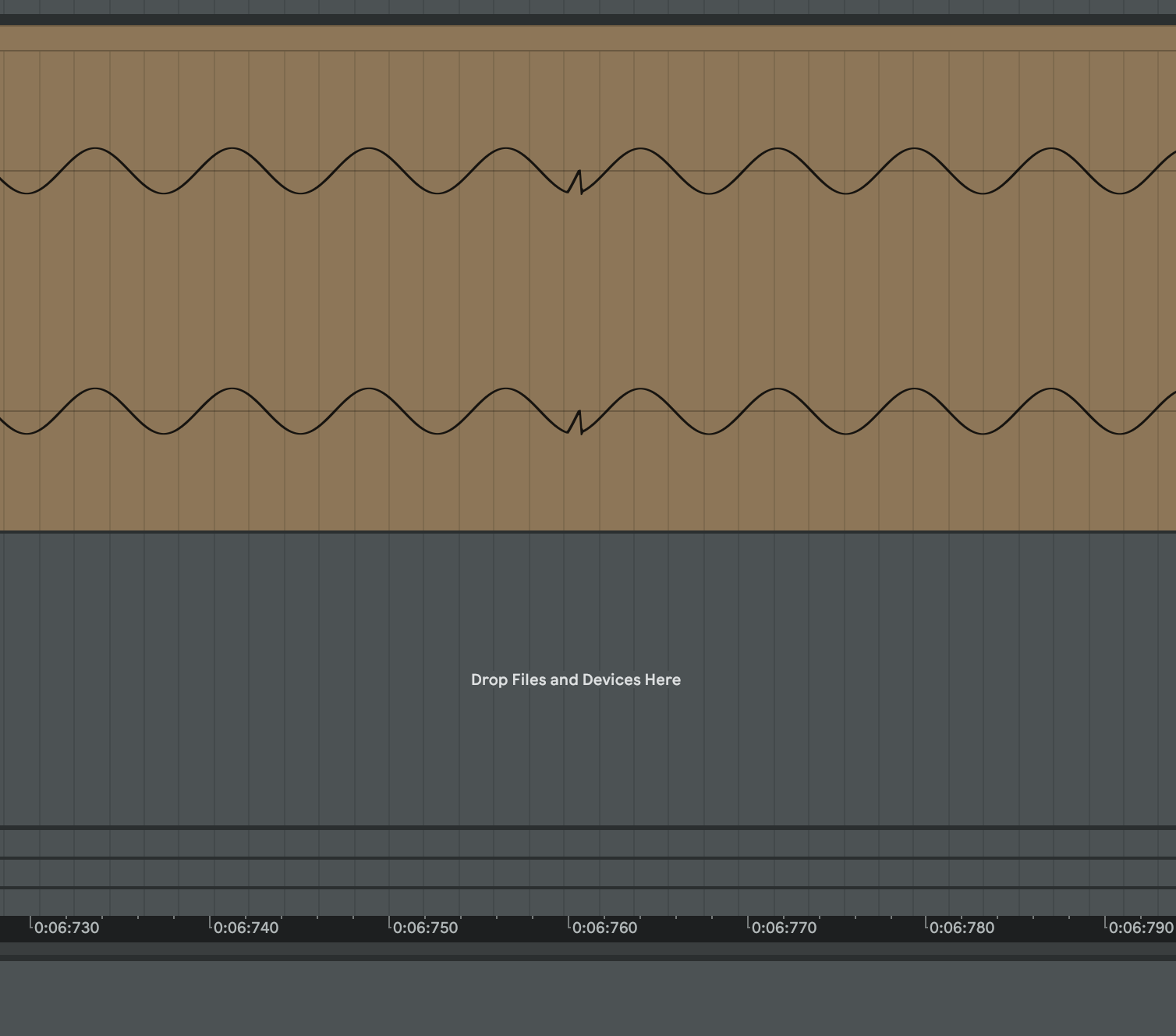
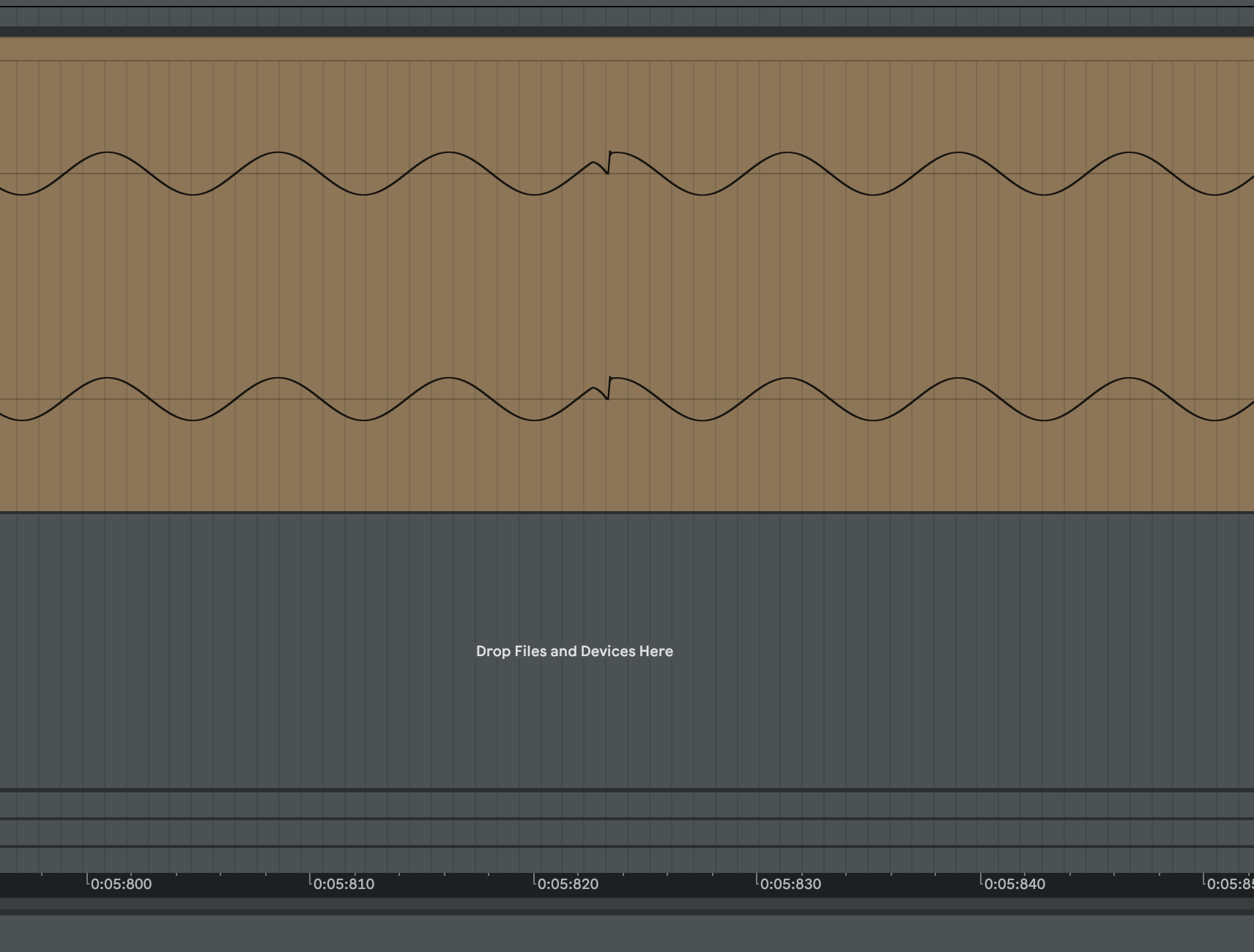
“Create linear locks” in grid machine doesn’t play slices smooth, it clicks, again!! 
For example, If you load 16 step length sample then turn on grid machine, set all 16 triggers and press yes to apply “create linear locks” you hear it((
To see what happens I created pure sine signal from factory osc, resample it 16 step length, and tried to restore that sample on another track with linear locks. It looks like this:
Digitakt 1 does it without clicks.
Same here after recording 4 bars from Syntakt in input.
Hi, welcome to the forum.
Updating to OS 1.30A solved the problem for me, so you might want to check if you’re on the latest OS. 
Sure I will update. Many thanks for the notification 
Have you checked that shuffle isn’t applied on your pattern?
In general with grid mode I use only 8th notes, have never noticed timing problems on DT 1 or 2.
It’s defently DT2 bug, it happens every time on any pattern. Just try it by yourself. Load any smooth pad sound 2 seconds long (exactly 2000 msec). Set up bpm to 120 to get 1 bar equals 2000 msec. Turn on grid mode, place all 16 triggers and create linear locks. You’ll hear a lot of clicks((.
Btw, If you try to resample 16 steps (1 bar) straight from digitakt it will not be 2000 msec (I posted about this bug earlier in this thread). But it doesn’t matter, I tried with 1 bar resampled and with prepared 2000 msec sample - clicks in both cases.
This bug is crucial for my workflow - I’m sampling loops from external synths 16\32\64 steps long and slice it with grid machine. I want them playing as is (with linear locks) by default. But when I tackle parameters during performance (with track+all) and press func+no to reload pattern triggers on each step restores sound of that loop to original. Otherwise when I have just one trigger that plays 4 bar length and when I reload pattern by func+no sound will not restore till next trigger fires.
Anyway, Digitakt definitely has click issues in different use cases. This is unacceptable for such a great device.
It’s definitely the “clickiest” sampler I own 
All the Machines need tweaking at times to remove clicks. And sometimes it’s not even possible to eliminate them at all.
I wish they would add crossfades, zero point crossing detection and zooming into waveforms to find start and endpoints, etc…
i agree and your frustration is totally valid
this was one of the primary reasons for packing up the dt2 and eventually selling it
afaik elektron has not confirmed as to whether or not they consider this issue to be a bug but it’s definitely a bummer
hopefully it gets addressed one way or another