Thanks for the advice
Very exciting and a bit scary but can’t wait at the same time!
Yeah using a dj mixer is really nifty for this type of stuff. It gives a lot of quick access and control to things. Especially the db4 with its flexible routing options.
Working more and more with Octatrack has been wonderful. Must admit it’s my to go elektron at this moment for the new music I’m currently making. DT will still be part of my live set though.
The things I enjoy the most that are missing from DT are:
Making use of 3 lfo’s (and haven’t used the lfo designer that much even)
the live looping and real time mangling of loops in combination with scenes is mind blowing. I actually have you to thank for that as I use a setup for that based on on your description somewhere on this forum. When I read that it blew my mind how much you can do with it. It’s also an infinite source for new happy accidents and ideas.
modulating fx into extremes
the complete versatility of OT. Don’t have to use everything all the time but the options are there.
flexible routing with 2 stereo ins and the extra cue out. I love machines with flexible routing possibilities
Also still things that I haven’t explored enough yet like slides. It’s really a gift that keeps on giving.
I think I could go on. DT is great for its focus and limitations. OT is great for its depth and flexibility.
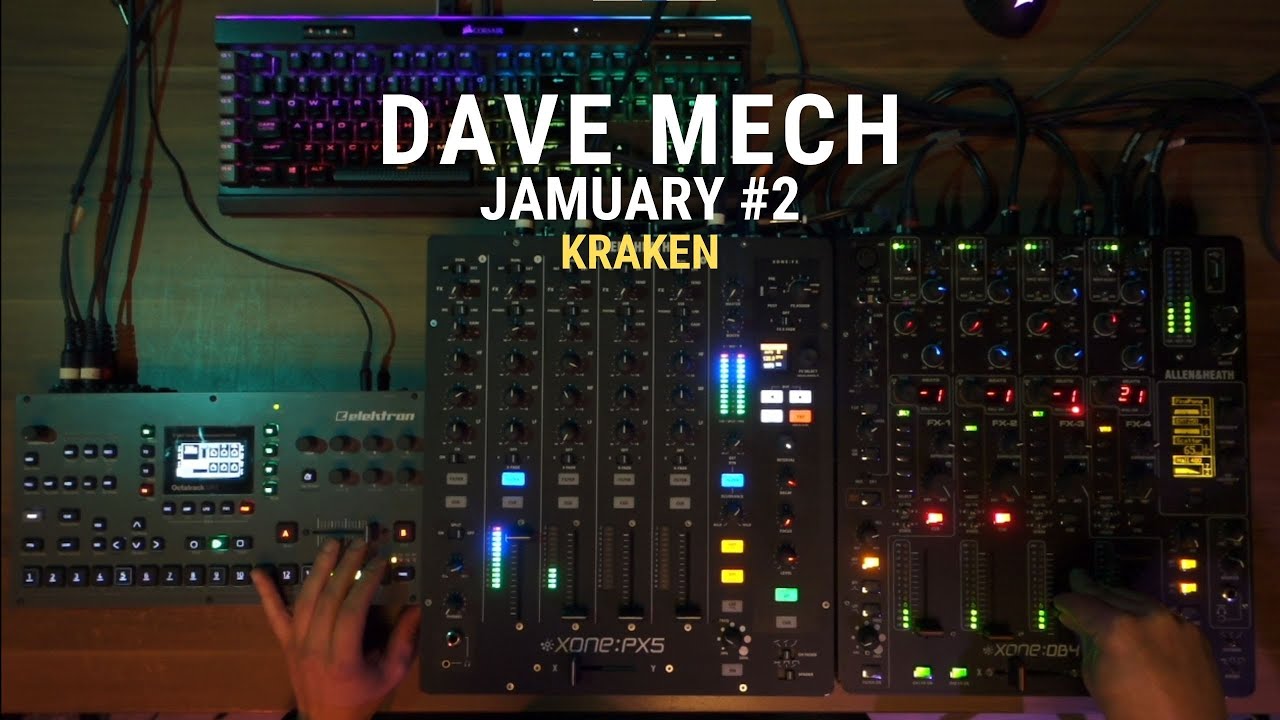
So I recorded an new jam today. Glad with the recording, but the cameras decided to turn off half way through, so I solved it more or less but just so you know This time a bit more hypnotic. Tried to create a trip which resulted in just short of 11 minutes but I hope it’s worth the listen
The routing I used here is as follows:
Percussion stuff
Goes out of octatrack main out into Xone PX5 channel 1, hot.
PX5 channel gain up until the reds. The PX5 is an analog mixer and pushing the level compresses, adds warmth and a hint of saturation in a lovely way.
Synth drone
From octatrack cue out into PX5 channel 2
PX 5 channel 2 send to internal FX + to external FX which in this case is Xone DB4
XOne DB4 channel 1 = fully wet delay
Xone DB4 channel 2 = fully wet reverb
Xone DB4 channel 3 = delay
Xone DB4 record out is set to headphone cue. So that’s why you see the headphone cue buttons lit and the channels down.




 This time a bit more hypnotic. Tried to create a trip which resulted in just short of 11 minutes but I hope it’s worth the listen
 thanks bro, thanks