Hallo,
Just wondered if anyone had any advice for the set-up of multiple Elektron Boxes with multiple MIDI controller keyboards - what works for you, tips and tricks etc. I have a set-up that barely works, and feel like I’m missing something.
Essentially, I want to Daisy-Chain three Elektron Boxes (Digtakt, Analog 4, Digitone), with the first one as the ‘master’; but give each one its individual keyboard (should’ve bought Analog Keys and Digitone Keys, right?  )
)
Easy enough to Daisy Chain without keyboards: DTK MIDI out > A4 in > A4 thru > DTN in.
Previously, I’d put a single midi keyboard at the start of the chain as a ‘master keyboard’, and switch channels to control the different Elektron boxes, but I felt each box having its own keyboard would work better when playing with other people (and for space/movement/remembering-midi-channel reasons).
But this proves a challenge when you want to simultaneously pass MIDI thru the keyboard into the next box (so you have a master clock/sequencer) AND you want to ADD MIDI to that signal (notes from the keyboard).
I have a few Behringer Swing’s (used to be the original Arturia Keysteps, but they’ve all broke and I was broke and Behringer is cheaper hashtagsorrynotsorry) and what I’ve settled on is:
Digitakt as master clock/sequencer → MIDI out → MIDI in → keyboard → MIDI out (with ‘thru’ enabled) → MIDI in → A4 → MIDI thru → MIDI in → keyboard → MIDI out (with ‘thru’ enabled) → MIDI in → DTN
(I’m going to try and add a picture to this, but apologies if it doesn’t work, I’m new to this):
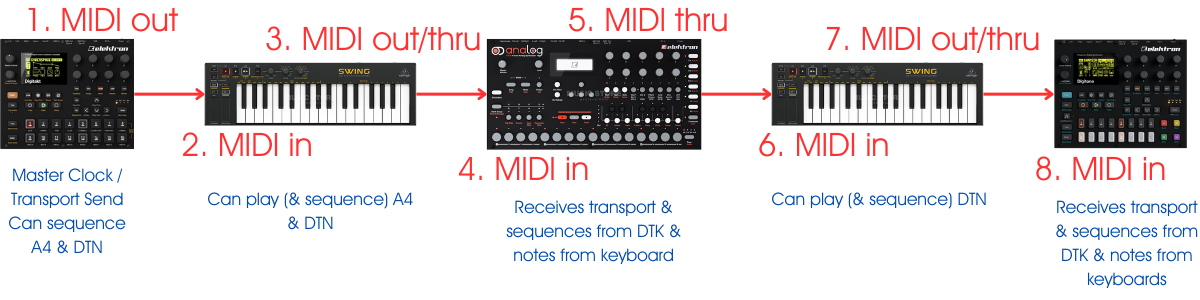
So this just about works - Behringer keyboard only has a ‘MIDI’ out socket, but you can add ‘thru’ data to it (in a way - it seems to forward notes but not transport/program etc.)
BUT it feels a bit clunky and sometimes you need to hit play stop play to get them all singing together, so I thought someone here must have a better solution for this kind of thing?
NOTE: this is a computer-less set-up – I’m aware if I’m using a DAW as a master, it’s super easy to have multiple dedicated MIDI keyboards per synth, but I feel this shouldn’t be that tricky to function DAWlessly?
(For the Synth-nerds - above is actually a simplified version of the set-up just to highlight the problematic bits with the keyboards, the actual chain is:
Keyboard → MIDI out → MIDI in → Digitakt as master clock/sequencer → MIDI out → keyboard → MIDI out (with ‘thru’ enabled) → MIDI in → Syntakt…
Syntakt → MIDI out → MFB-301 Pro
Syntakt → MIDI thru → keyboard → MIDI out (with ‘thru’ enabled) → MIDI in → A4…
A4 → CV out → CV in → MS20
A4 → MIDI thru → MIDI in → keyboard → MIDI out (with ‘thru’ enabled) → MIDI in → DTN (sequencer for 4 synths)…
DTN → MIDI thru → Volca Drum
DTN (sequencer for 4 synths) → MIDI out → MIDI in → MIDI Splitter → MIDI outS → Moog Grandmother / ASM Hydrasynth / Korg WaveState / “floating keyboards” (whatever other people bring to the studio or whatever’s not set-up that takes my fancy.)
& you should see the audio routing…  - still, much more important to focus on the set-up than actually making music as always )
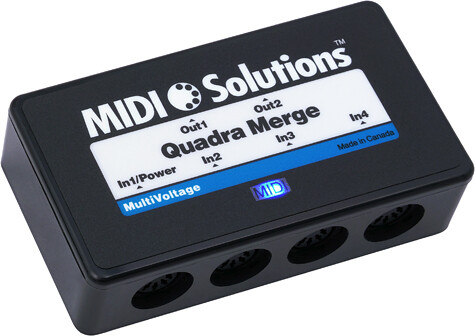
 - totally forgot about mergers