Chase Bliss effects pedals

I got mine about 2 weeks ago and have spent a decent amount of time with it. I think it’s remarkable.

It’s one of those devices that instantly makes something feel more substantial and 3D. I know that’s a very annoying thing to say, but I really can’t think of a better way to say it. I know that the pedal requires a lot of power so maybe it’s got something to do with operating at higher voltage, but it sound BIG to me.

The first thing I tried with it was actually modulation sounds. For some reason I was really curious how it would do as a modulation machine and it’s just beautiful. I got some sounds that felt very similar to Banshees sounds which are a real touchstone for me.

I built aweb-based editor to use for the pedal and it’s been useful for getting a little deeper into the UI and also for saving presets as I experiment with the pedal. I think there’s basically an infinite amount of sounds in it.

I’ll disagree about it having predominantly crunchy sounds. I think it’ll certainly get crunchy, but there’s a lot of options to playing with gain staging in it and I think, depending on what you feed it and how hot it’s running, you can get quite a wide variety of sounds out of it. Is it going to be as clean as a JC120…no. But to say it’s only crunchy isn’t the real story, imho. It can go there for sure, but it’s got a lot of versatility. I think it will benefit from patient exploration and use.

The looper side of it’s interesting as well. I’ve setup a basic patch on my Morningstar MC8 Pro for it and can basically toss it into loop mode and capture some of the stranger things it does.

6 Likes

Thanks for sharing your impressions! I agree on versatility. I did not say “it’s only crunchy”. I think that’s where it’s leaning to and where it’s biggest strength is. Of course I played a lot with gain staging, and you’re right, it can sound clean as well. But I didn’t manage yet to make it sound like a very warm, smooth BBD. If you have any convincing BBD preset I’d love to try or hear it. I’d be happy if it could cover this area too.

P. S.: Thanks for sharing the editor. Looking great.

In case you don’t know: There’s also a free universal pedal/synth/fx editor from Morningstar:

3 Likes

My apologies for overstating things. You’re absolutely right, you didn’t say that. I feel like many people sometimes pigeon-hole what the CB pedals are cable of doing and I bristle. (Note: I don’t think this is what you were doing either - I was just being reactive.)

I do think their UI’s often obscure their full feature sets and it takes a great deal of effort to really dig in and get each pedals full capability.

Personally, I don’t think you’re going to get BBD sounds that do quite the same thick, gooey thing as a good bbd chipped device. I’ve got the EAE Sending v2 (which I’ll be selling shortly) and, for my personal tastes, I’m just more into what Big Time does.

I think for the BBD sound I enjoy is just more simple as well. For fast, analogue slap I could use something much less sophisticated and be very happy. I can get sounds out of Big Time that can do something akin to what I’d personally use a BBD for, so I don’t really feel like I’m personally missing much. I’m also a child of the early/late 80’s and the sound of a digital delay just really works for me aesthetically.

Re: the editors, I do know about the Morningstar Midi Magnet product and it looks great. I hope people adopt it and build out what it could offer to a broader community.

I’ve been messing with various sorts of CB editors for about 6-9 months now in various formats. My first experience with using an editor with their pedals was the ZombiePedals Mood MKII editor. It blew my mind how easy it could be to control such a complex pedal in a more visual way. I started playing with TouchOSC and really loved the idea that you could get a very hands-on feel for the inner workings of the pedals. I was immediately able to get things out of Mood MKII that I simply would have never, ever arrived it with hands-on use.

Unfortunately, I found TouchOSC to be very fiddly and not at all user-friendly, so there was no way I could share the work with other people which made it much less attractive to me. It recently occured to me that working with web-based editors made sharing trivial and that I could also build out some very clean GUIs. I ported my initial builds from TouchOSC into Claude and created newer web-based iterations. I’ve since realized that the fixed form-factor creates a perfect basis for a much more automated build process, so I’ve been working to codify the visual language and functionality. At this point I can pull a Chase Bliss manual and the midi manual into my project and it can build an editor that’s about 75% of the way there visually and functionally. I’m still refining things, but my hope would be to build a whole suite of editors for all the pedals and just put them out into the world for people to play with. It’s an amazing way to really understand the pedals much more deeply. Changing DIP settings in front of your face and hearing what happens is much more intuitive than leaning over the pedal with some small object to push up a tiny switch and hoping you touched the right one.

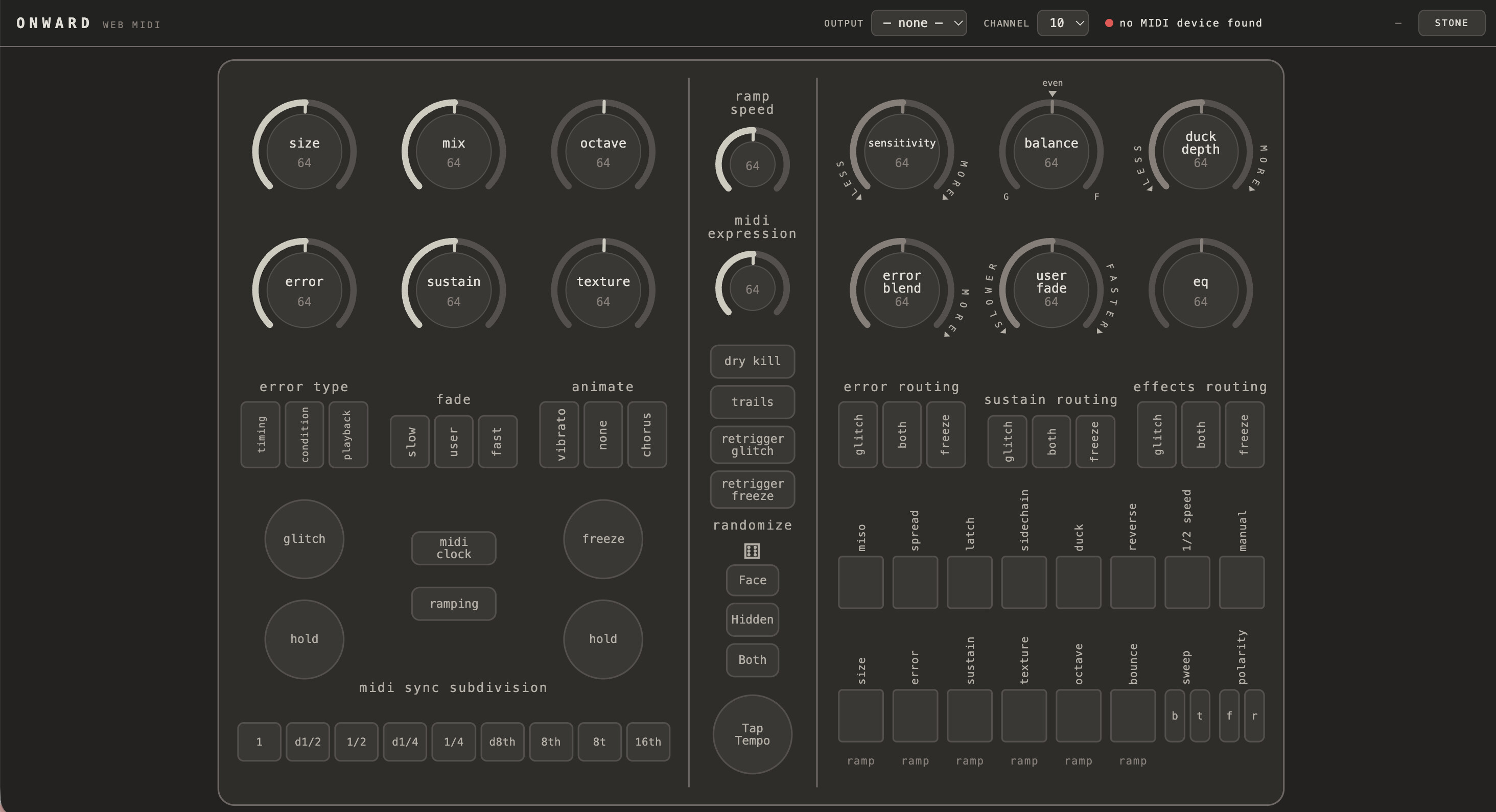
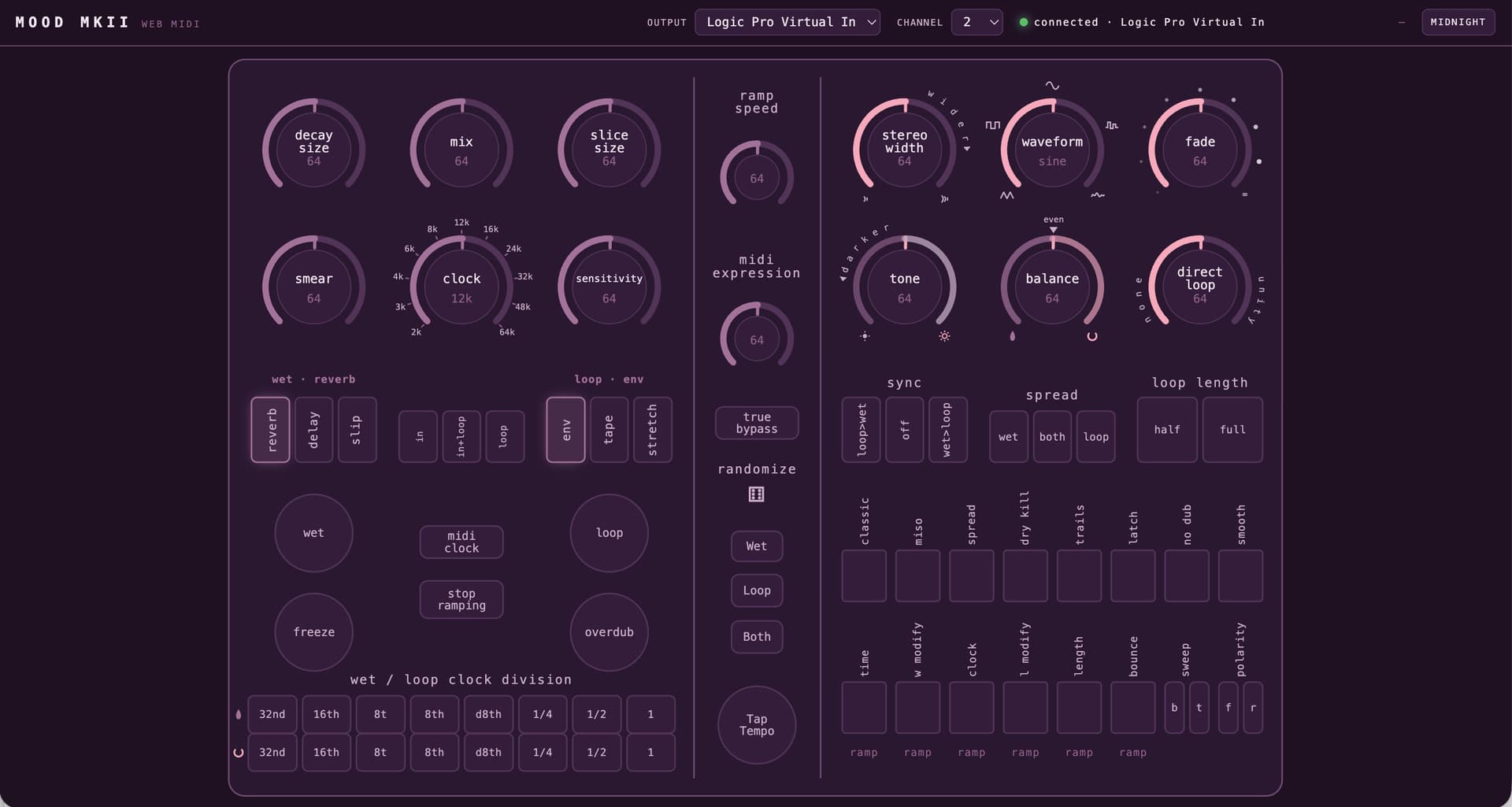
Here’s what the most current iteration of the Mood MKII editor looks like. It’s the most far along of all of them functionally and visually. I’ve also built out editors for Lossy, Lost and Found and Onward. L&F really benefits from the editor. The control names change as you switch through the differing settings, so you have a very clear idea of what all the modifiers do as you change things up.
8 Likes

Thanks for your in depth reply! I think we’re pretty much on the same page regarding the sound of Big Time – and BBDs.

The main issue I’m having with Big Time only occurs with synth sounds, which have low and high frequency content. Sometimes I’d like to dial back the upper range without boosting the low range, but the Tilt EQ always cuts and boost. Even with the Voicing options and the variable Split Frequency I’m not quite getting where I’d love to go.

Well, champagne problems. I think I was hoping for a Stereo Thermae, but it’s just a very different beast. On the other hand there’s a lot to like, so I think I’ll keep it.

This Mood MkII editor is looking great!

2 Likes

It would be very useful for the tilt EQ to have 2 other modes: low pass and hi pass. That would basically cover all of the bases with the single knob and that would likely address your problem, yes? I wonder if that would be a firm-ware addressable change or if that would require significantly more?

If you feel strongly about trying to get a better result, you might just message John on IG. He’ll know what’s humanly possible with the way the hardware’s been designed. He might have a clever solution that isn’t obvious. I’ve asked him a question or two via IG and he’s very responsive via the EAE page. I’d be quite curious to hear what his thoughts are.

I just looked at the tilt EQ at the manual and the way they’ve chosen to illustrate it suggests a flat frequency response when cutting or boosting things. I’m interested to play with it and see what I hear. I’ve just been using guitars so far, but I should throw some other sources through it.

Re: the editors, I’m closing in on a locked format and will be able to share the 4 editors. I think I’ll initially just post them on Github to get some initial feedback, but the goal would be to create a single location they could live. Ultimately I want them to perform at their best on iPads or other touch surfaces. Being able to lay hands on the entire interface in a tactile way in real time will be a very nice feeling.

I just got Onward rebuilt this evening. L&F came out a little funky, so there’s more work to do on that one, but it’s not too far off.

2 Likes

The good news is that CB holds on to the Automatone form factor for those who like it. I personally don’t but I do appreciate their drive (no pun intended) for innovation. I would further appreciate if they implemented a line/instrument (dip) switch one day.

2 Likes

Is anyone here using the Disaster Area Designs CB midi cable(trs to 5 pin midi) with their Mood Mk2? I would like to avoid using the CB Midibox because it needs power and is abother box to take up space. My intentions are to use the cable with an interface to be able to use the PedalZombie online editor and maybe also clock sync with my DN2. Any feedback on this cable would be appreciated.

I emailed (year back or so) DAD and PC about this specific question, and they said the cord wouldnt work without another box from DAD.

I was looking to clock sync the MOOD MKII pedal to my elektrons for context.

They both mentioned that the Chase Bliss box would be the best solution

3 Likes

A message from support about a similar question

Chase Bliss pedals use a non-standard pinout for MIDI connection. It is neither Type A or Type B. It is Ring Active with Floating Tip. This is similar to Type B, but Type B uses the Tip for current source, and Chase Bliss pedals use the Tip for external tap tempo or bypass.

Additionally, without a MIDI Box, Chase Bliss pedals aren’t fully MIDI Standard compliant. So using an adapter cable isn’t guaranteed to work depending on the MIDI control device you’re connecting to.

The issue comes down to the MIDI Standard is current (mA) based, but our pedals are voltage based. So some controllers meet the official MIDI Standard, but don’t have enough voltage to drive the MIDI input of our pedals.

3 Likes

Okay thank you for the responses. I will go with the CB Midibox. Still looking for any feedback on the Disaster Area Designs CB midi cable though. I would like to hear from someone who actually uses or has used it to know what it is capable of handling.

2 Likes

Yep I have it, works as advertised.

I avoided the Midibox for reasons you mentioned, but only ordered 1 cable and now I want to MIDI sync 2+ CBA pedals, so I’m back to considering it…

Edit: wait I forgot to mention, it is exactly as CBA says. The DAD cable is not guaranteed to work with all devices, and it has been an issue for me in the past. So yeah, go with the Midibox or another solution such as Morningstar.

1 Like

Thank you so much. I think I will start with the cable and if I run into any issue with it I will end up getting the Midibox. Are you sending and CC messages to you CB pedals using the cable? Or just clock?
Edit: Just saw your edit to your reply. I guess I’ll just bite the bullet and go with the Midibox

1 Like

See my edit, beware as the cable does not work with every device. I can’t remember which setups I had trouble with.

Here’s what I can say concretely. I use the cable from Arturia Keystep to Blooper, and it is fantastic because you can program the pads on the Keystep to whatever CC you want. Works perfectly. You can map encoders and faders to the Blooper knobs, so you could have it out of reach and fully controllable.

4 Likes

Thanks again. I think I might just order both the cable and the Midibox. I will be using it with the Mood Mk2. Hopefully the cable with do what I need and I will have the Midibox as backup if the cable is not performing for my needs. I will report back here what I find in case anyone else is trying to choose between the two.

3 Likes

Thanks, yes, that would probably solve my problem. I’ll ask John about it and will post his answer here if he’ll respond.

On the Tilt EQ graphics in the manual: I think they are simplified. That’s definitely not what I’m hearing. Curious to hear your opinion when you’ll take a closer look/listen…

2 Likes

Anyone used the polyend mess to get any CBA style effects? I’m down to just a mood mk2, but picked up a mess for $400 and figured I’d try it out.

1 Like

Here’s the question I sent to John:

“I got my Big Time a few days ago, and while I love many aspects of it, I’m struggling to achieve a mellow BBD sound, where the bass is untouched and the high frequencies are dialed back. When I play a synth sound with bass and high frequency content and try to dial back the upper range, the lower range is boosted and gets too boomy. I tried everything, all Voicings, all combinations of Tilt EQ and Split Frequency, but I’m not getting there. Do you have any advice or any example of a preset/setting that get’s close to a real BBD?”

John replied immediately:

"Thanks for reaching out, if you want to boost the low frequencies less just turn feedback and/or mix down. The tilt EQ boosts and cuts in equal measure, so you just have to compensate slightly.

That said if you want it to sound like a BBD, you may not get there. The analo voicing is based on the filtering of a particular analog delay, but is not doing anything to emulate the response of a BBD specifically."

3 Likes

That’s great he replied so quickly. I’m curious if some more time with the box will get you any closer to sounds you click with. I’ll play more with it on my end and I’ll DM you if I find something promising.

Enjoy!

1 Like

1 Like

a delay a year keeps you interested in gear

7 Likes