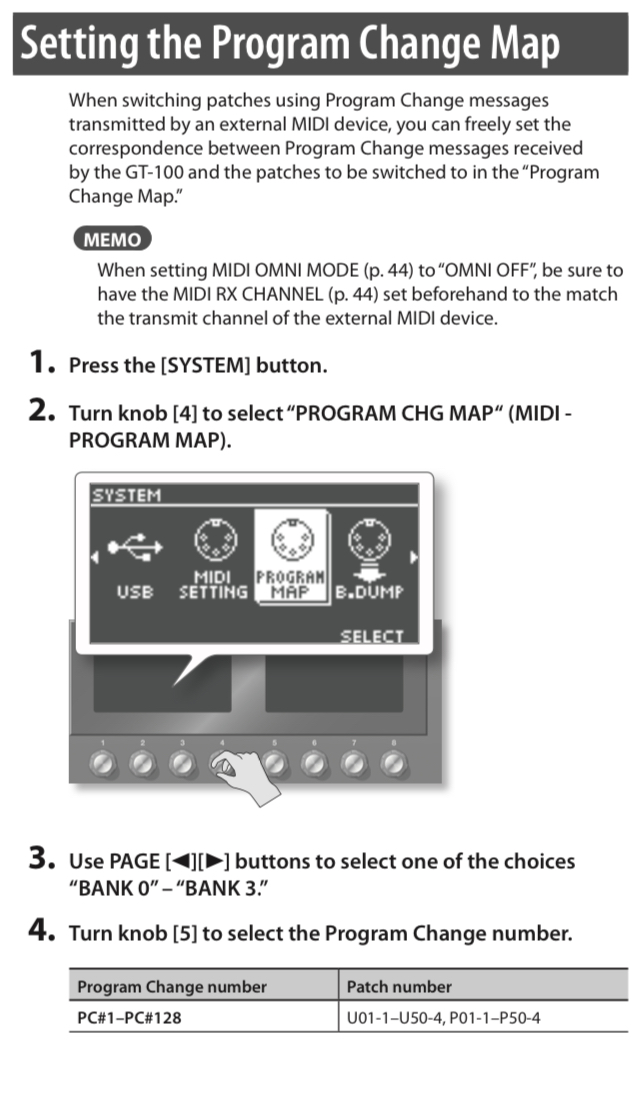
I’d like to know if it’s possible to change the pattern playing on my Digitakt from an external MIDI source (in this case my truty old Boss GT-100). I’d like to have it set up for live performances where I don’t have my hands available to swap out patterns mid-song and it’d be very helpful if I could just stomp on a button instead . I tried looking for existing forum posts/guides for similar things but couldn’t find any, though I apologize (and would appreciate a link to) if this has already been discussed here.
Set DT to accept Program Change messages in the Midi Config menus (I don’t have a DT to check exactly where right now). Then I assume PC#1 is pattern A01 on DT, PC#2 is A02 and so on.
It is possible. @craig has given the instructions for controlling the GT-100 from the DT but you want to control the DT from the GT-100 so the steps are:
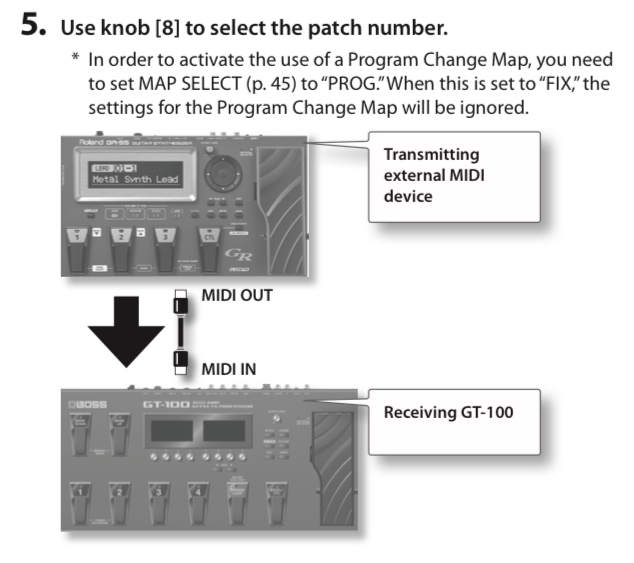
Physical connections:
Connect GT-100 MIDI Out to DT MIDI In using a working MIDI cable.
On the DT:
In the SETTINGS > MIDI CONFIG > SYNC menu, activate PRG CH RECEIVE.
In the SETTINGS > MIDI CONFIG > PORT CONFIG menu, set INPUT FROM to “MIDI”.
In the SETTINGS > MIDI CONFIG > CHANNELS menu, set PROGRAM CHG IN CH to a specific number, for example 16.
On the GT-100:
In the System Settings for MIDI:
set the TX CHANNEL number to match the Program Change In channel number on the DT, and
set PC OUT to “ON”.
GT-100’s patch numbers from U01-1 up to U25-4 should correspond to the DT’s pattern numbers A01 to H16.
 . I tried looking for existing forum posts/guides for similar things but couldn’t find any, though I apologize (and would appreciate a link to) if this has already been discussed here.