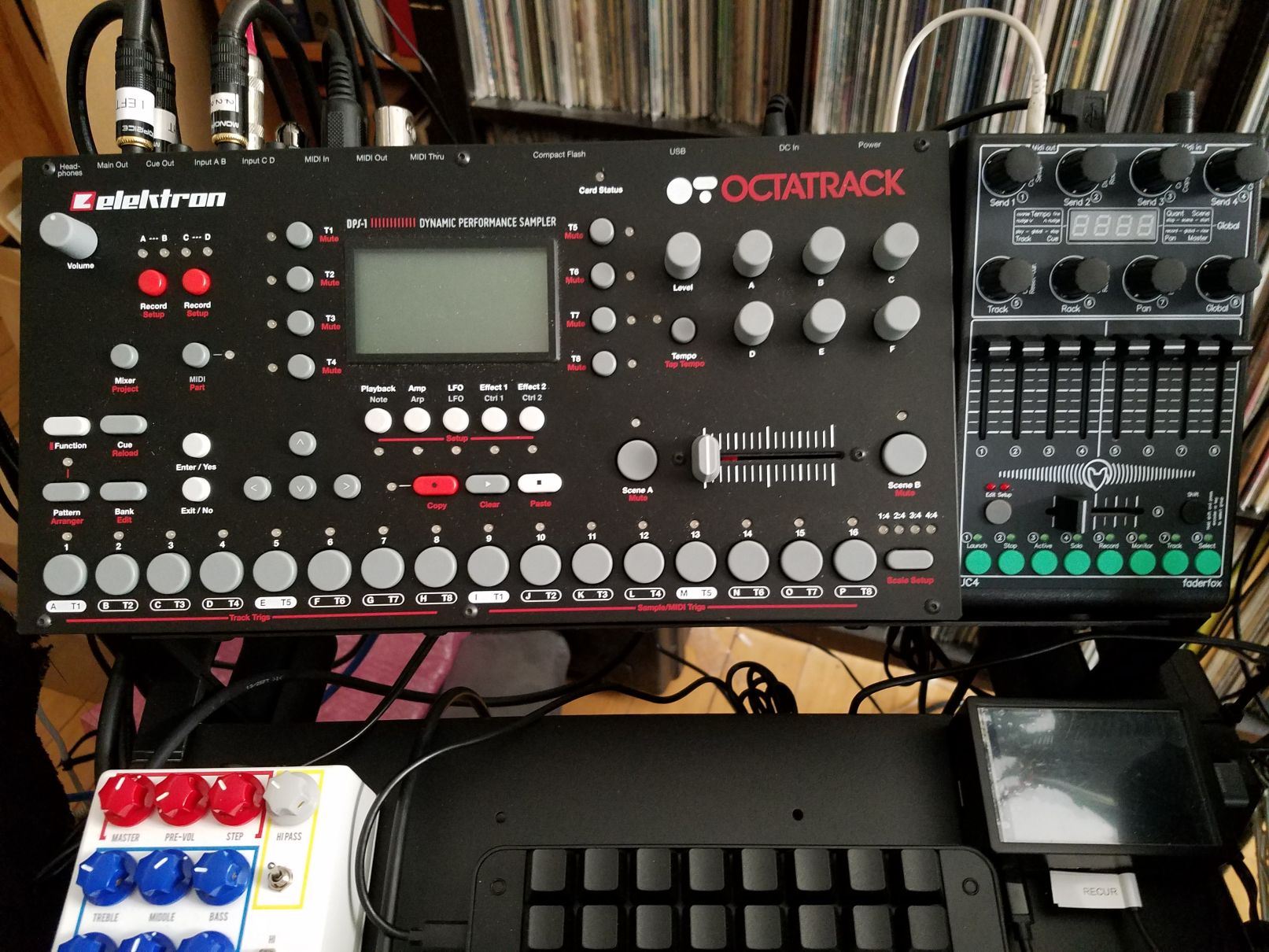
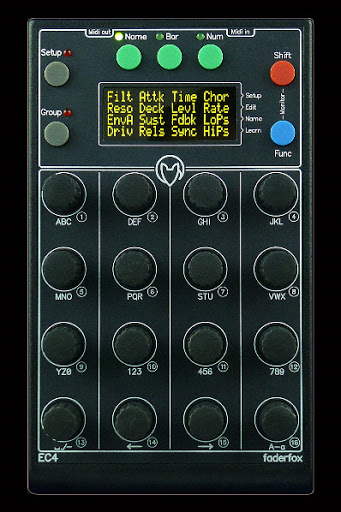
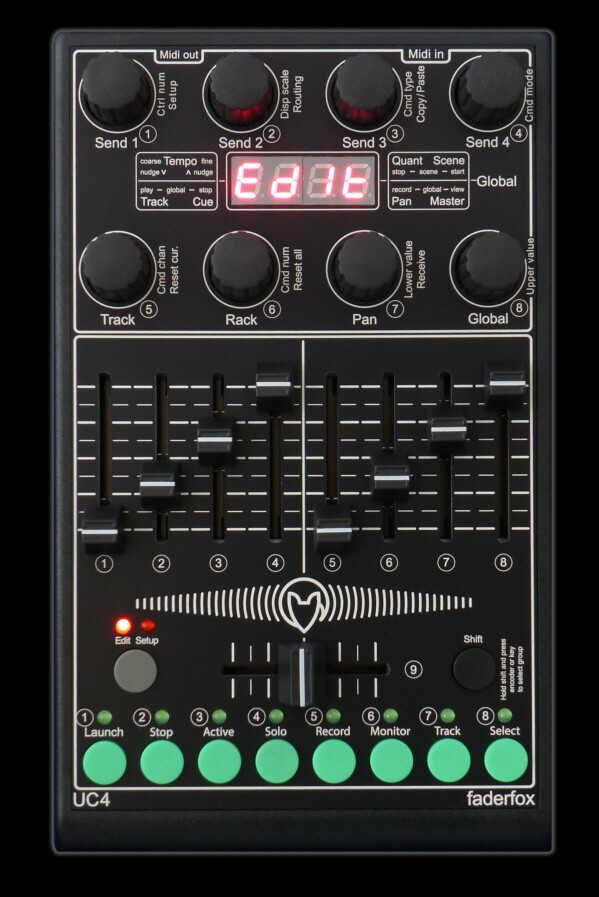
Man those Faderfoxes look sexayyy
But thanks to these BF sales I got a MIDI Fighter Twister, so I’ll give that a go with my OT when I get around to it.
Man those Faderfoxes look sexayyy
But thanks to these BF sales I got a MIDI Fighter Twister, so I’ll give that a go with my OT when I get around to it.
I bought MX12 a month ago I guess, not enough knobs IMHO… I control both OT and A4 with it but only 2 knobs by track is really not enough )) I want now a PC12 arf…
I’m finally going to be picking up a Faderfox UC4 in a coupe weeks so I can do basic mix adjsutments live (track level, mute and pan for all 8 tracks plus maybe playback parameter 5 for the currently selected track on the crossfader, so I can use it to control gain on the active pickup machine). Was saving up for a UC4 but between the cost and the footprint I decided it was more practical to go for the MX12 and use the balance to get a JHS Colourbox 2 (which has a LOT more uses for me than an MX12 would). I’ll report in when I’ve had some time with it. My only real concern is the 1/8" TRS jacks for MIDI i/o, I know they’re practical for making it smaller but they’re such a fragile, unreliable connector type I really try to avoid ever using them. That said, they’ve definitely improved over the last few years and I’m sure Faderfox is using decent uality components.
At first I was thinking I might use the MX12 with a DAW but not having motorized faders kind of defeats the purpose of having a hardware control surface for DAW mixing IMO. I’d rather stick with having a single motorized fader for writing automation than having 12 faders but still having to look at the monitor all the time.
EDIT: If I was going to really be doing a lot of dubstyle live mixing in the OT I’d say the MX12 would be worth it to have the bigger, more robust faders and more space to work with, though. Most of the time these days I’m using my hands for other things and controlling the OT with a footswitch as a multitrack looper, and for that kind of workflow all I really need is 8 small faders to quickly see where the track levels are set and adjust them if I need to, without having to shift too much attention to the OT. That’s also why a knob-only controller won’t cut it - the faders are about instant, obvious visual reference as much as control.
I just got one. 
Already having a Remote SL 25 (mk 1), I tought it was one one the best choices for controlling Octatrak.
I bought a Zero SL mkII (didn’t found an MK1) to get rid of the keyboard on stage for room and weight reasons.
Cool you be nice enough to send me you preset/layout ? It would help me to make mine. I’ve dived into Octa MIDI implementation, but it’s not clear enough for me as I’m still learning the Octatrak itself.
Thanks a lot.
OCTADJ.syx (4.0 KB)
Hello Will,
Try this one - ive exported it with Focusrite / Novation Beta Testing :: Releases this editor
All the controls should be named, but please message me if you need any hints.
Cheers M.
I decided against the PC12 because of non-motorized faders issue. I know it would get frustrating in the studio as a result and I’d end up using the mouse more rendering the PC12 a $600 paperweight.
yeah, that’s getting in to used Mackie MCU territory.
While I don’t use it with CC Direct Connect, and others would have to chime in on that functionality for those interested, I did come across an interesting bit of functionality on the MIDI Fighter Twister the other day while I was reprogramming it.
I was programming two pages and there was a set of controls (Level, low eq gain, high eq gain) that I wanted to exist on both pages, so I wouldn’t have to jump back and forth.
To my surprise, even without CC Direct Connect, and MF Twister sending MIDI out to the OT only, changes made on Page 1 were cloned on Page 2. So, it was reading the CC# for one page’s encoders and matching them where they existed on another page.
Huge feature that I stumbled upon, and it makes me love the thing even more.
Maybe I understand Direct connect wrong, but it’s just the way OT handles CC values, right? Passing them through instead of processing them.
Electra One also updates the controls with the same CC value regardless on what page they are. If you connect MIDI In and send CC values there, it will also update the controls, when the CC changes somewhere else. As you can see the values on the screen, you have a Visual representation of MIDI LFOs there for example.
Yes, with CC Direct Connect on, OT will send incoming midi straight to out, you can live record the midi ccs that are set in CTRL1 and CTRL2, all other midi cc will still be sent straight to midi out.
With CC Direct Connect off, OT will react to midi ccs specified in the midi implementation.
Difference only is, when it’s on, OT records the midi ccs you have set (e.g. the midi ccs of a connected synth), if it’s off OT responds to it’s own midi ccs for midi tracks.
Just an update, I finally got a UC4 this week and so far it’s perfect. Controls all feel nice, the form factor was obviously chosen with Elektron devices in mind, the faders are just big enough to be nice to use without wasting any space, and it’s very intuitive and fast to program from the front panel. The only small gripes I have are that the 7 segment display isn’t protected in any way (not really a huge concern) and it only ships with one Type B TRS to DIN MIDI adapter, so out of the box you’ll need to buy another if you already use the OT with a foot controller or external clock or something. If you’re looking fr something to make mix adjustments on the fly as opposed to big, expressive mixer moves that need more throw and space I can’t think of anything else that compares.
For now I’ve got it set up so the encoders control pan for all 8 tracks, the faders control track level, pushing an encoder toggles cue for the corresponding track, the buttons solo tracks and the crossfader adjusts FX2 parameter 6 (level for reverbs and delays) for the selected track because I couldn’t think of anything better to do with it right now.
Nice looking controller. What happens when you switch to a new part?. Do faders need reset. I’m sure with my old controller you would have to move them to get midi position reset.
You can set it for instant or pickup. For my current setup I’m only using a single part so I haven’t had to deal with that, but it’s the weak point with any MIDI controller and the OT. Actually I’ve never checked, does it send CC for all of the parameters when you change scenes? I always assumed it didn’t but if it did you could probably set it up to work with a motorized fader box.
I’ll be using it in an actual livestream for the first time this afternoon, so I guess that’s the real test of how well it works for me.
Send CC61 to OT and OT sends all current values. It’s actually the only Elektron that can do this.
Cool, thanks, I never caught that in the MIDI spec. Not useful for me, but in a different setup with a different controller it could be really helpful.
Yes, indeed. I used to have my old BCR2000 next to my OT and especially with endless encoders it’s seamless working across parts/banks, but the Faderfox controllers have a pickup mode for pots and faders, very cool!
I had one of their very first controllers, could have been before Elektron released the MD. 
Edit
The first controller line in the same format was released in 2004.
I’d be interested in, or in EC4, not only for OT.
Pro and Cons?
Faders for UC4, CC names Diplay for EC4…
@tnussb ?
I think you can name controls in the UC4 too, but only 4 characters so I haven’t bothered to explore that yet.
It worked really well today and made controlling my mix a lot easier. I have to see if I can set the default starting value for the encoders I’m using them for panning so having them default to 0 isn’t that great. Pretty sure it’s possible.
I have an EC4 and would like to know: what the easiest way to send the magic CC#61 ???
Is there a way to program it to send it by pressing an encoder without loosing it for other actions?
Sadly, I am still waiting for the OT to be delivered, already struggled to get that response from my AK …In vain as I know now…
Nonetheless EC4 is a huge step in controlling lots of machines flexibly and in a small form factor, did not miss faders so far…