Additive Wavetable Generator (Standalone App/ Free PWA App)

Additive Wavetable Generator

I wanted to share a project I’ve been working on for my own sound design needs: the Additive Wavetable Generator .
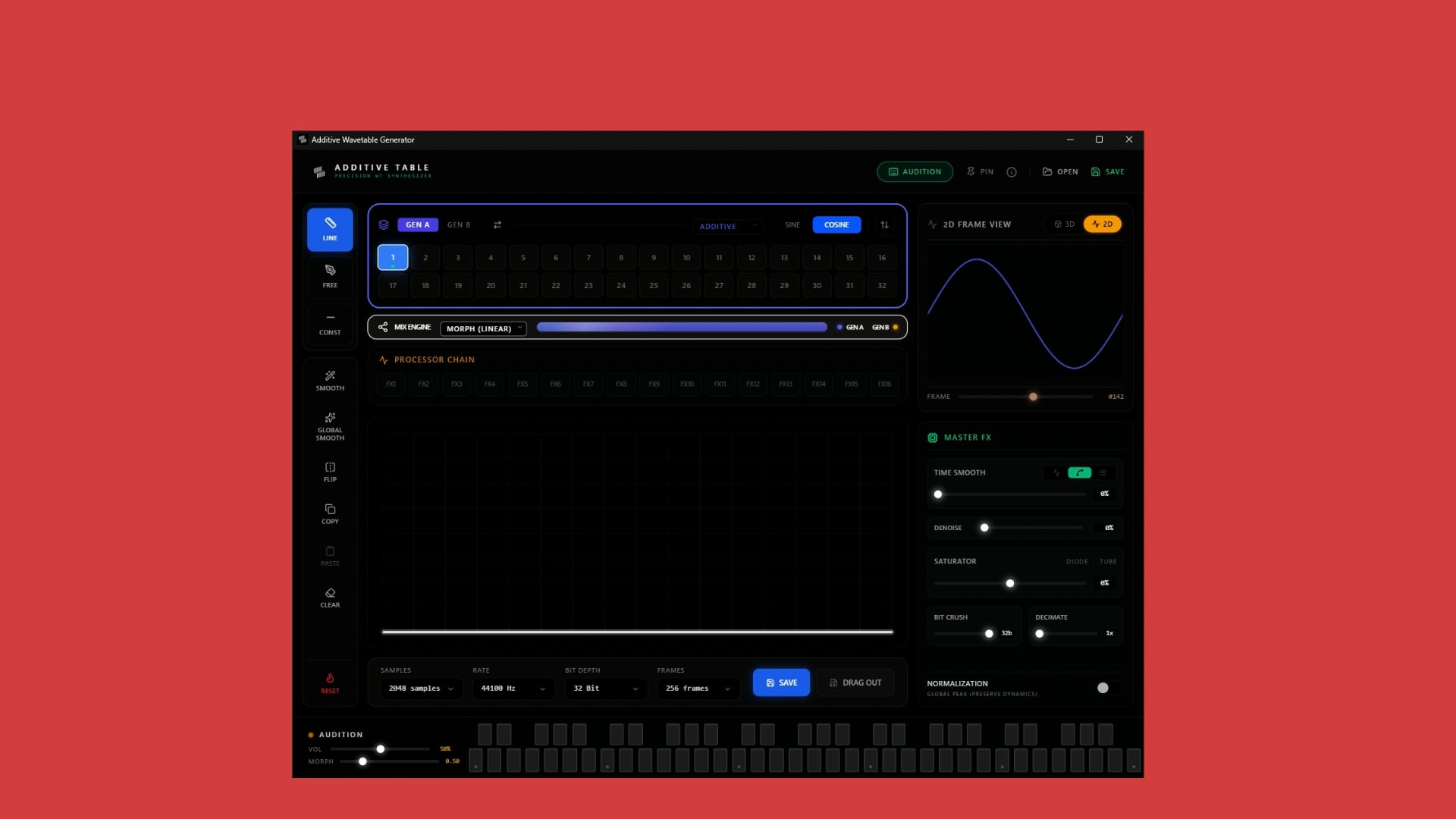
Standalone ($35)

  • Windows: Windows 11 (64-bit)
  • macOS: macOS 12 or newer, Universal Binary (Intel & Apple Silicon)
  • Linux Ubuntu 22.04 LTS / Debian 12 / Fedora 36 (or any modern distribution released after 2022 with glibc 2.35 or newer).
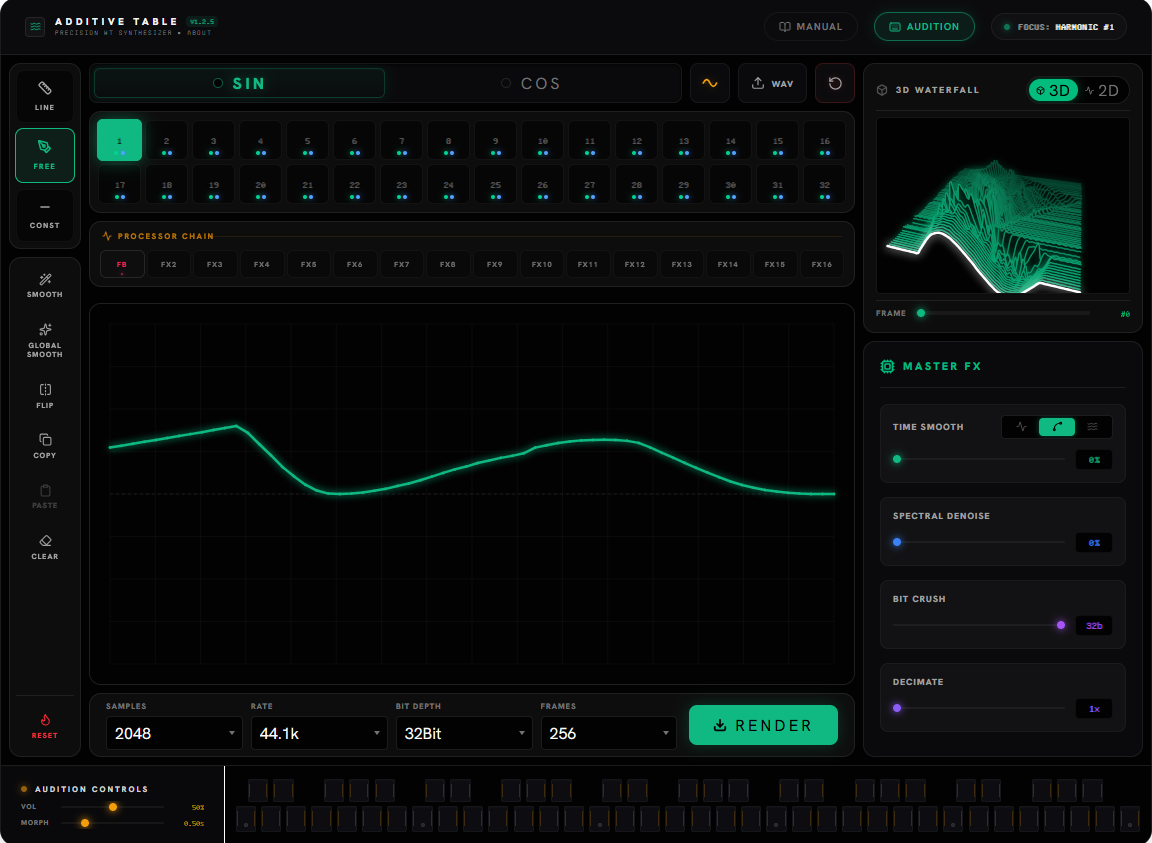
Web App/PWA App(Free Version)

“AWG Free Web Edition can now be installed as a standalone app via Chrome or Edge — no app store, no separate download. Safari support isn’t guaranteed yet.”


Standalone AWG

Advanced Hybrid Architecture

AWG is a dedicated desktop wavetable studio built around a high-resolution dual-engine architecture. It allows you to design complex timbral evolutions by combining additive synthesis, WAV import, and powerful modular effect chains across a 256-frame timeline.

Signal Flow

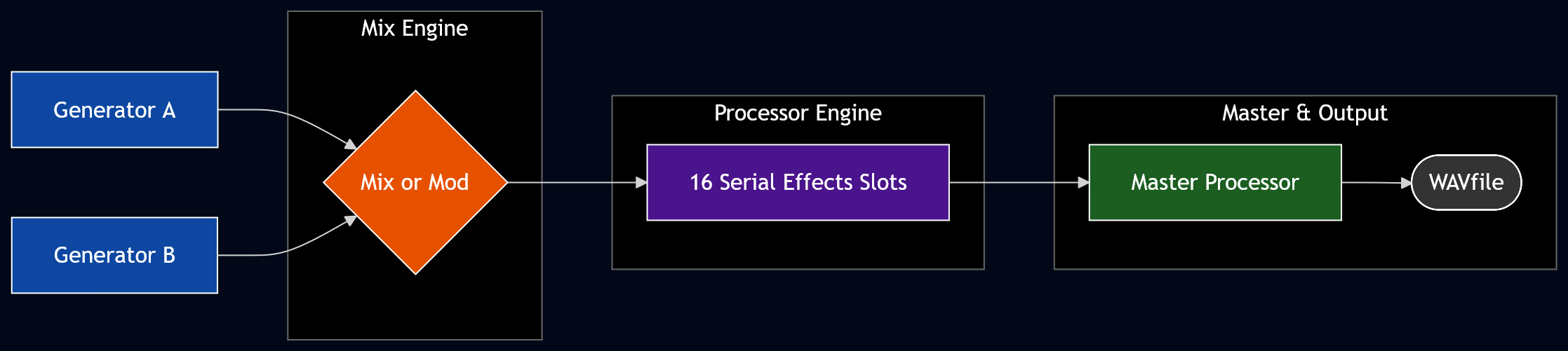
The following diagram illustrates the internal routing of AWG. Signals move from the dual-generator stage through the Mix Engine, followed by a 16-slot serial effect chain and a final master processing stage.
Generator Engines

AWG features two independent generators (Gen A & B) that can be combined and modulated via the central Mix Engine.

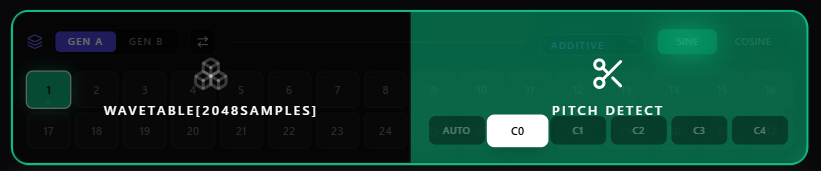
Flexible WAV Import Modes

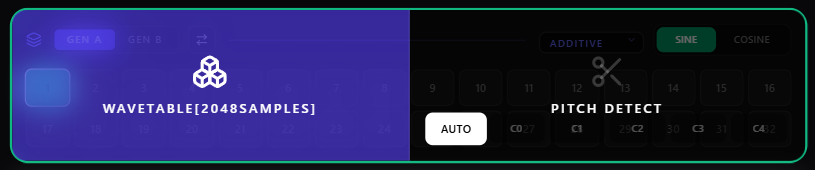
AWG provides two distinct methods for importing external audio into the Wavetable Engine:

01. Standard Wavetable Import
Optimized for industry-standard wavetables. It supports importing files with a fixed frame size of up to 2048 samples per cycle, preserving the integrity of the original source.

// Standard import optimized for 2048 samples per frame

02. Pitch Detection & Resynthesis
Transform any single-pitched sample into a playable wavetable. AWG analyzes the incoming audio, detects the fundamental frequency, and resynthesizes the data into a perfectly aligned 256-frame wavetable

03. Additive Analysis
By analyzing a wavetable with a frame length of 2048 samples and decomposing it into 32 editable harmonic curves, you can resynthesize and reshape its core structure. This mode is ideal for creating new wavetables based on the spectral content of existing ones, enabling deep timbral manipulation.
Category Specification[Standalone] Specification[Free]
Generator Dual (Gen A & B) — Additive (32 harmonics) + Wavetable (WAV import+Addiitve Analysis) Additive (32 harmonics) + Wavetable[Additive Analysis]
Mix Engine Morph, Spectral Mix, Sequency Mix, Phase Mod, True FM, Ring Mod/AM,Spectral Filter, Spectral Conv, Chebyshev Blend :x:
Effect Chain 16 serial slots 16 serial slots[Simplified Version]

I’m planning to continuously add new generator engines and effect algorithms to the standalone version. If you have any specific requests or feedback on how to make this more useful for your gear workflows, I’d love to hear them!


This app was developed with inspiration from the additive synthesis features of the Fairlight CMI. By applying the amplitude plotting function to effects as well, you can create complex wavetables with simple controls.
17 Likes

[Update]Web version

  • Addition of a frame count setting feature [You can now use Toneverk without conversion.]
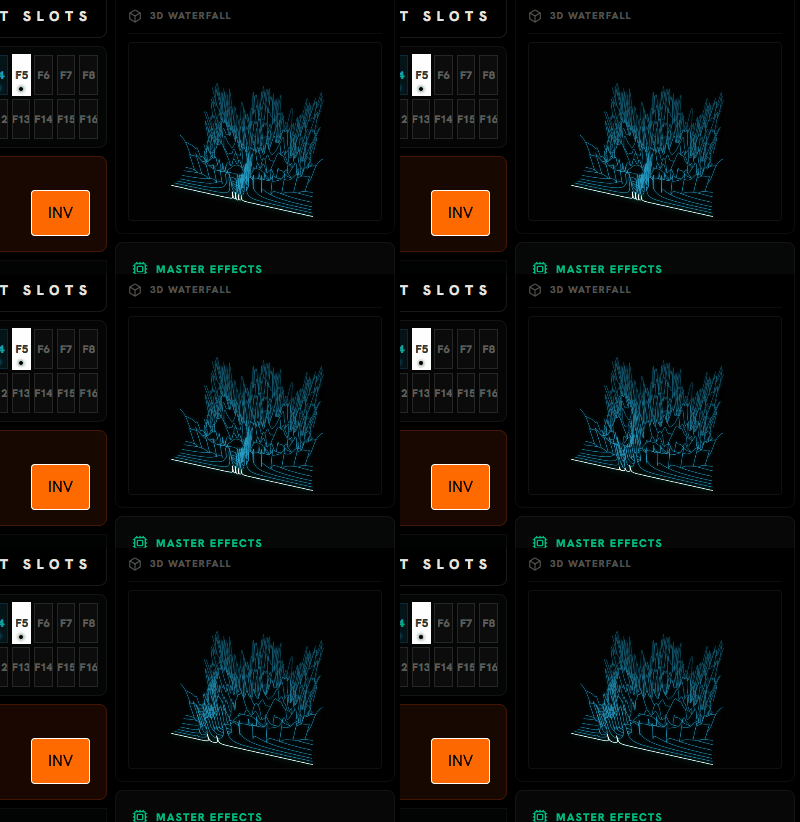
  • 100% Visual/Audio Synchronization: The 3D Waterfall canvas is now strictly rendered at a 2048-sample resolution. What you see is mathematically identical to the exported WAV file.
  • Added drawing capabilities equivalent to those of the standalone version. However, to prioritize ease of use in the web app, the freehand drawing resolution has been set to 64 levels and expanded to 256 levels using linear interpolation.
3 Likes

This looks incredible, thank you for these amazing contributions

2 Likes

[Update]Standalone version 05/10/2026
What’s New in v1.2.0

This major update transforms Additive Table into a multi-generator environment with hybrid mixing capabilities and seamless external audio integration.

  • Dual Synthesis Engines: You can now design two independent wavetables (Gen A & Gen B) simultaneously and swap them instantly with a single click.
  • Wavetable Import Mode: Transform any external audio into a wavetable. Features intelligent pitch detection, spectral brightness control, and multi-mode resampling.
  • 7-Mode Hybrid Mixer: Combine your generators using advanced algorithms including Spectral Morphing, Ring Modulation, and WHT Sequency blending.
  • Improved UI Scaling: Fixed window resizing behavior. The interface now maintains a pixel-perfect 1100:733 ratio with smooth scaling across all resolutions.
  • macOS — The macOS version is now out of beta. The Universal Binary (Intel & Apple Silicon) has been verified and is ready for general use.

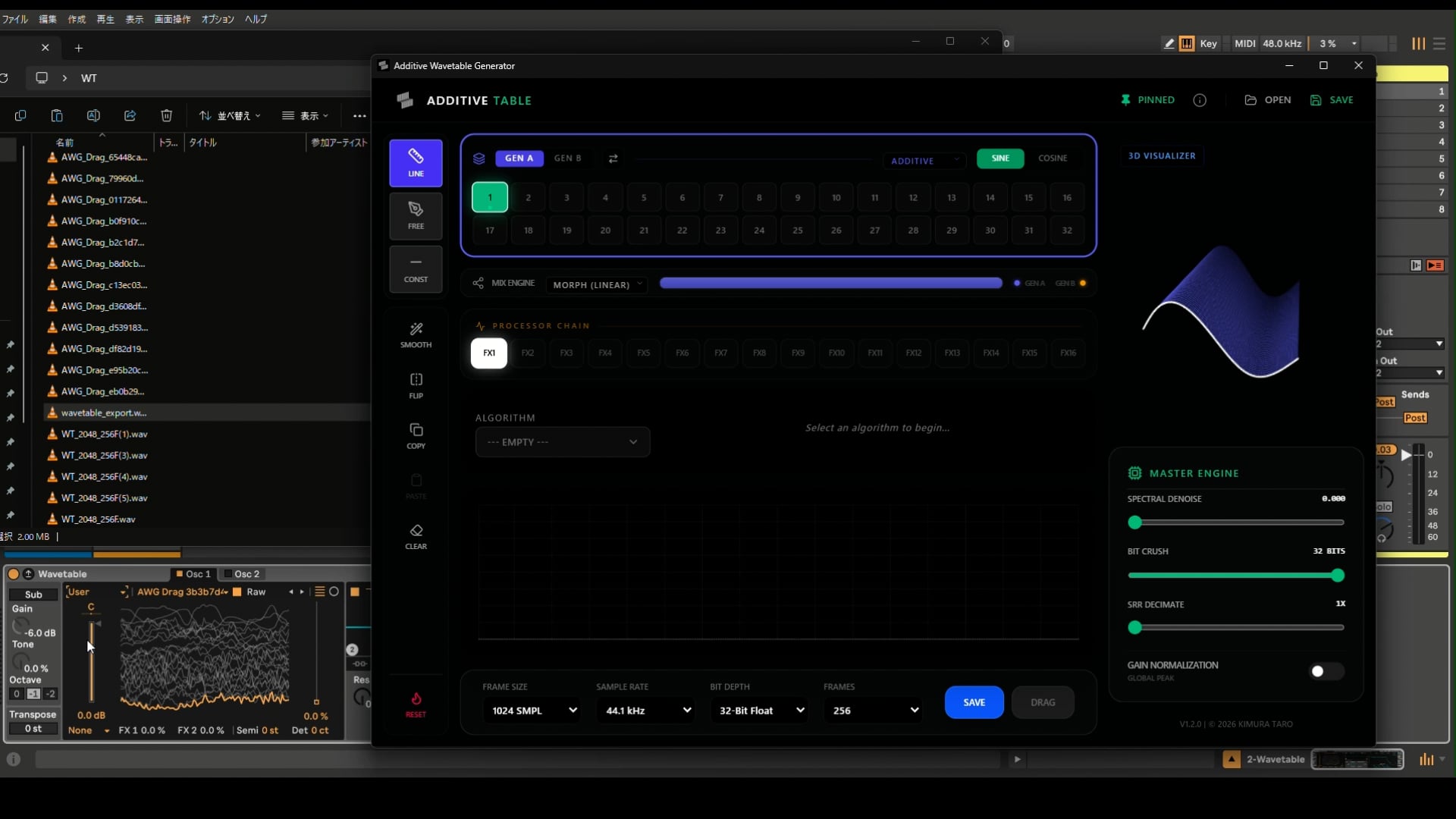
mixing engine AWG

[Update]Standalone version 04/18/2026
Inspired by the Casio CZ series but taken much further. Here’s what’s new:

  • Classic CZ Mode: Saw, Square, Pulse, Bend, SawPulse
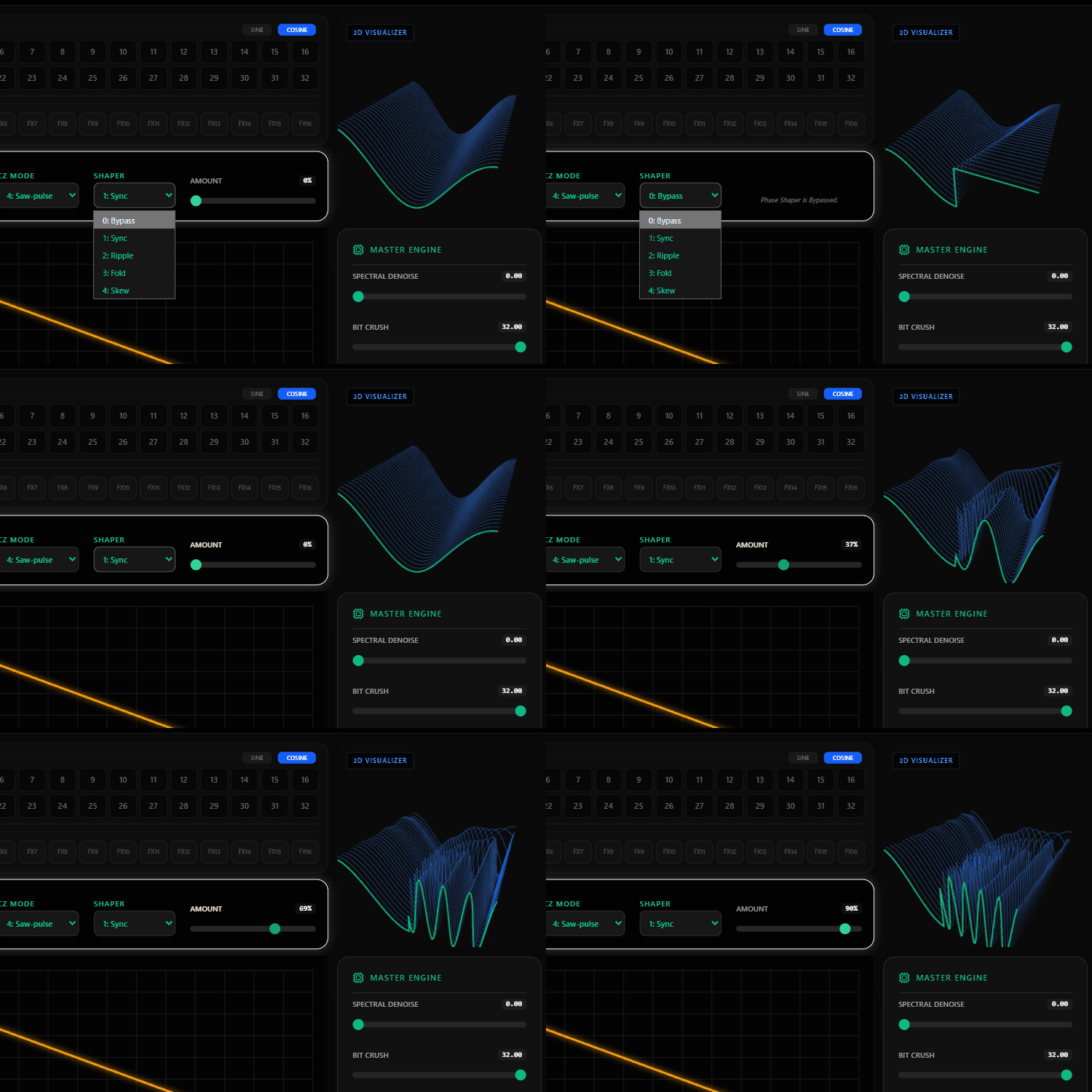
  • Additonal Phase Shaper: Sync, Ripple, Fold, Skew
  • Stacked phase effects — layer additional phase modulation on top of the CZ-style signal for timbres that go well beyond classic phase distortion
    awg pd2

[Update]Web version 04/14/2026
The “Phase Warping INV” mode has been changed from phase inversion to a mode that inverts the warp amount.
phase warp

[Update]Web version
Minor UI changes: Improved distinction between “generator” and “effect”

4 Likes

Oh, this looks great, exactly what I’ve been after. Will check it out!

1 Like

[Update]Standalone version 06/10/2026

What’s New in v1.2.5

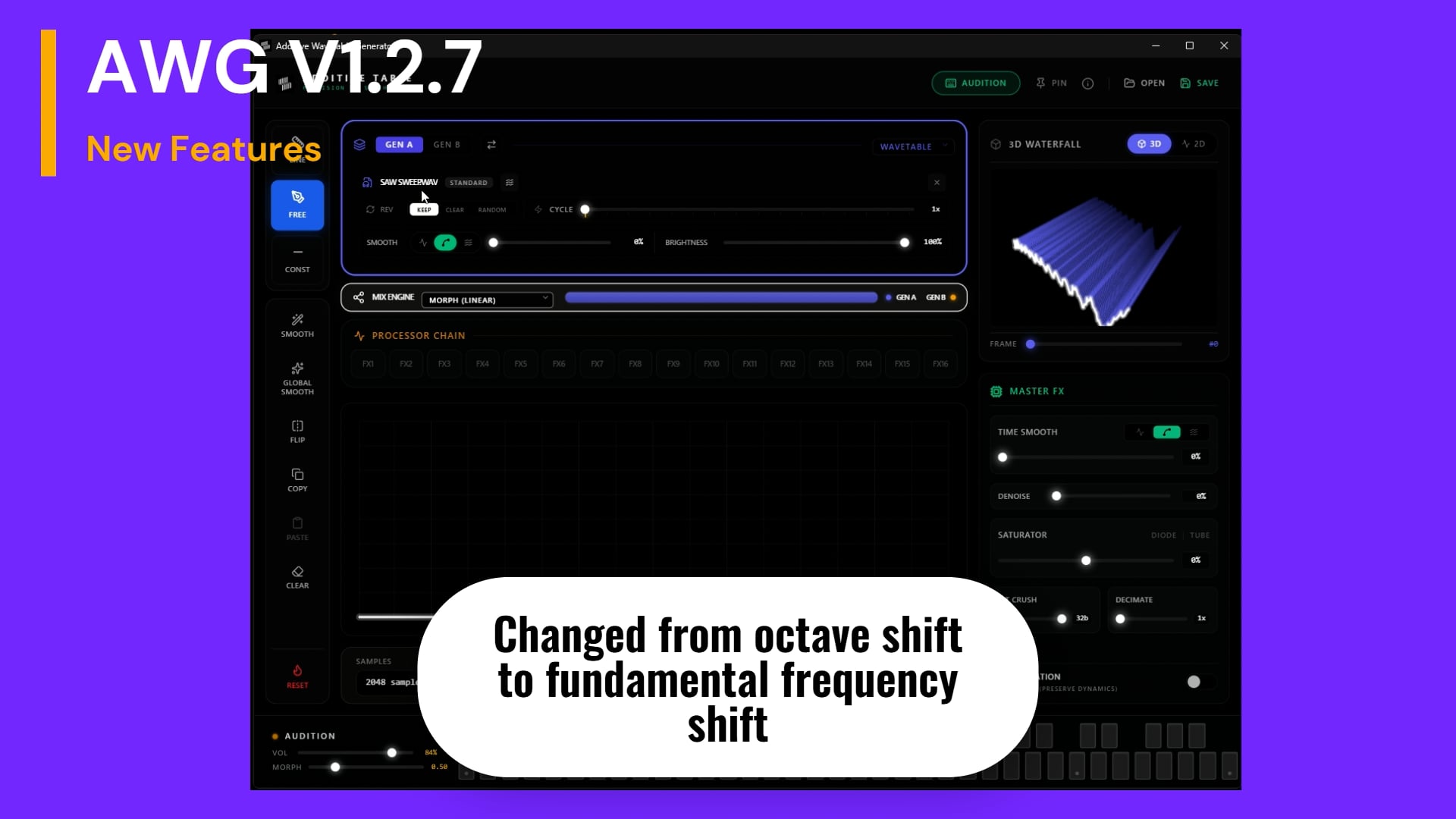
PD+ & Warp Overhaul: Both Phase Distortion+ and Phase Warping now support dynamic bipolar phase-mirroring, absolute/offset coordinate space toggles, and new non-linear shapers (including 13th-order Polyminal, morphable Chebyshev, and Disperse).

[Update]Standalone version 05/25/2026

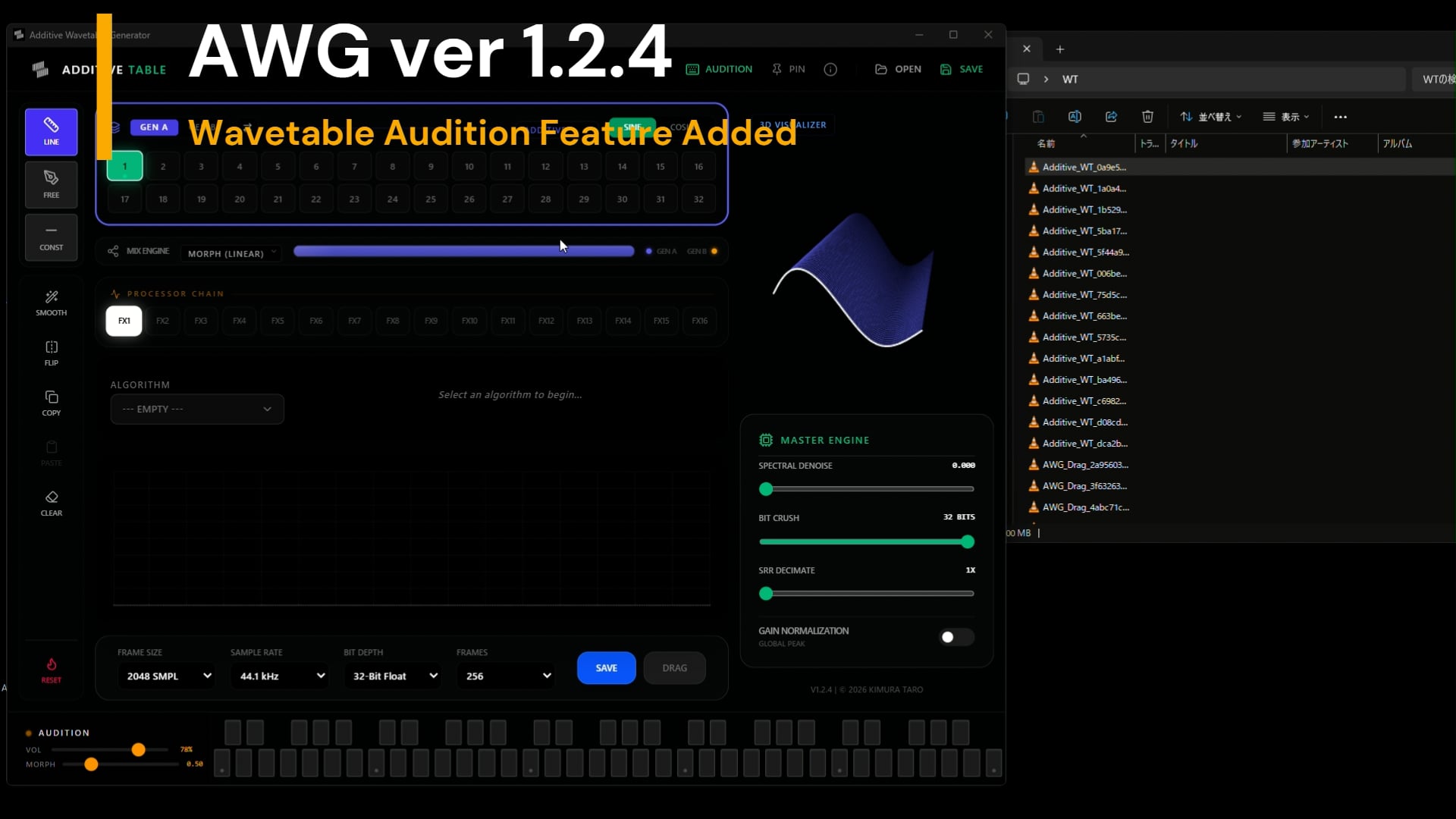
What’s New in v1.2.4

  • TrueFM(Refined): Refining the Sound of True FM Features in the Processor and Mixer
  • Real-time Audition Synth: Click the AUDITION button to reveal a keyboard. Listen to your wavetables instantly via an AudioWorklet engine running smooth ping-pong morphing synced with the 3D visualizer.
  • Advanced FM / PM (Upgraded): The former “FM DX” processor has been entirely overhauled. You can now seamlessly toggle between True Linear FM and Phase Modulation, as well as switch between pristine Clean interpolation and classic DX7-style aliased interpolation.
  • Smart Window Management: Enhanced the UI resizing logic to automatically detect your OS taskbar or Mac Dock—regardless of its screen position (left, right, top, or bottom). This ensures the app always remains perfectly centered and fully visible without overlapping system UI, even when maximized or toggling the audition keyboard.
  • Native Linux Support
5 Likes

Great, on my immediate shopping list.

A question though - are version updates supported? Or do I get just the current version?

3 Likes

Thanks for your interest!

Yes, all future updates are included with your purchase — you’ll always have access to the latest version. Updates can be downloaded directly from your Payhip library whenever a new version is released.

Hope you enjoy it!

1 Like

This looks bananas… awesome work Taro :space_invader:

1 Like

Thank you, really appreciate it!

And there’s a lot more coming — plenty of new effects and shaping options in the pipeline. :grin:

[Update] Free Web Version 06/14/2026

What’s New

  • Added sound preview functionality
  • Wavetable 2D View
  • Added Phase Distortion
  • Added Phase Modulation
  • Minor fixes to Phase Warping
  • Minor UI changes

The additional processor effects are a simplified version of the standalone edition.

Thanks for your reply - I just tried downloading (well, didn’t have an account, so I created one with the Email I used during purchase), and it says “There are no products associated with your account with Kimura Taro”.
Is there a way to associate products somehow?

I sent you a DM.

Alright, all sorted out, but here’s a summary, in case somebody runs into the same problem:

  • click on the “Download Now” link of the original purchase receipt mail (from payhip)
  • there you can not only download newer versions, but also link the product to an account (using the email address of the account)
1 Like

Thanks for sharing!!

[Update] Standalone 06/28/2026

  • Three Creative New Mix Modes: Combine Wave A and Wave B with unique harmonic textures:
  • Spectral Filter: Shakes and sculpts the sound using vocal-like frequencies (formants) to create rich resonances or hollow inverted tones.
  • Spectral Convolution: Merges sounds in a way that multiplies their harmonics, creating heavy, metallic, and chime-like timbres.
  • Chebyshev Blend: Uses B to distort A, easily adding warm analog thickness or dirty digital grit with a simple “Order” slider (from 2x to 32x).
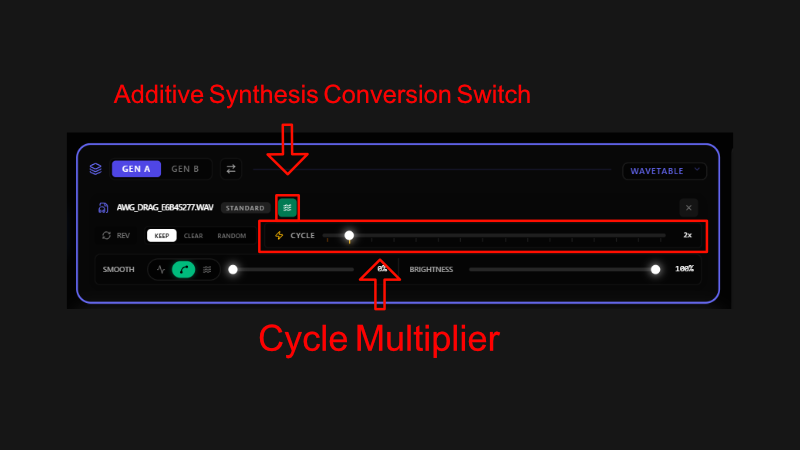
  • Lag-Free Sliders & Knobs: Moving the Cycle (Multiplier), Time Smooth, or Brightness sliders now updates the 2D Waveform and 3D Waterfall screens instantly with zero lag, making the editing experience incredibly smooth.
  • Precision Cycle Multiplier: We upgraded the old pitch-shift buttons into a detailed 1x to 16x multiplier slider with snapping memory marks, letting you choose exactly how many times the wave repeats.
  • Conversions to Additive: When converting a processed Wavetable to Additive mode, all of your active settings (such as reverse playback, brightness, and cycle multipliers) are now fully captured and baked directly into the 32 harmonic drawing partials.
  • Wavetable Preservation: Pressing the conversion button now transfers your sound’s harmonics without deleting or resetting your original loaded Wavetable in the UI.
  • Fixed: Resolved a bug where some temporal effects, like the master Spectral Time Smooth, were not showing up in the 2D waveform view.

[Update] Free Web/PWA App 06/26/2026

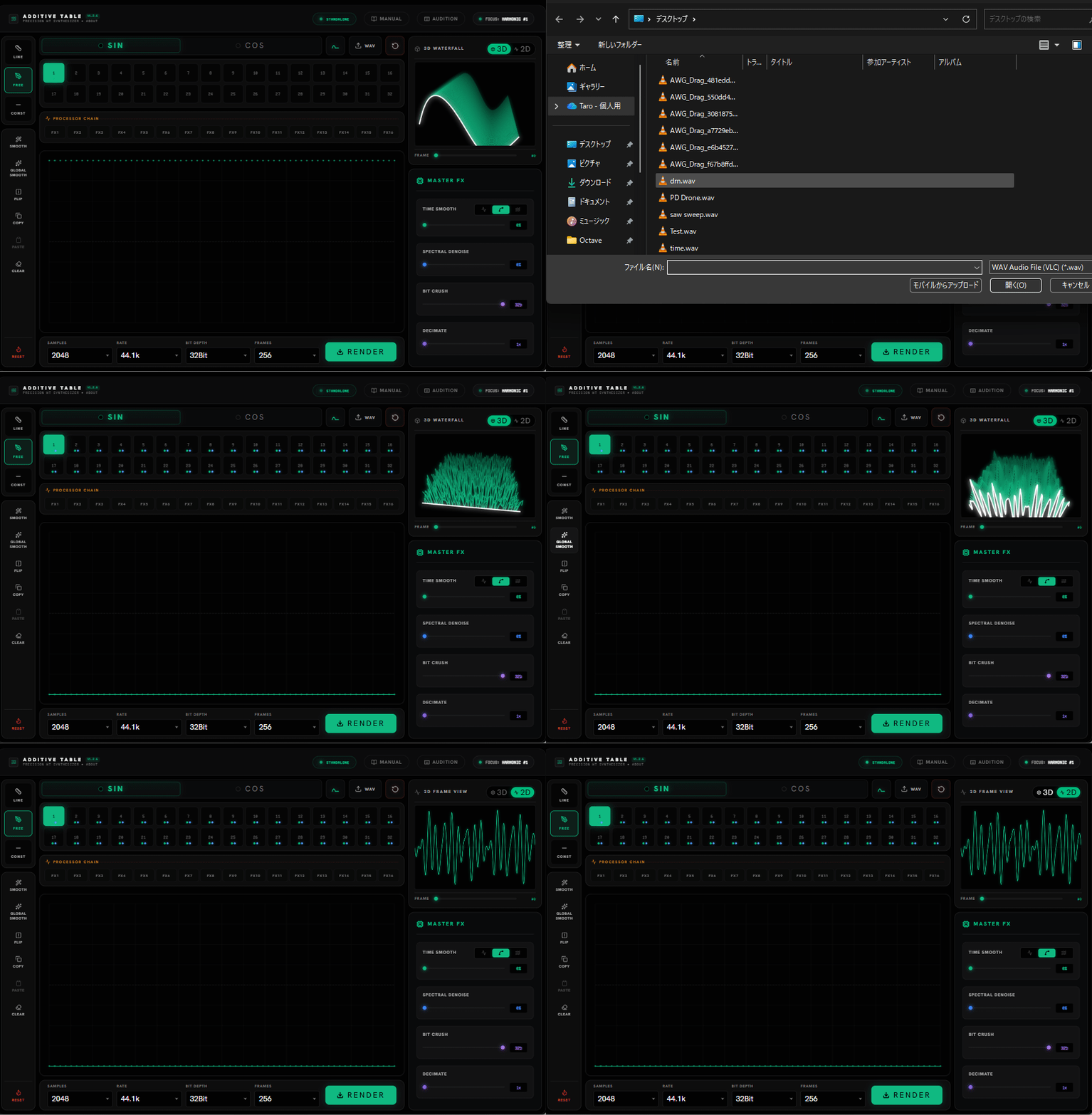
  • Added Wavetable Import Button[2048frame]
  • Added Partial Reset Button

Additive Analysis supports wavetables with a sample length of 2048 per frame. However, you can import any WAV file, and you can remove inter-phase noise using the Global Smooth feature in the drawing tool.

AWG Global Smooth

[Update] Free Web/PWA App 06/25/2026

Minor Change

  • Displaying Normalized Waveforms in the 2D Wavetable View
  • Including the manual in the app header

[Update]Standalone/Free Web App version06/22/2026

Desktop Version — Main Changes

  • Additive Analysis Mode — Automatically extracts harmonic components from a WAV file and maps them as editable curves.
  • Bipolar Editing Mode — The harmonic editor now supports editing in a -100% to 100% range.
  • Spectral Time Smooth — Reduces noise caused by abrupt timbral changes between frames, for smoother morphing.
  • Spectral Saturator — A tube/diode-style saturator added to the master effects.
  • 2D Waveform Preview — Rendering engine reworked to reduce load during interaction.

Free Web App Update and PWA Conversion

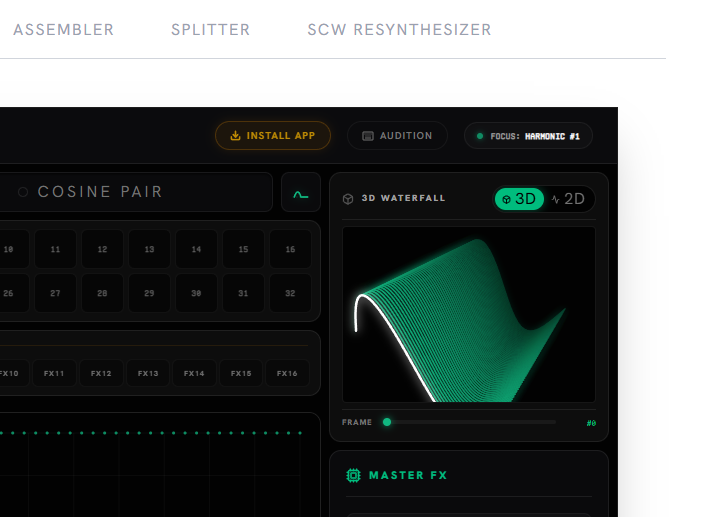
The free web app has been updated to bring it closer to the desktop experience. When accessing it via Chrome or Edge, an install button now appears near the address bar, letting you launch it as a standalone app, similar to a desktop application.

However, since the DSP processing differs from that of the standalone version, I have simplified some of the processing to improve processing speed.

Key additions: Additive Analysis mode, Bipolar editing, Spectral Time Smooth

:arrow_forward: Try the free web app: Tools for Wavetable | kimura taro