Gotcha - back in the early days of Live, swing was just one setting you adjusted at the top of the GUI. At some point, they added all the different swing types. So I wonder if the Swing 16ths is that old swing and the notes are just shifted by a percentage instead of the (52-73). Or maybe, the 52-73 are percentages…
Good question
And thank you for the shout out. I sync the Move with Live via Ableton’s Link. This way I can work in the arrange view in Live but still jam on the Move. I cut up loops, vocals, fx etc in Lives arrange view. Once I had a good groove, I put the Move project in Ableton and jammed it out
That is brilliant! If you don’t mind me asking one more thing how are you monitoring the output of Move and Live together? I tried doing something like that when I first got Move but couldn’t figure out a way of hearing them both without sync issues. I guess that might be one of the main reasons why so many want Audio over USB, but I digress…
Oh! So I think I understand now. You have the signal from Ableton Live and Move both going into a hardware mixer and then just listening from there on speakers or headphones? I don’t know why I didn’t think of something as simple as that. Proper!
I was originally making an audio track in Ableton Live dedicated for hearing the Move’s output and running into all sorts of sync issues, even with track delay, because it was probably making some type of recursive loop. Your idea of just using a mixer makes so much more sense than trying to monitor it all within one instance of Live.
If I compare this to the Launchpad Pro, the big advantage of the Move is the capacitive touch encoders and the visual feedback (red light) that shows when automation is happening. The small screen also is very useful as there’s no visual feedback on Launchpad, for example when choosing a key. The main advantages of the Launchpad are 4 more rows of pads and dedicated buttons for some functions. Having had the Move for a few weeks, the encoders are sorely missed on the Launchpad, so losing 32 pads is a compromise I’m willing to make. (And of course, Launchpad isn’t also a standalone device!)
Can’t comment on the m8 but can from the perspective of Polyend Tracker+. The Tracker is a great all in one, and I imagine that’s what m8 was going for.
In my case while I prefer to complete songs in Ableton, it is quite capable of full compositions. Move feels a bit different to me. While I get the feeling you could do a composition with it, I would say it’s more geared to having the building blocks. I really value this since not starting out with a blank canvas is generally helpful.
Of course where Move shines is how easy it is to do this. Upload and you’re already in Ableton. Tracker makes this very easy also with exporting stems, but the convenience of Move is a step forward. Though as an Ableton device perhaps that’s no surprise.
I’ve had quite a few grooveboxes and like you said. The convenience of Move, in regards to getting your track into Live, is next level.
I was playing around the other day pulling out individual pads of the track 1 drum rack I was working with on the Move, after syncing to Ableton cloud, into a new channel in Ableton Live.
The fact that I can just drag it out into a new track in Live, for further tweaks etc, was hugely liberating.
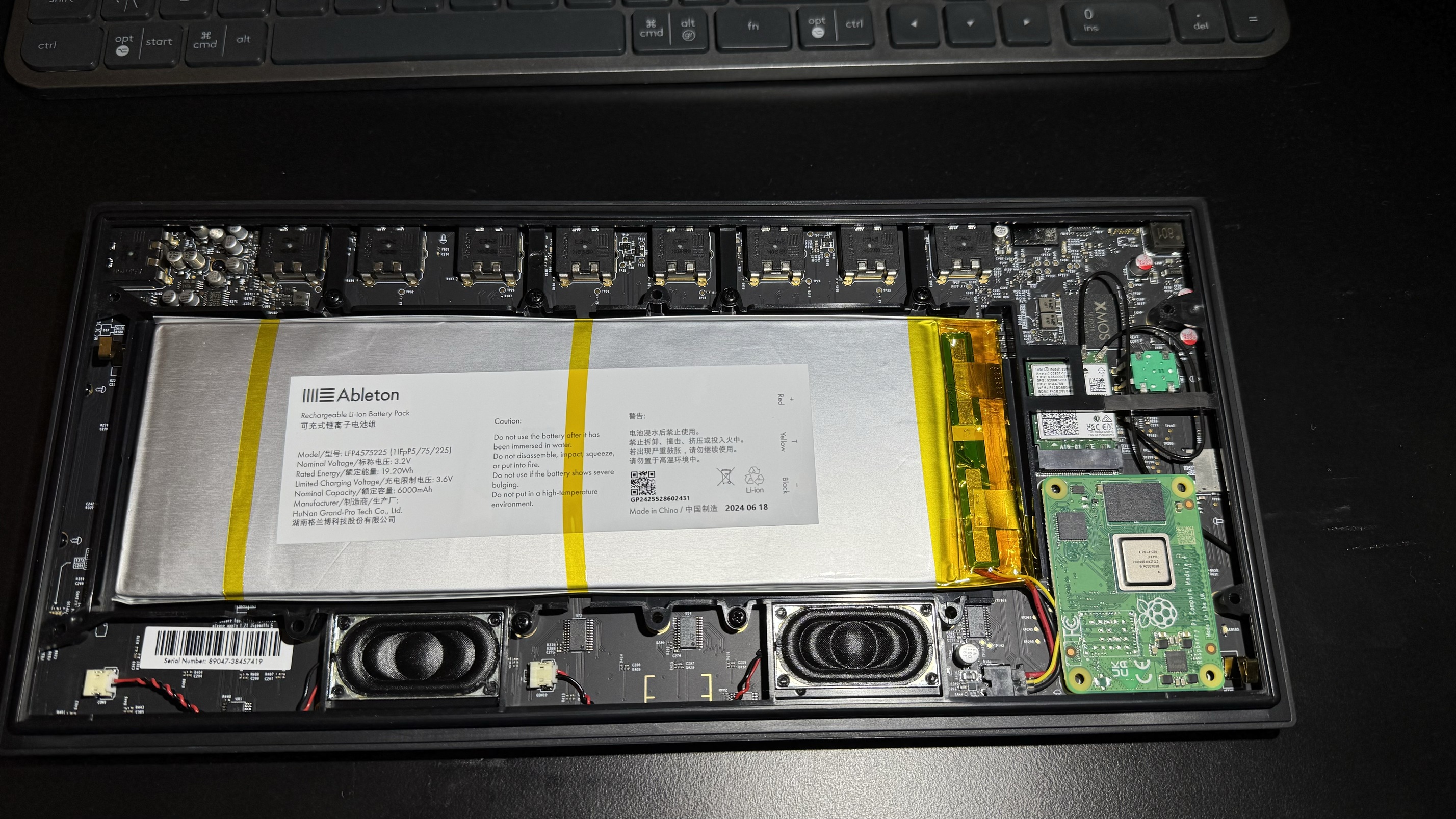
So I couldn’t resist and opened it.
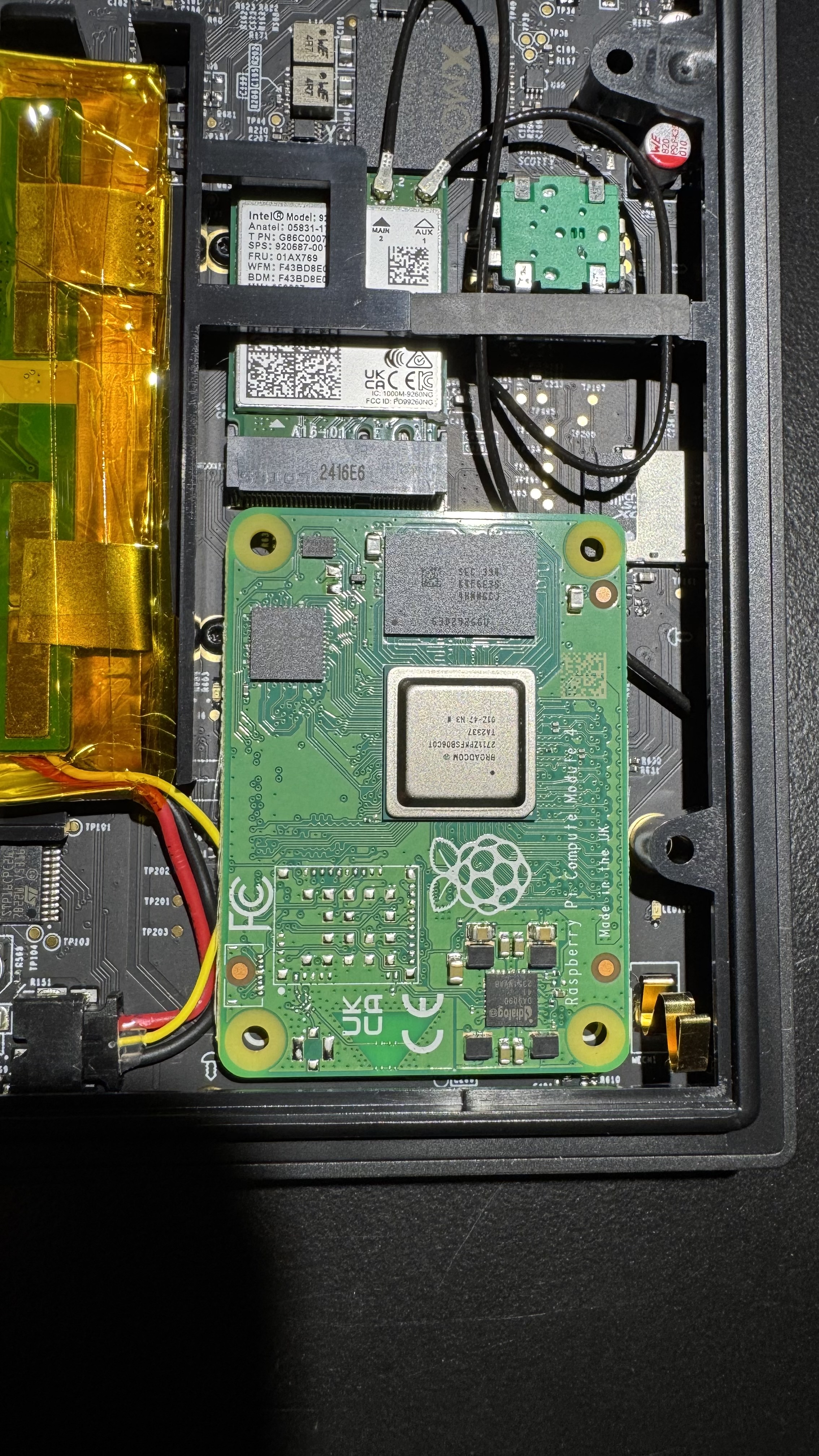
So if anyone is wondering, here’s the guts:
Interesting thing is the pi compute module 4 looks pretty standard, so replacing it with v5 shouldn’t be a problem.
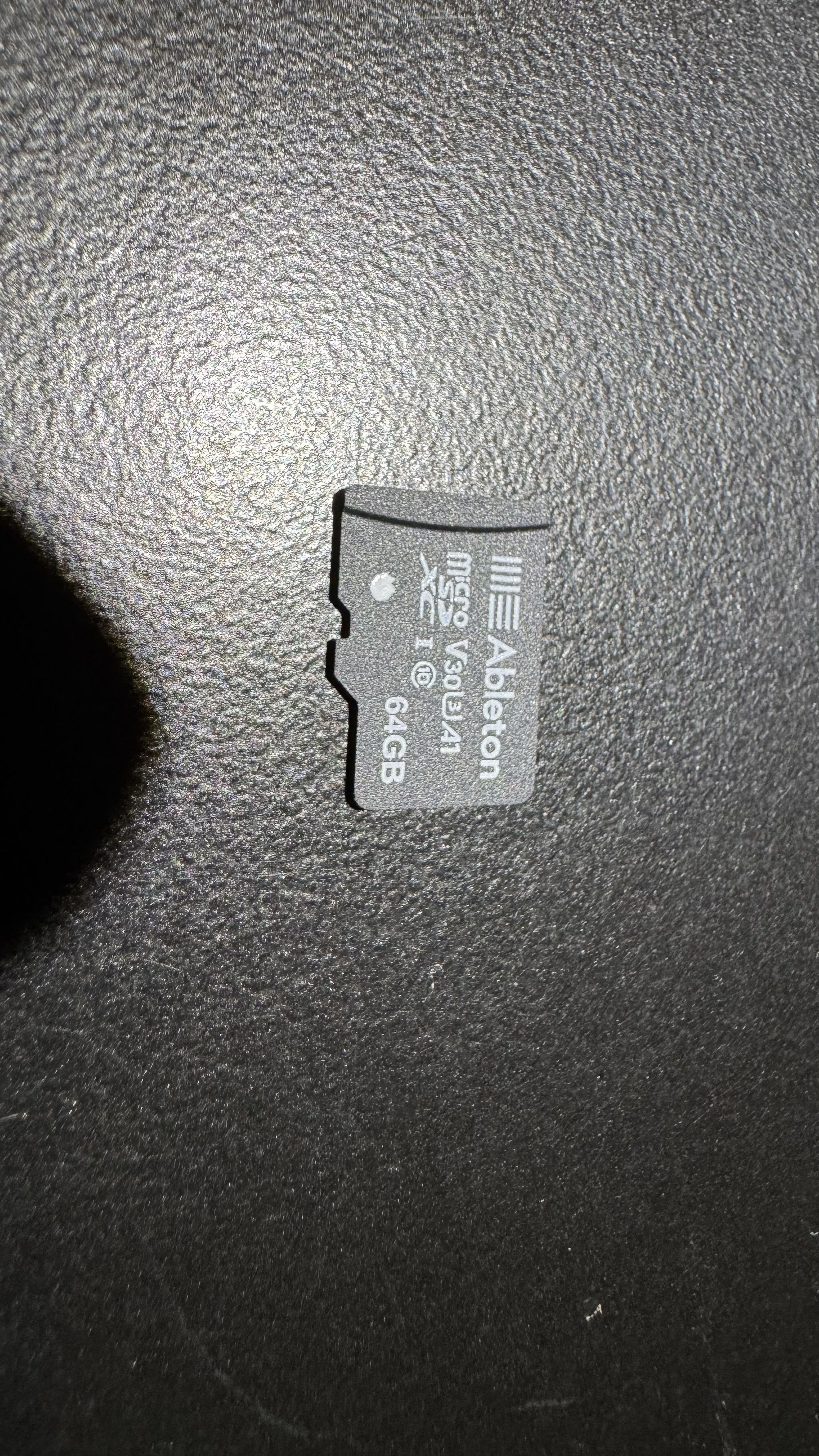
I also cloned the sd card and plan to dig around when I get my hands on a linux machine, it should be pretty easy to replace with bigger one.
Thank you for a great reply, you pretty much summed up what I needed to know and more. I was in interested in buying the m8, but I feel in my head I got the idea of me going out and making music with it. However, when I did have it before it was always me plonked on the desk programming stuff with it, maybe in bed sometimes.
Move sounds more and more like the thing I want, I just hope more slicing, sampling options would be added later as that is one thing I would miss in terms of features.
Plus hope they have a tool to convert presets, and .adg kits easier since it sounds like a headache at the moment as I have so many
Nice one thanks for the reply, I’m still trying to track down a windows utility to achieve this, there so many different progs available, I don’t wanna end up paying for something that won’t do the job…
Yeah. In the end I’m keeping both the Tracker and the Move. The thing about it is that one way of making music feels like trying to control those numbers scrolling down the screen. To your point about portability, I never needed that from the Tracker and the + feels like the best unit. Both that and the Move are couchable boxes with a single usb c cord.
Move is more organic and playable. Neither overlaps with the other in the slightest. So you could make a case for both. And my thinking here is that even if I don’t use Move standalone for a bit while focussing on the Tracker, I’ll be getting value out of Move as a controller. So it’s really hard to argue against it in that scenario, unless you can’t imagine using the sounds on it.