If you open the control panel for the driver itself, does it have its own latency performance settings like “Safe”, “Fastest”, etc.? It could be that the driver control panel is changing things to a “Safe” setting and increasing latency even though the sample rate and bit depth don’t change.
1 Like
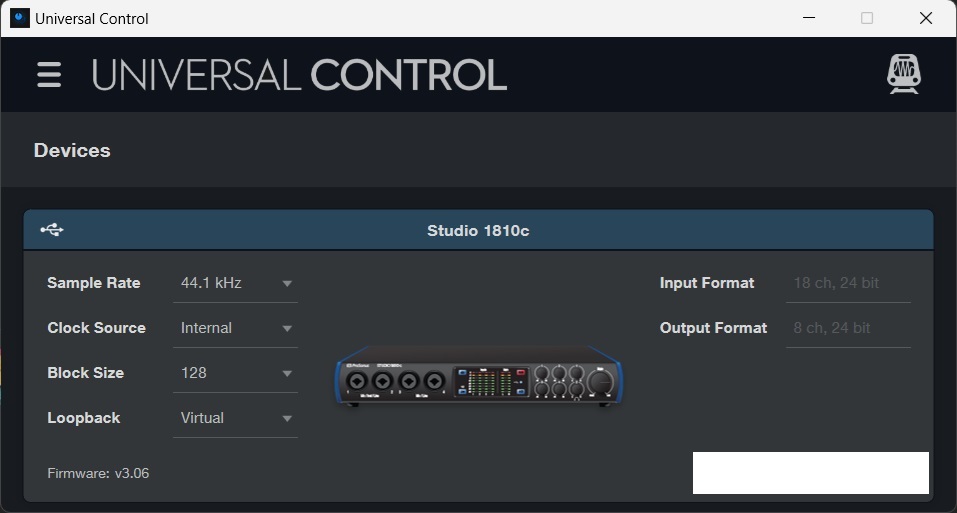
Try it at 48.
1 Like
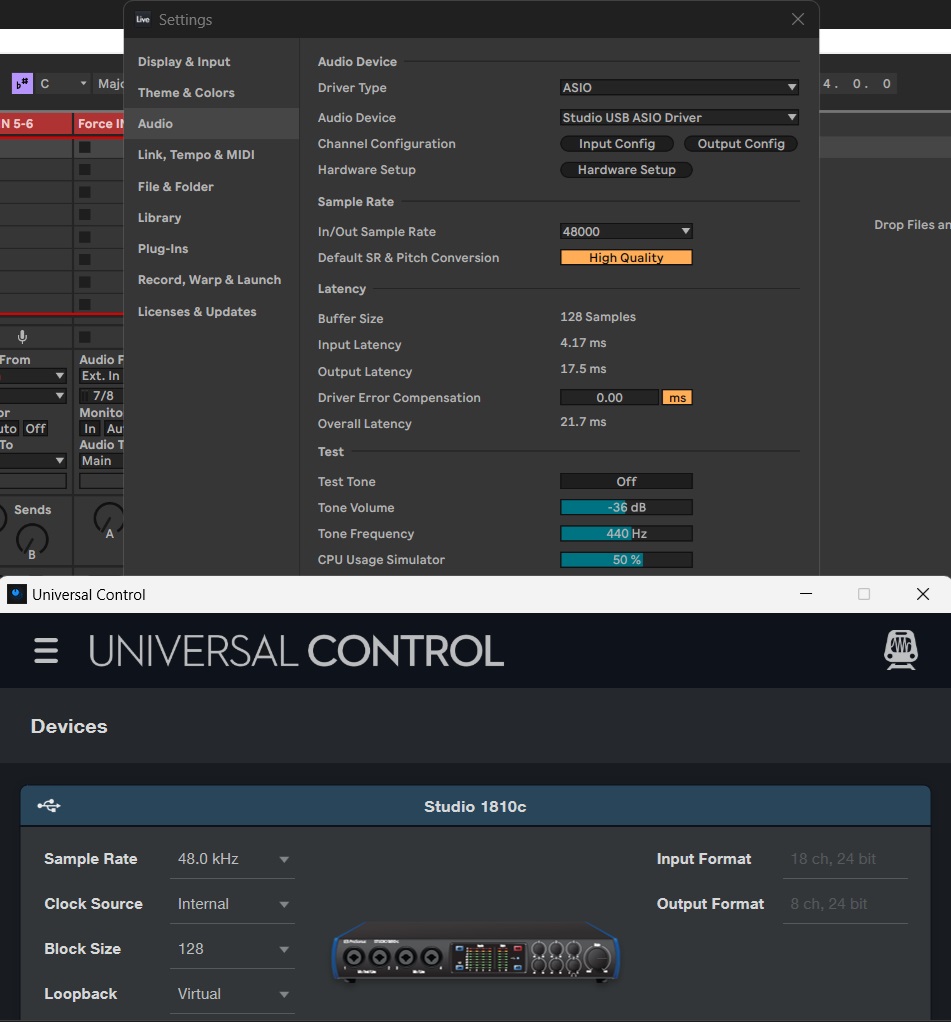
Not sure, but isn’t the output latency adjusted when adding plugins that add latency?
Did you try and load an empty track with no plugins at all?
Thanks mprinsen. Yes, I tried an empty session with no plugins and the Output Latency still shows 17.5 ms.
3 months after release, some of my max packs still won’t work, no reply from customer service, I’d really love to use my IRCAMAX 1 pack that i paid 100€ for and that is still available on their store
1 Like
The IRCAMAX devices are great when they work but they’ve been broken for a while, even after a recent update. Very poor that Ableton still sell it after acknowledging that they’re busted. I had this boilerplate reply from support after reporting the issues:
Unfortunately, it appears that you have found a known issue in Live 12. We are very sorry for any inconvenience this may have caused and hope for your understanding.
For now, we will place your ticket to an “On-Hold” state so that you may be notified if/when this issue has been resolved. In addition, we will attach your report to the open investigation so that it may be reviewed for further information.
1 Like
I find this so annoying. The worst part is really that you can still buy all of these max packs on their store, there’s no warning, nothing. At least in A11 they still work, but I’d love to be able to use them in the update…
I noticed this already in the beta months before the release, and submitted two bug reports, the first one was ignored, second one was marked as “solved” but it didnt actually solve the issue
is anyone unable to submit a ticket to ableton? i emailed their support mail, but whenever i go on this url (Ableton Support)
it just forwards me to the knowledge base? I’m logged in as well
Okay this seems crazy but has tripped me up kinda often how the hell can I put a copy of a midi device from one track in front of an instrument in a different midi track? Live doesn’t let me click anywhere in front of the instrument.
I currently save a preset then load that in the other track. easy enough but come on, I gotta delete those after too, just gimme a way to paste.
Select the instrument and paste. Paste does its thing before the device selected.
Is anyone else finding there’s an annoying 1-2 sec lag where it appears blank before it loads when going into plugins with the new “group by manufacturer” enabled? Feels a bit janky!
Load the demo from pack 1 and play it through. 2 of the devices don’t recall/playback their sample record buffers correctly (out of tune/position)
barely half a second on my computer but I did notice it too, I still have custom groups saved before this update and they are loading quicker, I use these most of the time anyway so not really bothering me, but yeah it’s a weird lag
Yeah maybe 0.5 sec is more accurate haha. Annoying anyway. I’ll report it! Thanks
I believe holding alt & dragging device to a targeted 2nd track places a copy.
2 Likes
It doesn’t though! Ableton shows a message that says must put midi track in front of audio track. Okay just found that you can context click in the thin title band of live’s devices. so there’s that.
Yokermoon’s alt & drag is solid!
1 Like
pasting with keyboard will work if you select the instrument first, if you click on the slots after the instrument it won’t work.
dragging with Alt definitely works.
1 Like
Good marketing quote from DJ Shadow
“I started using Ableton in 2009, but only as a means to put a show together,” says Shadow. “We did a tour called Live From The Shadowsphere and in the R&D phase of putting the tour together we determined that Ableton was the most effective method of syncing the music and the visuals. But I still had CDJs and a drum module, so I was still able to perform, there was a bedrock of music underneath. Then in 2012, I decided to go back to school and learn how to make a proper beat on Ableton. It’s a piece of transformative technology, it has a sound, and you can really do things in a way that you can’t do any other way.”
5 Likes