Hi, I’ve got this SpaceMouse taking dust ( https://www.3dconnexion.fr/spacemouse_compact/fr/ ; mine is actually an older model, called SpaceNavigator, but it’s basically the same thing), and as I’m currently on the fence about buying an Expressive E Touché (because you know, money), I wondered if this little device for 3D apps could act as a “Petit Touché” ?
So I investigated and figured that there was some interest for it ! And attempts ! But alas, only for mac users, OR/AND obsolete by now. So, as I can’t do it by myself because I don’t have software dev skills, I wondered if there’s some folks around here interested in it who have the SpaceMouse and who would have a look at the driver to make a tool or something. As those devices are not as expensive as music controller can be and have all it needs to make expressive music controls, it could be worth trying!
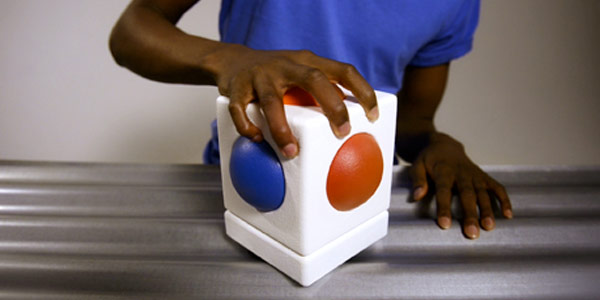
i was repairing our Skoog at work, they don’t make the version 1s anymore, and discovered it uses a SpaceNavigator (or similar) inside. i’d be interested to know if their desktop software attaches to the mouse standalone, this could fast track midi use for you.
Thank you, didn’t know this soft, it’s a shame it’s another mac excusive! For similar one I’ve just found GlovePIE but it is discontinued so I couldn’t find it. And I’m not sure other similar free soft still exist.
Might dig deeper.
ace, there’s a whole midi note out bit, but not sure how much control of CCs etc from memory. some of the soft synth sounds are ok, i like the wooden flute.
Not sure how to use the midi out, I can only select Microsoft Synthesizer, Microsoft GS Wavetable or my MPKminiMK2, which is not really useful, right ?
So I tried to translate those data with Bome Midi Translator, but I’m not sure that works well. I can’t verify easily because I’ve got an audio driver conflict between Live and Skoog ! haha so tedious ! Well I’ll try again another time, time to sleep haha.
Hey, picking up this old thread because I just built something that solves exactly this.
I’ve been using a SpaceNavigator NB USB with Ableton Live and wanted a clean solution without Bome or any paid middleware. So I wrote SpaceMIDI — a small open source Python script that maps all 6 axes and 2 buttons to MIDI CC messages via a loopMIDI virtual port.
Features:
All 6 axes → configurable CC (works simultaneously in live mode)
Dead zone filtering and axis lock to avoid bleed during MIDI mapping
Two modes toggled with a hotkey: mapping mode (single dominant axis) and live mode (all axes at once)
Everything configurable in a JSON file — no code editing needed
Tested on Windows with Python 3.13 and Ableton Live. No 3DxWare driver needed.
Hope this helps anyone still looking for a solution.
 I will take a look if I can re-route the midi in some way.
 Well I’ll try again another time, time to sleep haha.