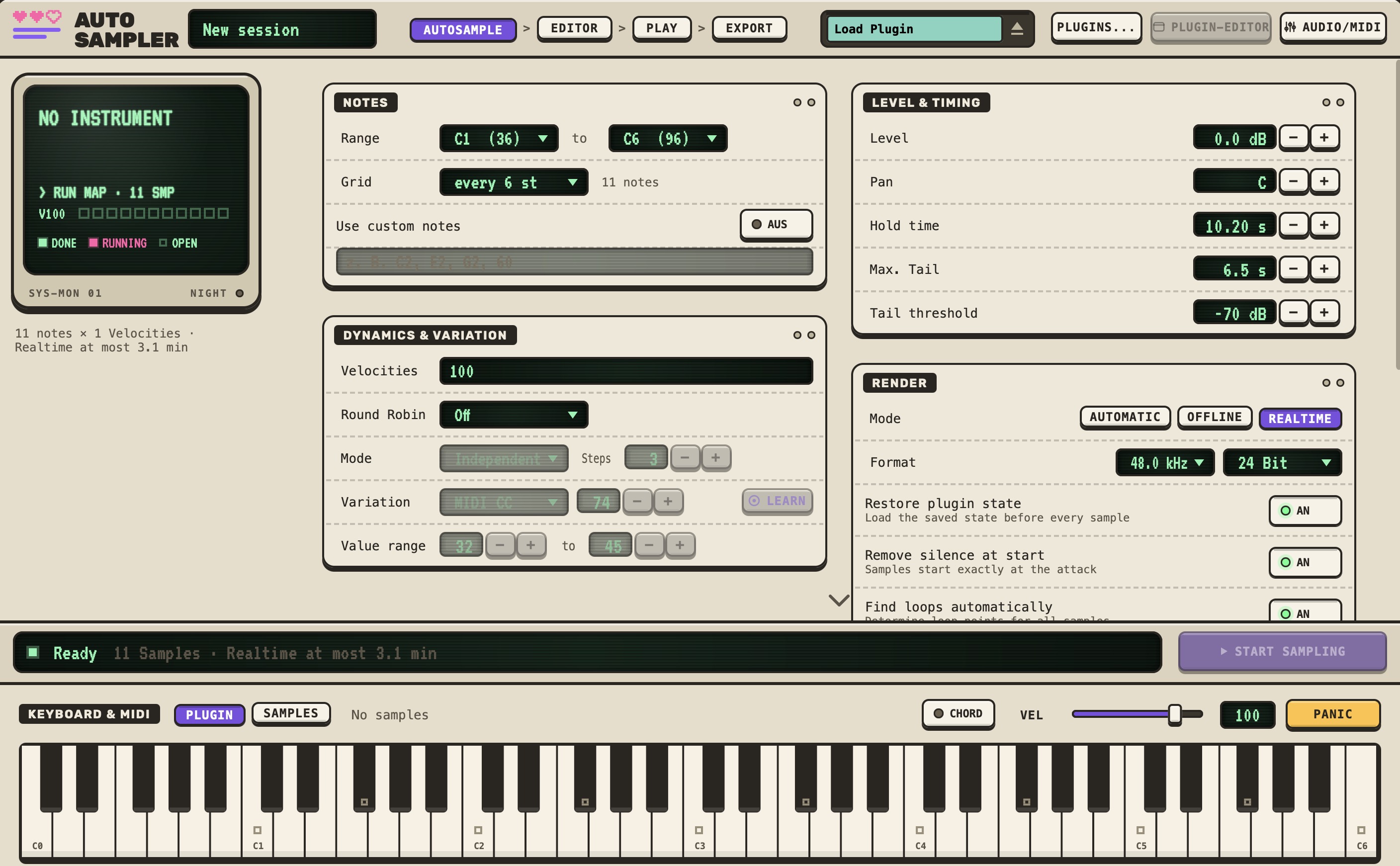
hej vsti sound on the go: This started as a personal project—I was missing the ability to use the sound of my VSTi on the go via longer multisamples with loop points in a standalone environment in Tonverk (its incredible this feature is not available on TV at the moment). The main goal was to streamline this process. I decided to share this thing. Let me know if this is useful to anyone else (Mac only). Best regards
Yes, it takes 5 minutes. If I understand correctly, there’s no point in distributing an unsigned executable, since others can’t run it (I don’t have an Apple Developer account).
I did some more research and made the finished app available for download in the dist/ folder, but you get a security warning when you try to run it on your computer.
This is exactly the kind of tool I’ve been looking for! I’ve been considering Loopseek for a while, but as a bedroom producer on a limited budget, I’ve been hesitant to make the investment — not to say it isn’t worth it.
Really nice to see someone developing an alternative. Looking forward to giving it a try, and thanks for sharing your work!
Oh, and one little thing: the app seems to be missing an icon. Not sure if that’s intentional or if I messed something up during the build. Anyway, I went ahead and whipped one up, so I’ll just shamelessly drop it here.
I thought it would be cool if there would be a synth/sampler hybrid, which resamples the output for a while, and then has effects to slice and manipulate the samples. The perfect one shot maschine
…
Like a two state system. Maybe with multiplexing the output. Or slot replace with source.
Sadly my exported test .elmulti file does not load on Tonverk.
I get a pop-up on Tonverk saying something like: “FAILED TO LOAD INSTRUMENT MULTI PLAYER SAMPLE ERROR”.
Not sure what’s wrong.
Investigating the exported .wav-files I see there is a chunk called JUNK4, not sure if that is there on purpose?
Feature request:
Also it would be nice if exported wav-files could be concatenated to one single .wav file… as the Tonverk has a max sample-count of 1024 (if I recall correctly.)
Sorry, I have done loads of stuff afterwards, so those settings are gone.
And (as have posted on your Github Issues) I got it working, when I used CAPS and removed the _underscore in the filename. Not sure if that was the culprit as both should be supported by the Tonverk. But maybe it had to do with it, or maybe it was just luck.
I also found another bug:
When sampling a round-robin; only the first sample has the length as set by “Hold Time”, all the next rr versions are very short. And that is the wav-files themselves, not the settings inside the exported .emulti file. Because of this the loops are of course also completely “random”.