I don’t know. For me an onboard sequencer can either be quick, fun and intuitive like the SH-101 or it can strive to include the kind of features we appreciate in Elektrons, at which point it gets deeper but can still be pretty good. Roland did a pretty decent job with the one on their System 8 and I still wish (probably in vain) for the Super 6 to get a few updates in that direction.
4 Likes
I’m torn between the desktop and keyboard. If price wasn’t an issue I’m curious if there’s any benefit to going with the desktop.
I actual would like to gig with it eventually. Thats where the size of the desktop helps. But also if I end up adding any of the extra expansions seems like it would potentially be wider than the keyboard.
Outside of maybe missing out on an expanded sequencer the keyboard seems to be much easier to program.
Another thing I’m curious is to anyone with the white keyboard how has it held up as far as dust and staying clean I’ve never bought a white instrument
2 Likes
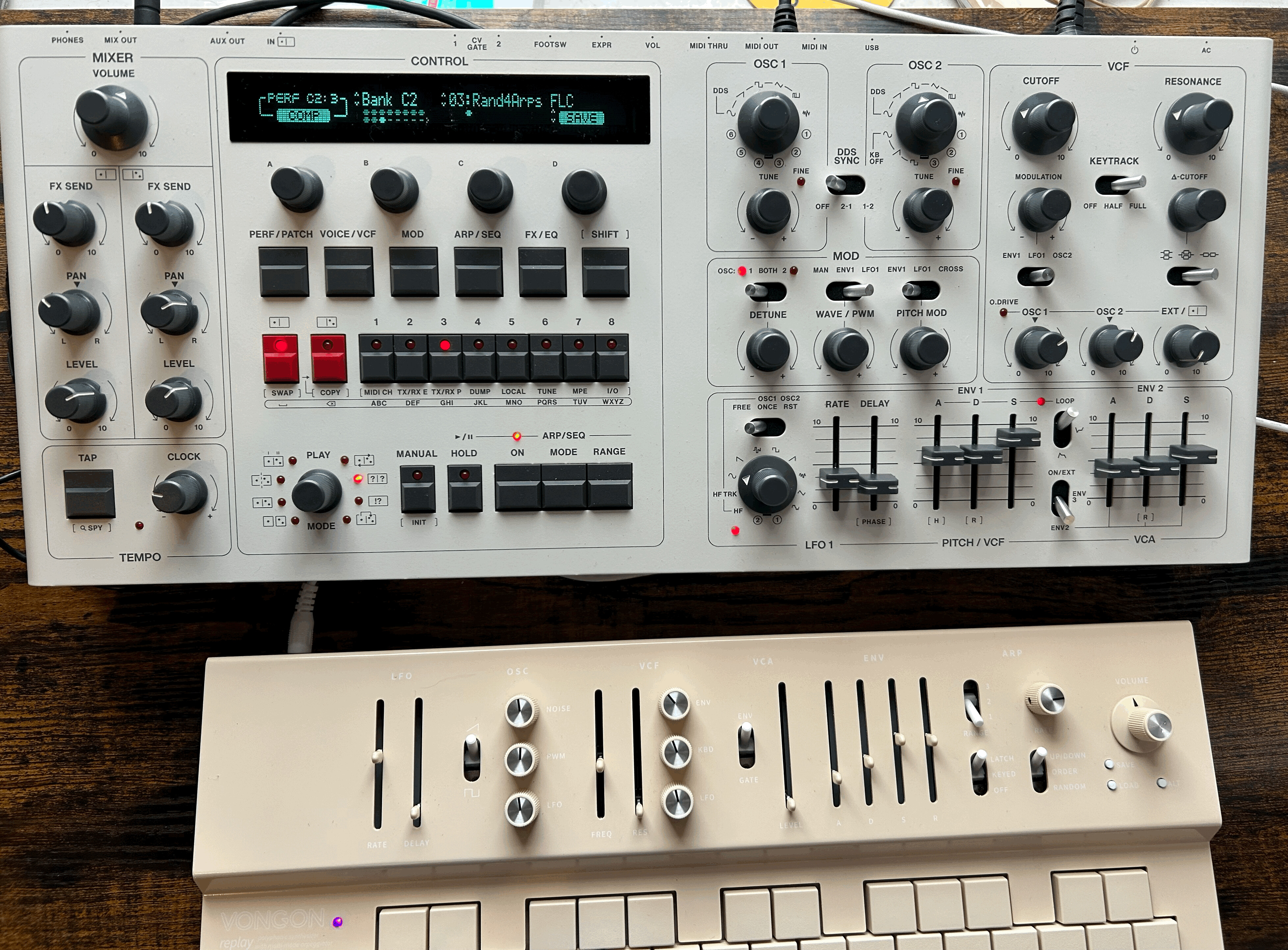
landed couple of days ago, not had a huge amount of time but absolutely loving it… Programmed a bank of sounds so far.
The build quality is stellar - easily the best of anything I own
Got the expander on backorder too cos’ you know… tweakage !
10 Likes
If it’s the same as their super series, then the white finish isn’t that much of a problem. It’s all painted metal, not plastic. So it’s not like a fingerprint magnet or anything. I don’t notice any oil buildup on it as I use it (I do get that with some other surfaces in my studio).
And as far as showing dirt I think it’s about equal to anything else in my studio. I know when it’s time to dust because I look at my synths and they’re all a bit dusty, not just the UDO.
1 Like
Just got mine in. End up going with the keyboard as I didn’t wait til December for the desktop.
Only complaint so far is I wish I could separate each synth with the aux out but hopefully that comes with an update.
Otherwise beautiful synth both in sound and design.
1 Like
1 Like
Is it me, or do all UDOs sound extremely “digital” and cold most of the time?
I’d say they sound extremely precise, which can end up giving that cold harsh sensation. I also think they tend to sound extremely rich and expansive thanks to the very high quality waveforms and stereo processing, that and the analogue filters and VCAs kind of counterbalance the ‘coldness’ of the digital to some extent. It’s an interesting mix, both clean and phat.
4 Likes
I’ve hward “thick bass” from them, in demos, especially from the DMNO. That much is very appeslong to me.
My A4 is DCO and quite precise. It sounds digital the way a C64 SID sounds digital: bright, biscuity, snappy, soft-clipped, or a little distant and alien. I have a Juno 106, also a DCO… that sounds a bit SID-y too sctually, but also leans more “analog warmth”. In comparison, the UDOs all sound much more clinical to me. Glistening, scintillating… the way razors, needles and robots are, rather than the way paintings and dreams are.
I’m just trying to find words for feelings I’ve had whilst listening to demos. Mainly I have a gap in my setup for a decent “master keyboard” and I’d prefer to have a synth than a controller to maximise the sounds per centimeter of my Jaspers stand. So I keep looking into the UDOs hoping they’re the right fit, but never being quite sure.
New DMNO firmware is finally out and an update manual too!
---------------- UDO DOMINO - v1.71 ----------------

Everything new since v1.12.

NEW FEATURES
------------

* Twice the memory
      256 patches and 256 performances, banks A1-H4. Turn the Bank
      encoder past H2 to reach A3.

* RBN-1 ribbon
      Plug a UDO RBN-1 into the EXPRESSION PEDAL jack and choose
      SHIFT + 8 > Expr Jack > RBN-1. Hold keys and slide to bend
      them, up to an octave up and two down; notes you add while
      bending start in tune. With the arpeggiator on, it bends the
      whole DMNO. Don't touch the ribbon for a second after
      selecting it or switching on.

* Sup6 oscillator mode
      A Super 6-style, free-running oscillator with a smoother
      detune. Choose it per oscillator in VOICE > Osc Mode.

* A new arpeggiator
      - Locks to the beat; Dual and Split arpeggios step together.
      - Keeps playing when you load a patch or change between
        One-Two, Rotate, Random and Chaos.
      - New modes: Played (the order you pressed the keys), Invert
        Up, Invert Down and Invert Up+Down.
      - Random is truly random; 1/4T and 1/8T are true triplets, and
        there's a new 1/16T. Older patches keep their speed.
      - The first press of MODE or RANGE shows the ARP page.

* ENV 3 Loop
      With the VCA switch on ENV 3, set Mode to Loop on the ENV 3
      page: ENV 3 repeats while you hold a key.

* Delay
      - Route a mod source to Delay Time for wobbling echoes.
      - LoCut removes bass from the echoes; Damping and Freeze are
        smoother.

* LFO sync and options
      - LFO1 syncs to the tempo or MIDI clock (ARP/SEQ > LFO1 Sync).
      - LFO2: Rate Inv, Key Rst, and Poly or Global.

* Outputs
      Main and Aux can each carry Main Mix, DMNO1, DMNO2 or USB
      Audio. Aux has its own volume.

* Pitch bend up and down set separately

* Tempo and MIDI clock
      - The tempo follows an external MIDI clock and keeps it when
        the clock stops.
      - With Send Clock on, MIDI Start and Stop follow your
        arpeggios.

* Patches and performances
      - Browsing loads without a popup.
      - INIT from an empty slot; save an "Init Patch" of your own.
      - Clear a slot (SAVE encoder > CLR).
      - Overwriting asks first.
      - Easier naming: upper and lower case, more symbols.

* Voice stealing
      When every voice is playing, a new note takes the oldest.

* Safer updates
      - A damaged update file isn't installed.
      - An older firmware file stops the Domino with instructions.
      - More than one firmware file on the disk gives a warning.

FIXES
-----

* Audio dropouts on some units.
* Start-up: faster, never stays dark, and the sound engine starts
  reliably.
* Silent voices or a jumping filter on DMNO 2 after changing to
  Single.
* DAW and MIDI clock sync: Start, Stop and Continue, Akai MPC
  Continue, and the first note after Start.
* No hanging notes when the computer sleeps or USB is unplugged.
* HOLD and the foot switch hold reliably; each DMNO's arpeggiator
  is independent in Split and Dual.
* MIDI Panic works.
* MANUAL follows the Mod panel faders.
* Tap tempo works after power-up, down to 30 BPM.
* Pulse responds to cross and pitch modulation; ENV1 Invert and
  wave modulation reach both oscillators.
* Spy shows every control without changing the sound.
* MIDI CC no longer pulls the display away while you edit; CC12
  (delay time) and CC105 (LFO2 wave) work.
* Oscillator sync tuning is centred, +/-48 semitones.

UPDATING
--------

* The Domino updates its bootloader once after installing: the
  display shows UPDATING BOOTLOADER, then asks you to switch off
  and on. Don't switch off while it says DO NOT SWITCH OFF.
* Global settings return to their defaults: check your MIDI,
  controller and output settings.
* Patches and performances saved with v1.71 can't be loaded by
  older firmware. Going back to an older firmware isn't supported.
* For future updates: while the Domino checks a new update file at
  power-on, the LFO1 LED lights and the display stays dark for a
  few seconds. This is normal.

KNOWN LIMITATIONS
-----------------

* MIDI Program Change reaches banks A1-H2 only.
* LFO2 Global with Key Reset can leave two groups of voices out of
  step.
2 Likes
Great, some welcome additions there. Although there are still a lot of bugs. Here are 2 which are almost deal breakers for me…
-
When BINAURAL is OFF, LFO one-shots do not consistently work once you add PHASE to adjust the start point of the LFO.
-
When using ENV3 to control the VCA (via switch next to VCA) which then free’s up ENV2 as a way to hands on modulate something else, velocity of the patch no longer works.
(And not a bug but there is no other use for ENV3 which seems kinda weird. Why can’t I patch that in the MOD Matrix)
I’ve messages UDO with both of these, but to be honest I expect both of these to work as intended one year in, they’re core basics of any synth (velocity and LFO one shots).
I’m definitely in a love/hate relationship with the DMNO right now, every time I go to make a patch I run into some weird quirk/bug. And I can’t help but feel like it is underwhelming in certain areas, specifically the Mod Matrix - there are so few source and destinations. Maybe I’m spoiled with Elektron gear where pretty much everything can be controlled with an LFO or Envelope…?

2 Likes
I’m trying to imagine what it would be like controlling both DMNOs from one set of knobs/buttons and just keep thinking it’s no different swapping to different parts on my Virus TI when it’s in sequencer mode (multi timbral) or am I missing something
Not familiar with the virus, but according to the interwebs it has a pickup/catch mode, so you don’t have parameter jumps every time you switch to another patch or dmno and start tweaking.
I noticed it’s not there in the new firmware. Nor is the mpe and sequencer that are labeled on the synth and were promised on release. There is a new hardware version though.
So great hardware, great sound, don’t want to be negative. I’m sure the features will come, but getting the firmware finished is not the priority it seems.
2 Likes
They don’t sound like anything else IMO. I’ve had a super 6 next to a Rev2, OB-6, Matrixbrute, 3rd Wave, and more. It doesn’t sound like any of those. The UDO sound is its own thing and I like it for that.
The best way I can describe it is “high fidelity”. It’s clean, but not too clean. Dirty in its own way when you want that. I will say this, primarily what I do in music nowadays is mastering. I know off the top of my head that two of the other people who got UDOs early on and were/are active in the UDO community are also primarily mastering engineers. I think that speaks volumes about the sound/build of these instruments. If an ME likes it, it probably has a complementary character that works well in a lot of places OR it is very transparent. Or some combination in between.
If you want something with more character more of the time, then you might want to look elsewhere.
2 Likes
Just did a part III of my demo sounds… Due to the extensive gain staging possibilities in DMNO it can also be gooey (see e.g. the first example). I gravitate often toward razor robots, but at least hairy ones in my case 
4 Likes