thx
i just made a pattern , saved it, closed TV, loaded TV back up and one of my tracks (subtrack with a kit loaded to it) no longer plays any audio. All the trigs are still there but the subtracks themselves are empty (displays the ‘assign a sample’ display). I loaded the kit first and then put the trigs down (obviously i would not be doing this in reverse), so i know i didnt save it without a kit loaded.
the track is not muted, all my levels are fine in mixer, audio is routed to main i never changed any routings. subtracks are not individually muted either. the other tracks are playing fine it’s just this one subtrack.
wtf?
also noticing when i load kits into subtracks, sometimes it just doesnt change the kit. i load a new kit and the audio doesnt change from the last loaded kit. the subtracks seem buggy as hell.
1 Like
I also had sample assignments for subtracks go kaput on me after a restart yesterday
1 Like
man that SUCKS
ok hold up… this thing saves the state of the machine even without doing FUNC-SAVE ???
i just tested and it indeed does. i didnt realize this before. when I change/load a kit and I DONT save, shut down the TV, and when i load back up it has the previously unsaved kit still loaded. i think this could be how/why i inadvertently removed the samples, because i might have changed some things then shut down the TV thinking i didnt save it and it automatically saved ? i had no idea it did this
ok im realizing im somehow still on 1.3.0 and not 1.3.1 so disregard my posts, i am hoping this fixes any issues i was having : \
edit–
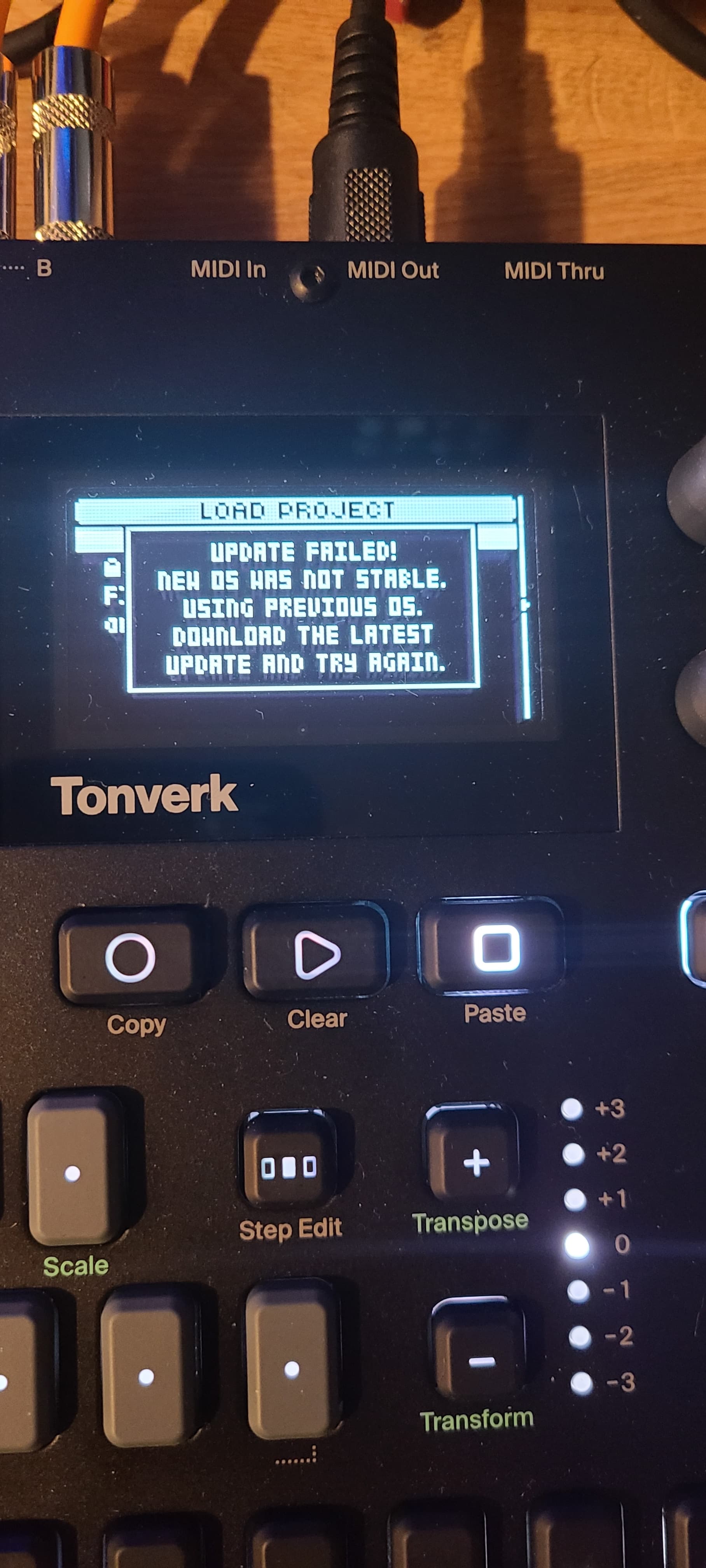
edit 2–
did the firmware update again except deleted the 1.3.0 file from the root directory and this time it worked, no error message. However the subtrack sample assignements from my previous project are still gone. Hoping 1.3.1 fixed this as i do see it in the patch notes.
You have to delete previous update indeed. There can be also corrupted files : for some reasons, when I download my firmwares directly on the card inserted in my computer, I oftenly have problems. Same with my Tempera. No problem if I use USB Storage mode.
1 Like
Hello everyone,
I have just started using the Tonverk
One thing that I struggle with is how to create new pattern quickly. First thing is : on a new pattern, the previous instruments/presets are not kept from the previous pattern (but in some ways that make sense). So I have to copy and paste all the time the previous pattern to a new one in order to keep the instruments I was programming. But then I have to erase track by track the trigs, to create new ones…
Anyway, my biggest concern is about the copy pattern operation, currently I need to do :
- Press PTN
- Screen displays the pattern number and name
- Press FUNC + COPY
- then go to a new pattern slot (it cut the sound by the way because the pattern is empty)
- Press FUNC + PASTE
I can’t believe you have to press so many buttons just to simply duplicate a pattern and continue your writing. Therefore I am wondering if you know a better way to do this, or if you have any tips!
1 Like
you don’t have to press ptn first, just func+copy, move to next pattern, func+paste.
4 Likes
I agree with you, I hadn’t declared it yet so thank you for declaring this.
FUNC+YES for inserting space is much needed.
You can clear all sequencer data from the Pattern menu with just a few clicks.
1 Like
New user here also. Is there perhaps a cheatsheet somewhere with all these combos?
1 Like
page 79 of the manual
3 Likes
Worth sending them a bug report if you haven’t, then they might hurry their arses up 
Very cool! Which Anker model is that?
Anker Nano Powerbank 10.000 mAh 45 Watt
1 Like
Thanks!
Too bad as well that even if a midi keyboard can be powered via USB, it can’t receive the notes from it, you have to use another midi cable
2 Likes
I had expected that if Input A/B was routed into a track, that muting the track would also mute the input audio, but that seems not to be the case??
It seems I made the same assumption. I’m refloating this question again, just to check if we’re both missing some obvious solution that other Elektronauts can point us to. I don’t know if it maybe has to do with some monitoring option?
Any help would be more than welcome!
This is kind of tedious, yes. I kind of got used to it. But this is also why people ask for kits. That would be a solution.
I struggle with this pattern based way of working sometimes. When I have a song, and I add a bus later on, I have to copy this bus to all patterns.
On the other hand, it can also lead to some creative outcomes.
No real solution, sorry…
1 Like