The lighting thread

I’m actually not…

This has apparently been confusing me. I had this impression I’d be limited to a single colour at a time by moving to cv tape and away from pixel tape. I should have realized moving to cv led tape limits a fixture to both one colour and one dimming state across the whole strip. This is undesirable for sure because the opz is capable of some basic patterns. I might be an idiot for not putting this all together by now.

Anyway,

this issue, combined with 128 leds being a bit of an underwhelming sight, you make a decent case to pivot to either

or, since

pivot to something cooler. Like

! That just sounds cool. I will do a little dig. Thank you.

Think of a single RGB strip as 3 circuits in one. You essentially need 3 channels of dmx, and a decoder that is essentially 3 channels. For example, the enttec decoder you mentioned is a 3 channel device which can run a single led strip and give control over rg+b.

If you run the strips in series, its all on the same 3 channel circuit.

If you run say 2 strips in parralel, i.e on seperate outputs from a decoder, this then gives you 6 channels of control.

Some decoders are wired for rgb, some are not. The ones that are not tend to have lots of + connections, and one common negative. The boards generally do low side switching on this type.

1 Like

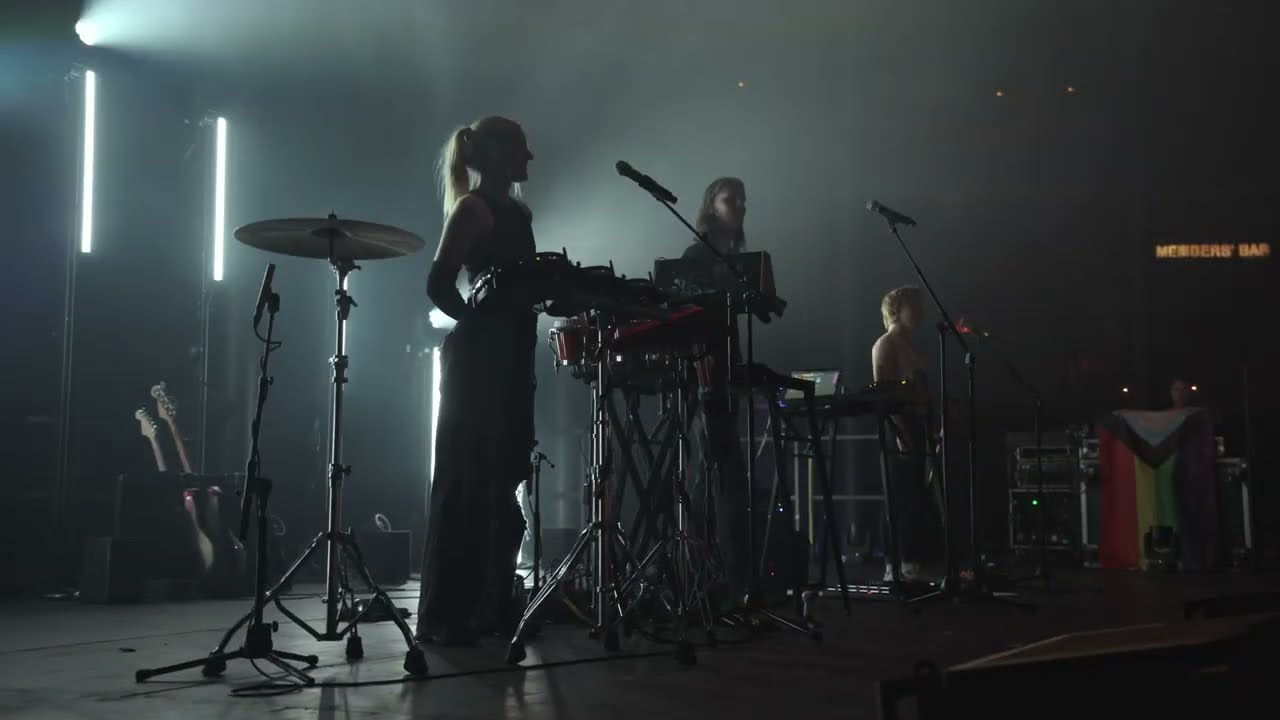
My current lighting setup is scalable to a certain point. Beyond that point for a larger venue or event, I would depend on the venue or production company to provide the main lighting.

I currently have about 8 LED Par lights for washes, mood lighting, etc.
I can mount these on stands at any level, or set them up on the floor.

I also have a professional 3-in-1 with lasers, LED washes and LED moving patterns.
I typically mount this high above the dance floor to give a real disco/dance show feel.

I have a smaller, more portable 4-in-1 with bit less power, but similar fx
I typically use this one for smaller gigs, or as a supplement to the larger one

I also have pro LED bar lighting for front-of-stage if needed, typically placed on the floor, angled facing up to wash/color the performer(s).

All of these are DMX controllable, but for the most part, I’ll link them together as needed (like the Pars) and then set them on an auto-program. Typically slow color crossfades for the pars, something more lively for the rest of the lights, sometimes with lasers off if not appropriate. And I ALWAYS leave any strobes off. Those are just annoying over time, and can also be a hazard for epileptics.

Speaking of lasers, I do have a fog machine, but when I use it, its output is typically EXTREMELY low, just enough to give some atmosphere for the lighting.

Finally, I also have miscellaneous lighting such as programable LED strips, a couple of colorful LED glow bars to light the DJ/Synth booth and a few other accessories.

All this stuff together ran me maybe around $1,000 total, but it’s worth it, especially for paid gigs when I can charge a bit more to provide both PA and lighting. It’s enough for small to large-ish private parties and even to light up or supplement small to medium venues with a real party atmosphere. Being able to provide more of a “complete” party feel experience is something that gets around through word of mouth leading to more performances.

Hmm, current setup… Well, we’ve got a small venue, ten profiles, fourteen pars, four bars, and ten pins/accent lights, plus a hazer and a few fans and a couple of mirrorballs. We need one more profile to fill out our current rig, a few more deco lights, and I’m planning on replacing two of the pars with four more bars, in part to fix some sight-line issues — it’s a weird-shaped space. Next up after that is a new console and swapping six of the pars for 15 movers, plus a few strobes and a fog machine. We run house lights on Hues right now, and I need to get an artnet to hue bridge set up so I can trigger them from the board (just blackouts and scene recall).

yeh them hue lights are annoying without control. So much nicer to fade up and down for the punters.

I’ve been suffering with a phone sitting next to the console for years now, but yeah. Some day, I’d love to replace all the lights in public spaces with the Astera Nyx bulb plus DMX-controlled LED strips, but I’d need a GU10-format bulb to be able to do all of them, and I don’t really want to spend another €5k on house lights.

Depending on the size of the phillips hue lamps, a low cost temporary solution could be some dmx motor iris’s, like the large ones that fit on followspots. Bit of a faf to rig no doubt, but it could work if you have a spare dimmer channel.

Plenty of channels, but it really wouldn’t work — we’re talking about a dozen standard A19 bulbs in fixtures, plus twenty or thirty MR16s, plus a bunch of long LED strips. I’m not sure how you’d reasonably make a douser for the strips, and for the rest of them, I don’t think I can even get a DMX douser or a motor iris for as cheap as I can get one of the Astera Nyx bulbs that support CRMX and give me full color control, etc. The Artnet-Hue bridge is actually relatively straight forward — you just get a token from the bridge and set up a bunch of Open Lighting Architecture commands on a raspberry pie to hit the bridge when they get the command. I’m probably going to put HomeAssistant in the middle to get a bit more flexibility, and it’s all pretty cheap — I’ve already got a spare raspberry Pi sitting around. It’s just a few days of time, which is the hard bit.

I’ve been trying to understand how to best control my DMX light (I only have one so far, and I’m not seeing myself doing any live gigs in the foreseeable future).

I’ve even written some software that receives a combination of midi notes and 8 different cc messages (that is, what’s available to me on a midi track on my Syntakt) and convert it to a certain complex DMX message. However, I’m not nearly done with that piece of software, and I’m not sure exactly how I want it to work either.

From time to time, I do a search on DMX related software, but I almost always end up more confused than I was before I started. However, recently I found Captivate which actually is pretty close to what I want. You can set it up to sync with the Link protocol (so that I can use for example Ableton Live as a master clock that also controls my hardware music gear), and it can receive midi messages that puts it into different modes.

It’s quite easy to use, meaning I could set it up to create my first performance where I actually use my DMX light (Eurolite LED PT-100/32) that I’ve owned for quite a while now :partying_face:

So far, it’s the best I’ve found, but I’m still looking for alternatives. Mainly, I would like something that is portable in the sense that midi messages (together with cc messages) always results in the same light output. I haven’t really thought this through, so I don’t know if it’s a realistic wish, but with Captivate, I have to save each setup, together with specific midi mappings for each song/set. If I, for example, at a later stage would like to combine three separate songs into a set, it will take me quite some time changing both midi messages on my hardware and light scenes in Captivate.

So yeah, I’m still kinda clueless. I wonder what Dadi Freyr uses for his shows.

All artists in a venue that size have a separate lighting designer/operator, either theirs (mostly) or occasionally the venue’s who handles lights. They’ll be using a lighting console (GrandMa is the industry standard now, but there are others), or sometimes at smaller venues lighting software running on a PC. The show is normally explicitly constructed as a sequence of cues for each song, either triggered manually by the LD — yes, even on every single kick — or, especially for larger and more polished acts, each song is tight enough that it’s played back to time ode, with lights firing at predetermined times, or sometimes a combination. Lighting programming is a fair bit of work — first the design, and then getting all of the cues and automation built out in the console in the right order — basically exactly what you’re doing with the Syntakt and captivate, but in an environment more intended for lighting work.

If the house LD is doing a show, they’ll instead do what’s called busking — basically, they have a lot of generic looks programmed that they know look good on the house rig, and they just play along with the music live, with more or less ability or interest. A good LD will have listened to the music beforehand at the very least.

Martin-Harman released a really good set of educational YouTube videos during the pandemic — they’re some of the best material I’ve seen for getting you up to speed once you understand the basics.

For your specific setup, are you using midi tracks on the syntact that are only running lights, or are you trying to reuse midi tracks that are also driving audio? If you’re doing the former, you should be able to set up a list of overall cues in Captivate and then just sequence the order you want those cues fired in along with each song in the syntakt. You’ll have to go back after writing a song to build the light show, but that’s unavoidable. This way, you will still have to update other songs if you need to change the palette of cues, but otherwise, each song should be independent. If you’re trying to reuse the existing midi, though, it’s going to be hard to do that in an independent way. If captivate allows it and your songs are relatively fixed, you might try driving them off of midi timecode. The light show will live entirely in captivate then, but you won’t need to do extra work going back and forth between the two systems. If neither the meaning of the notes in the midi track or the structure and timing of the song is fixed, it’s gonna be tough — there, you don’t have anything to use as the translation layer, so it’ll have to be custom each time. You might want to have different show files, one per song, if the tool you’re using doesn’t allow you to update midi mappings more dynamically. Unfortunately, because the way you’re working isn’t really how the industry does stuff, it’s not as polished.

1 Like

Thanks for your thorough reply!

I’m doing exactly this. I have a midi track on the Syntakt dedicated to sending midi notes to Captivate, and in Captivate, I have a bunch of scenes, each one mapped to a certain midi note. However, I probably don’t want to use the exact same scenes again, so if I were to create a new song and I wanted to use the same Captivate project (so that I could string several songs together), I would have to continue adding scenes with new midi mappings (for different midi note messages). And I would have to be careful not to change the order or contents of the scenes belonging to the first song, otherwise, it will be screwed up when I come back to it. Eventually, I’ll either run out of midi note messages that I can use, or the whole thing becomes a jumbled, unstructured mess.

What I would like to have (I don’t know if anything like this exist), is something like a VST plugin that I can run in my DAW (and occasionally manipulate via midi messages from Syntakt), where I can build individual light scenes for each audio scene, kinda like you would have different synth patches (or automation of a patch) for different parts of a song. If that were the case, I would be able to move around the scenes freely within and between songs, creating larger sets without messing anything up.

So, probably not something you can run in your DAW, but you might look at the lighting version of QLab. If you build a define a kind of semantics for the midi you send — PCs for songs, this note is always a kick, this note starts a chorus section, etc. — QLab should let you build up the rest.

1 Like