I don’t know what DAW you used before, but if it was Ableton you won’t have any problems with Bitwig. Ctrl + Enter is the best shortcut to search for shortcuts.
1 Like
Thanks yeah drum and bass is right up my alley, I’ll check it out…
Thanks…
Just been playing with some DnB bass design in the Grid and using some randomisation stuff I saw on Polarity’s Youtube. I’m trying to lean into happy accidents, using randomisation and start playing with a bounce-heavy workflow.
e.g. Make a simple bassline sequence (just a few notes) then use a bass patch like this one and re-record the audio several times with different semi-random settings and automation. Then use that material the build varied sequences and play with FX etc to come up with something interesting.
I’ve had some trouble figuring out screen recording with audio so I hope this works! I apologise if it’s a bit noisy or loud as I’m just experimenting, so please watch your ears!
I didn’t find any rules in the forum about not uploading videos directly and once I got this to less than 10MB it let me upload so I assume it’s OK, but please let me know if this breaks the rules and I’ll take it down.
8 Likes
Physical modeling experiment in the grid with the official bitwig 6.0 :
7 Likes
Lol, I am also spending most of my time in the grid with this update. Honestly having some of the most fun I have had in a long time and the hours just fly by.
@Naimys I second Polarity for tips. A DAW is a DAW and Bitwig has some differences, but I would make the most of its unique aspects. I would recommend checking out some of the long form ‘Creation of…’ videos that go through step by step builds like this example even though it is a bit older: https://www.youtube.com/watch?v=qUGJrzl-aN0
You can save any part of that or pull out/modify bits and pieces. The cool thing is most of Polarity’s content is also done with stock Bitwig devices and modules. One of the most useful tips for beginners is that all of those stock items have interactive help menus (F1 key by default) that explain what each parameter does, don’t interrupt any live play, and most importantly, let you modify said parameters and options from within the help menu itself even while it is open.
4 Likes
Sounds like an isolated stem of a jazz track to me. Keep going.
1 Like
Brilliant, thanks man…
1 Like
With the release of 6 and my newly arrived Roto Control, this is the year I finally learn Bitwig properly. Very excited.
3 Likes
Tash Teaches is quite good (although he’s pivoted to other content more recently)
Venus Theory used to have some good stuff before he got in a huff with Bitwig.
2 Likes
This guy also has some nice stuff. I like the creative ways he uses the grid
4 Likes
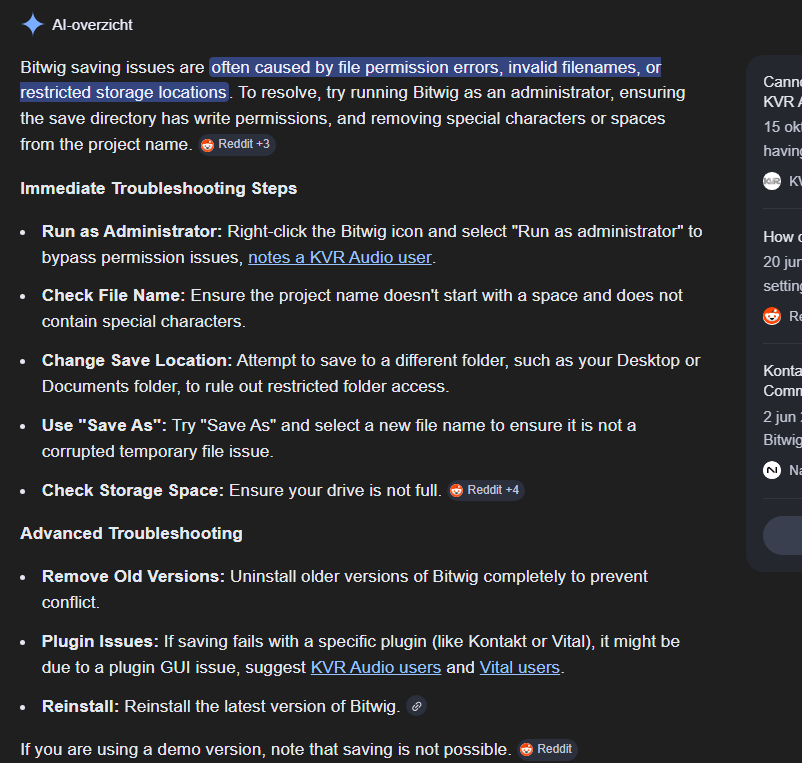
Is anyone else having trouble saving projects in Bitwig 6.0? I can’t always save a project in BW 6.0. I did a quick Google search; for now, it seems to work by opening Bitwig as an administrator. This way, I can save BW projects. I had this problem in the beta as well and am still looking for a solution.
Which OS? Mac? Windows? Linux?
Where are you trying to save the project to? Locally? Cloud storage? An SD card?
What happens when it doesn’t save? Do you get an error? What does the error say? Or does it look like it saved fine, but when you open it again your changes are not there?
I haven’t had any problems now with 6 or in the beta. I’m currently on macOS v26.3.1, just saving to a local folder on my computer. I’m definitely not running as an admin.
Windows 11 Home 13th Gen Intel(R) Core™ i7-13700K (3.40 GHz) 32,0 GB RAM .
Sometimes Bitwig freezes.
I can not close the program. I can not select anything in ‘file’ like ‘save as’ or ‘save as template’ . File menu opens, but when I click save as or save as template, nothing happens.
…hmmmm…i’m hearing lot’s of stories lately, about the personal computer that is not that personal or even private anymore since windows 11 home edition…
and since u can’t make sure anymore that windows is not constantly updating itself in the background or over night without asking and u’ll even see all kinds of ad’s on ur frontend desktop from time to time while even full fledged machines start to run lamer and sort of sluggish, i’d assume, even bitwigs multi platform code assembler automation process can’t catch up sometimes…
on mac os it runs smooth as ever…and linux is the future anyways.
but i’m confident, if this problem is real and persists, they are aware of it and version six.zero.one is already in the making…
1 Like
I’d start by searching for how to shut down all the bloatware and surveillance in win11, it could be the culprit. It could of course be a BW bug or some random undetectable combination of connected HW and settings.
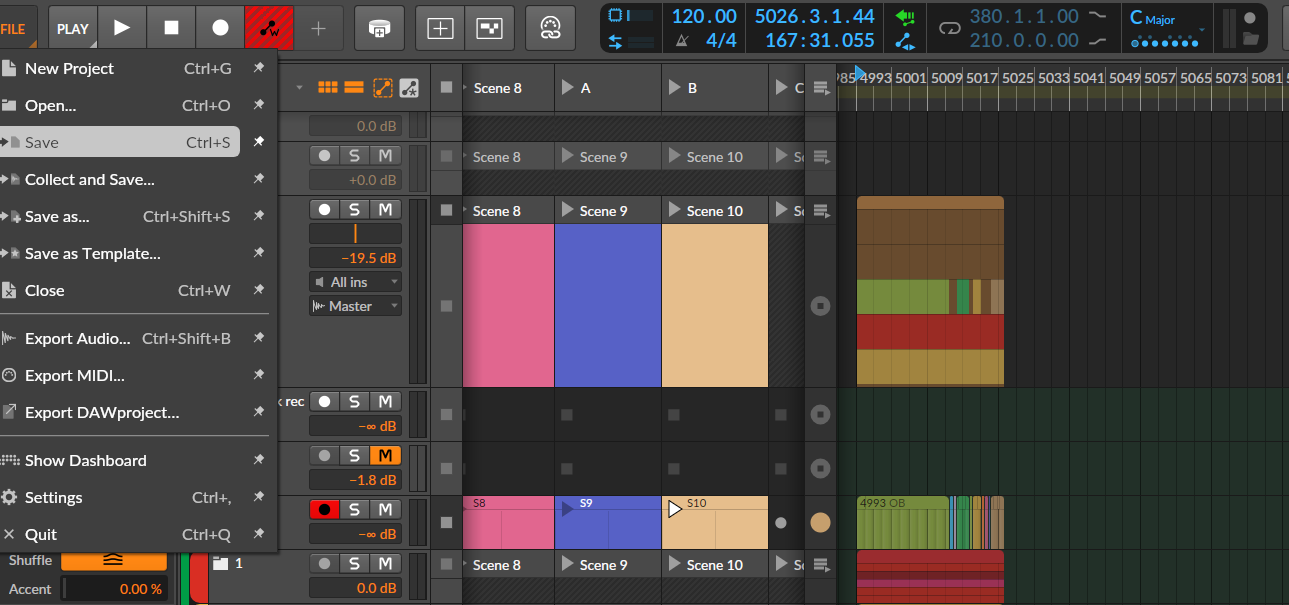
This is what happens. Write automation button stays lit like this. Can’t save project, when I select save to template I can enter a new name but it does not save.
Digitone 2 connected via usb. Recording OB automation via Faderfox 12 and DN2. Playing back clips of automation from OB.
I’ve been binging Dash Glitch tutorials on YouTube recently… he really knows his stuff and is very open about the processes he uses … inspiring
Re Bitwig 6 … loving the new automation features
2 Likes
…holy grailin’…
3 Likes
Is there a Bitwig 6 Manual already ? The one i can see on the website is still for Version 5.3 ?
(The tool device - one gain knob, one level knob - i think the purpose is that one is for overall level, the other for volume automations? )