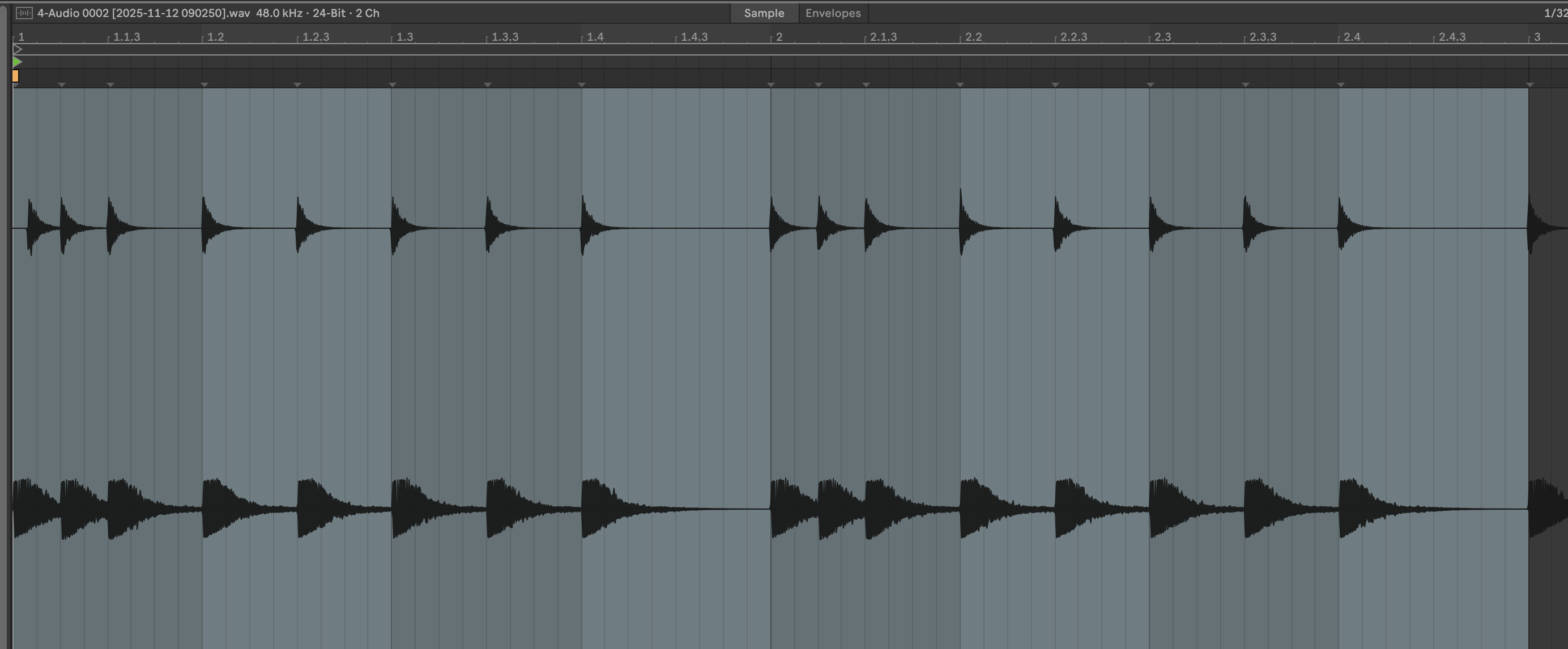
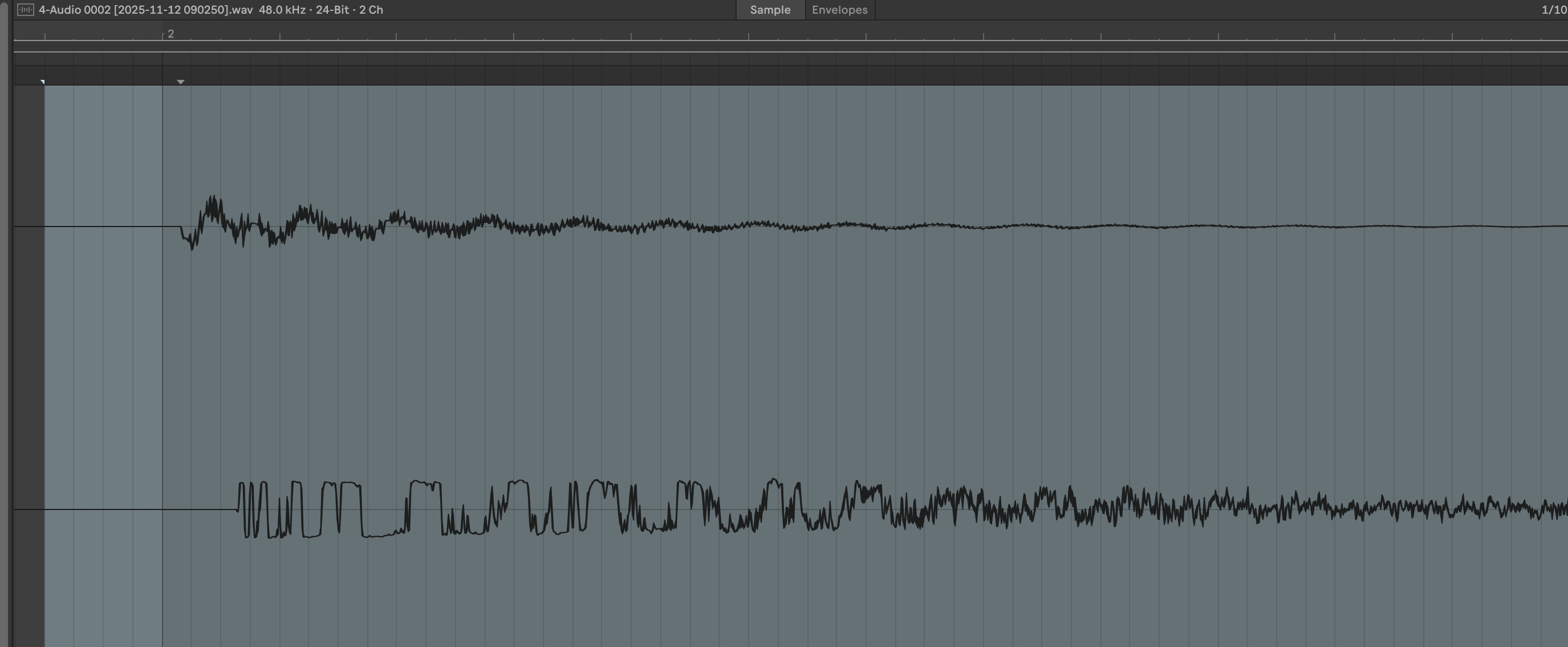
So you mean external triggering from oxi with -28 ms delay on notes?
So it has a 28 ms latency when sending midi notes to it in All tracks mode? That contradicts some other people who got way less latency when triggered externally.
Does it also “lag” about 28 ms when you play it live with the steps on the TR-1000 in All tracks mode? If it really lags 28 ms, you should be able to tell the difference compared to <8 ms in Layered gens mode?
In my initial tests with Sync Delay in both Layered Gens and All Tracks mode work great. SyncDelay settings of +12 / +50 settings worked perfectly for me in Ableton (exact values of will depend on your interface latency).
Fill-in preview now works as expected
Unlike @BassesAndPads I CAN trigger sounds in INST Play mode when sync is set to MIDI
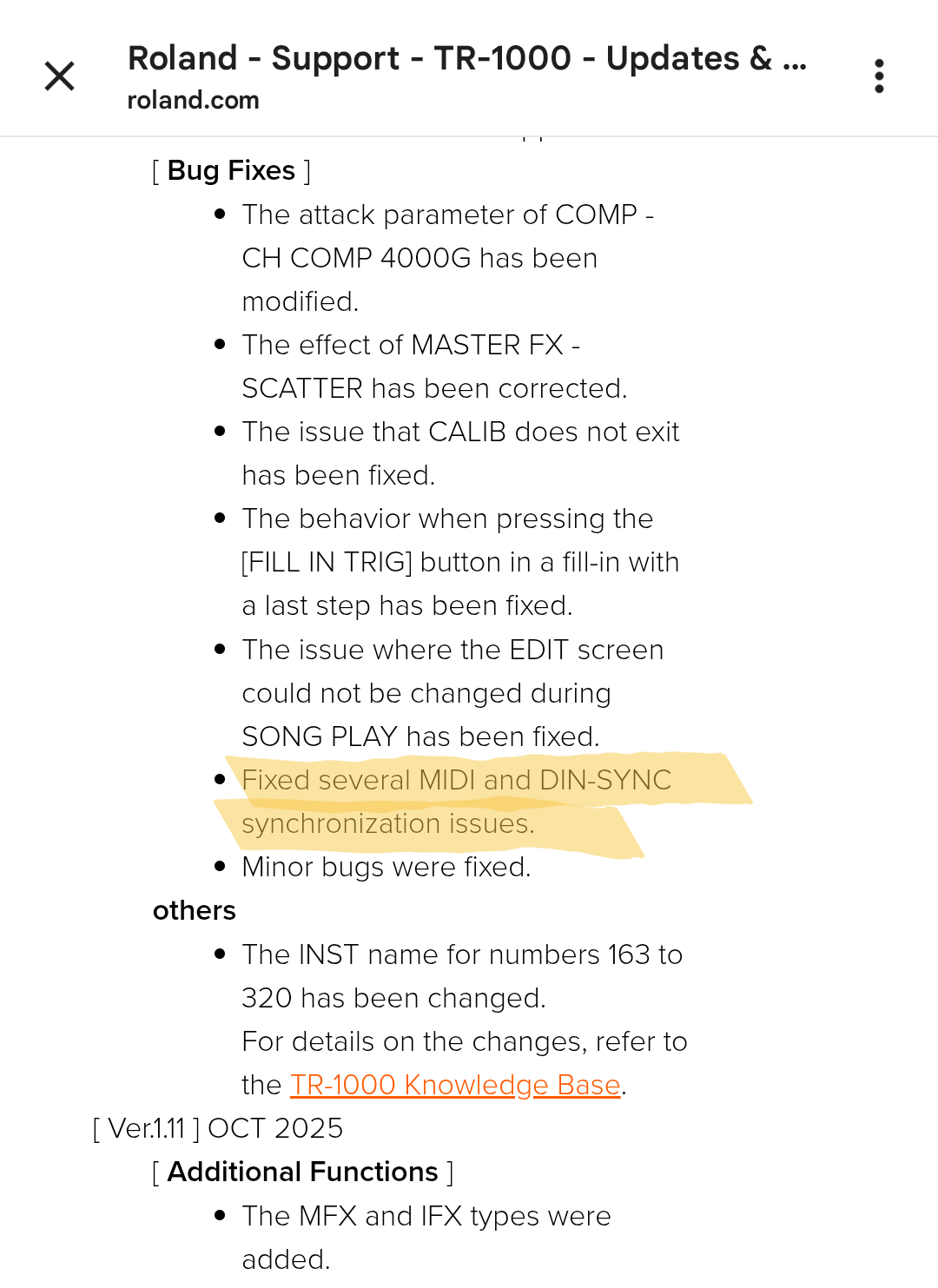
Just to make it perfectly clear, and avoid any misunderstandings: Does this mean that you can now have, say, a DTII playing a series of zero-jitter 16th note clicks, and have the MIDI out from the DTII go into the MIDI in of the TR1K, and have the latter synced with internal sync delay, and now the internal sequences of the TR1K plays exactly on top of the DTII clicks, with no perceivable latency difference or jitter?
If so, what happens to the first beat of the TR1K when it receives the clock start signal?
The solution sounds on paper to what negative delay from E-RM Multiclock would do, but there would be a one bar “buffer” when the clock starts to avoid “compressing” the timing of the first beat.
Anyone unable to see imported samples anymore after the update? *newly imported - I can see them in the sample folders list, but when I scroll through the categories I don’t see new ones come up.
Unfortunately this update made things worse for me when sequencing via external MIDI notes. The sample offset issue in layered gens is now also present in all tracks.
It works fine with the internal sequencer but not via external MIDI.
It is with a heavy heart I’ve decided that this machine is not for me and I’ve decided to let it go.
For owners : how is the workflow and muscle memory building on the 1000 ? really considering saving for it. Is it fun and fast to use ? Reading here and there that the machine seems hard to learn
Being used to Elektron devices I didn’t find it particularly hard to get an overview of how the TR-1000 works. For the first few hours I didn’t use the manual at all. Of course diving deeper requires some work. Setting up the controls for the individual tracks, building your kits, etc. needs some dedication. Compared to the MPC Live II I find the TR-1000 a lot less convoluted. All in all, I find it quite hands on and fun to use.
I’ve found the basics very straightforward, a small amount of muscle memory involved with the menus but I was jamming right away, more or less without using the manual. It feels pretty intuitive to me for the most part. It’s very fun to use and this is the main reason I haven’t gone very deep with it yet - just enjoying jamming with it. But yes, it does take a little bit of time setting up a kit, assigning parameters and offsets to knobs, slider functions etc. But the workflow doesn’t seem like the limiting factor for me
I think you’re right. I’m also curious about what happens on the first beat when externally synced. I suspect that it will play it, but late and that it will be corrected within 50ms.
For those that are clocking it with Ableton, how is the new Sync Delay working for you?
For me, it seems to be working the same as setting a negative MIDI Clock Sync Delay in Ableton’s settings. The first beat still jumps before it settles in sync. I’ve also noticed that the latency increased by 5ms (or maybe even more) since the previous firmware. (syncing in “all tracks” mode FWIW). Syncing via USB as well—I wonder if DIN is any better…
For my setup, I’m inclined to leave the sync delay at 0 on the device, and just work with my negative offset (now -85ms) in Ableton…
I do wonder if they will continue or even have the ability to optimize sync/latency any further.
INST Play will work when sync is set to MIDI, but only if it is receiving clock from the external device. If your master clock doesn’t send constant clock, it still wont work.