Many thanks. No more late night commentary from this side of the screen for a while 
4 Likes
A sampled beat I’m working on at the moment:
It is a wip and recorded in one single finger drumming take, and I will need to practice quite a bit, but it might be my best SP-404 mkii only production.
12 Likes
@echo_opera how are you finding the usb-c to iPad working out with the MK2?
I’ve been using the Digitakt & DigitoneKeys incessantly with my iPads since they became class compliant and have been wanting the 404mk2 for the same connectivity.
Specifically what apps and workflows have you enjoyed? Obviously Drambo is a given.
What about with Koala for a mega 404, AUM etc.? Any hardware specific pluses or minuses?
Thanks in advance for your commentary.
Edit - others encouraged to share their 404mk2/iPAd USB-c experiences.
I love using the SP over USB-C with the iPad. I sample on it via many different sources:
YouTube (of course)
LoopyPro (perfect loops)
Drambo
PlayBeat3
I just use it as an external Sampler so i can physically compose and listen for the happy accidents.
I sometimes even use Drambo to sequence the 404 to get things sounding nice and tight…but i haven’t travelled too far down this rabbit hole.
Here was an early example of the iPad + SP convergence in the early days of ownership:
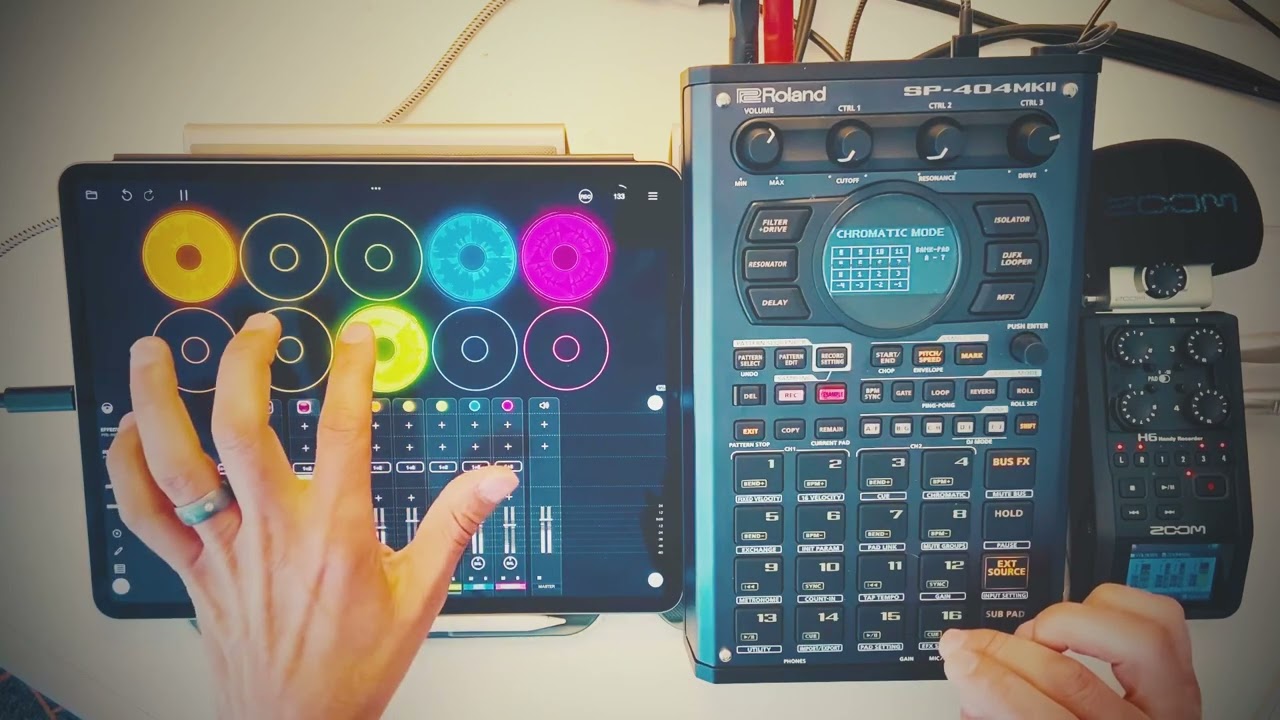
Fwiw, i always have the SP listening to what i am playing in case i play something worth capturing via the retrospective recording.
3 Likes
Sounds great! Do I understand correctly that recent updates have added some sort of (possibly controversial) sequencing to the MK2?
I enjoy Koala because you can free form play into it via pads but also has the sequencer.
I personally don’t shun any available added options to create, I don’t view these things as affronts to a legacy. You can simply use it or not.
Is transport/midi sync normal between the MK2 and other hardware of all sorts?
I’m interested in good practices when it comes to how you lay out the 16 pads, considering that the ideal workflow seems to be resampling either live playing or ‘pad(s) plus FX’ to another pad. Jumping across banks adds more button presses to this operation and could lead to confusion about what is where. So do you good people use, say, half the pads (8) of a bank to record initial samples or place existing samples, and then resample on to the other 8 pads? Or do you actually fill the 16 pads with existing or new recorded samples initially, and then resample on to another bank?
Basically, I’m wondering if your tracks and experiments go across multiple banks in a project, or whether you try to get everything on to one bank, and if the latter, how you achieve it without running out of room.
I’m at a very early stage of learning the machine - I think my one big workflow request would be for it to be possible to resample to an existing ‘full’ pad, so that I could overwrite it with a new record as I’m playing that pad. Sometimes you do want a resampled-with-FX drum hit to be on a new pad, but other times I just want to replace the pad I’m on. Sure, I could copy it across later but that’s more button presses! I don’t think you can record to a non-empty pad at present, right?
So, do you guys have any workflow tips and tricks for me? And I was wondering whether you go for a live workflow (ie. the process of building up a track is the track), or whether you build it in bits while stopping and starting, and then record the output to a DAW later with all the pads set up?
I guess I’m asking what the typical process is for an artist who releases music and plays live with one of these devices.
I’m not sure there was a majority on the shunning, but good for you.
The step sequencer, as it stands, is still pretty basic. However, it works great for what it is and has some cool features baked in. You can also bounce between step and real-time which is great. The only caveat is you have to stop iirc.
Edit: You can now resample patterns this is huge coming from an SX.
Agree, it seemed just a few people around the net talking it down.
That does sound cool. Thanks for the info!
1 Like
Loving that step sequencer
I really wish you could say ‘this is 4 bars’ and it could give you a BPM. how do I send a feature request? killing me trying to fit specific loops into the sequencer. its all good for live play but I dont always want to go freeform
edit:ah duh
its got tap tempo
im trying to make use of the sequencer cause on the 404 I just usually do things without it but is anyone else having trouble with it only playing the loop every other time?
like in sequencer ive got a 4 bar pattern, ive got a 4 bar loop on pad 1. recorded to trigger on the first step of the pattern. it plays through, then the second time it doesnt, then the third it does, fourth it doesnt. etc. what am I doing wrong here?
edit: fuck I figured it out im on a roll. because the pad was set to loop the pattern trigger was turning the loop on and off
7 Likes
Wow  I experienced that but couldn’t figure out what was going on. That is some next level interaction there
1 Like
I was going to say that it sounds like you have a 2 bar sequence and your triggering a 1 bar loop.
Anyways, glad you figured it out
1 Like
@L Make sure your sample isn’t set to loop
Edit. Just saw your edit lol.
2 Likes
makes sense now I’ve sussed it, quite interesting that it works like that, could make some cool stuff turning a bunch of less rigid loops on and off gradually. 404 is a bit of a free spirit. Basically what I usually do with my hands
cheers though guys. Swear I sit head scratching for ages then as soon as I post the question it all clicks
1 Like
What I really hate is when I search for something that’s making me scratch my head, and then find a thread I posted about the very same thing 6 months back ffs. Brain like a sieve here. Even more annoying is I can only blame myself.
3 Likes
That’s a great idea!
1 Like
don’t get me started I’ve got about 8 copies of the same launchpad manual in my downloads folder
5 Likes
Is there a way to record a sample from the line in while the sequencer is playing?
Or do I have to resample the loop from the sequencer, loop it then record the audio in?
Edit: found it, not as immediate as I was thinking but it makes sense in 404 kind of way.
1 Like
I need to borrow this line for when I’m frustrated with my other gear.
‘This makes sense in a (insert other gear name here) kind of way’
Thanks!
2 Likes
Is there a way to resample a pattern that’s currently playing? It seems like you can only record more stuff into it, and have to fully stop the sequencer in order to resample a pattern. Is that right? Seems a shame if so!