3)Press the [RECORD SETTING] button.
The input setting screen appears.
4)Use the [CTRL 2] knob to set ROUTING to “Mix”.
When ROUTING is set to “ExtIn”, only the audio input from an external device is sampled (the sample’s audio is not included in the resample). You can sample your performance while playing back samples as backing sounds.
5)Press the [EXIT] button.
6)Press the pads [1]–[16] that are blinking red.
Empty pads to which samples haven’t been assigned blink red. When you press an empty pad, the message “Press Pad to START” is shown. Pads that contain a recorded pattern blink in blue.
7)Press pads [1]–[16] to select a pattern.
Sampling begins when the pattern starts playing back.
My SP404MKII seems to be bugging with the Stopper effect. I haven’t used the device in a few months and finally updates it to 1.14 today. Putting the stopper effect on Bus 2 seems to not do anything. Putting it on Bus 1 will cause the effect to work once and that’s it. If I bypass the effect and reenable it, it mutes all the tracks that are currently being sent to the Bus 1 but it doesn’t actually make the effect. Switched different effects and back and nothing changes.
Checked the manual and nothing seems to indicate if it would be a BPM thing, and of course I tried different settings within the effect itself, it just seems to be glitched.
Man, usually I do my due diligence before asking for help but I went ahead and did a factory reset (which had to be the quickest factory reset ever) and it looks like it’s fixed now!
Under EFX do you have Type A or Type B for Bus routing set?
It’s possible you’re on Type B (Bus 1 and Bus 2 are parallel to each other) and thus stopper wouldn’t do anything to audio that is sent to Bus 1 since it would never make it to Bus 2 in this case.
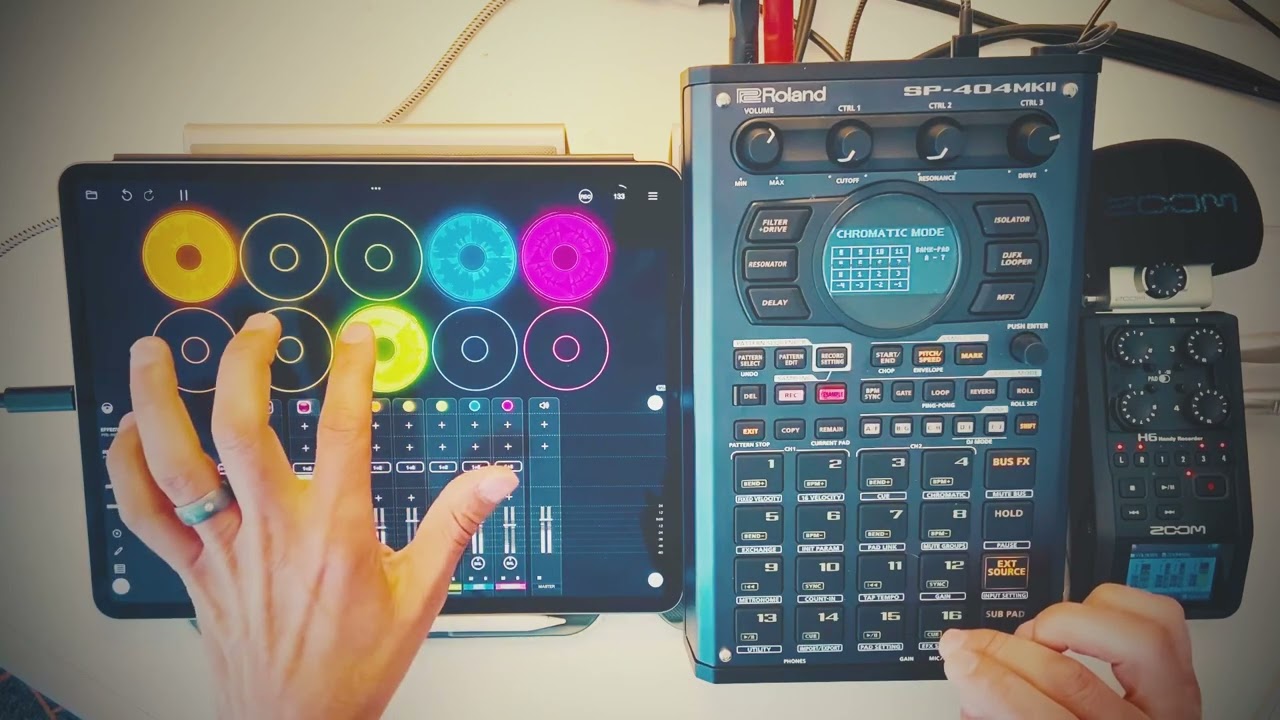
I’ve seen you use loopy pro with the Circuit Rhythm and now the SP - what advantages does it have over using the internal sequencers? I’m interested in trying to integrate my iPad with the Rhythm.
I find that LoopyPro is just a great sketch pad and Loops library for me in my workflow. It allows me to sample and test on the fly and when i have something going i can sort it there, bring it to the SP or Rhythm and extend the feel of the piece even further because of knobs and buttons.
The other advantage is that i can easily export my perfect loops and transfer them to the SP SD card if i don’t want to manually sample the loops. It just depends on how i am feeling. I can definitely use the practice to Sample so i do that a lot.
And since the SP/Rhythm works nicely with the iPad i can incorporate the iPad even more as a sound source to have virtually no limits with what i am creating musically.
The SP connection to the iPad is seamless since it’s over USB-C and has the screen to edit and chop samples. I originally got the Rhythm to fill the void until i could get my hands on an SP…so i don’t use it as much now since I’m all about the SP now.
Sure thing. LoopyPro is worth it if you are into building your own personal Loop Library for your Samplers. Capturing Loops has never been this much fun for me.
I have been building a loop library just using the sp with my iPad it does take some time to adjust the start/end points to get it right. Does the LoopyPro make it easier to achieve this or do you have to keep starting over to get it right since it has no start/end point adjustments. How accurate would it be if for example l want to loop a part of a song on YouTube?
LoopyPro excels at capturing Loops. In the video above I show how I resample into the SP, but you can also just export the Perfect loops from LoopyPro and transfer them to the SP SD Card and import those files to the SP and they will be perfect
As far as your question/use case scenario…not really sure…until you try it…but it has good loop detection if it’s there…
Here’s a quick thing i sampled from YouTube inside of LoopyPro using an auv3 app which lets you host YouTube inside of an auv3 instrument wrapper:
It’s a sample size of 1, but should give you a good idea of how it sounds, considering i didn’t have to do anything but find what i wanted to hear, and sample. ™


 ™
™