Yeah I started a New Project yesterday solely as a Instrument Template with one bit of hardware / Software per Clip so that when I am in a new Project I can select / mix and match from any of my hardware and VSTs using the Import Clip feature - working great! The new Hybrid output also takes this to another level.
To keep things organised in my Template I have put Synth Hardware on Track 1, Drum Hardware on Track 2, Modular Voices on Track 3 and I’m thinking about putting VSTs on Track 4. See attached how far I have got setting up. Still got quite a few more things to add. The Clip with the STO+DPO is using them together on one track with the new custom output function
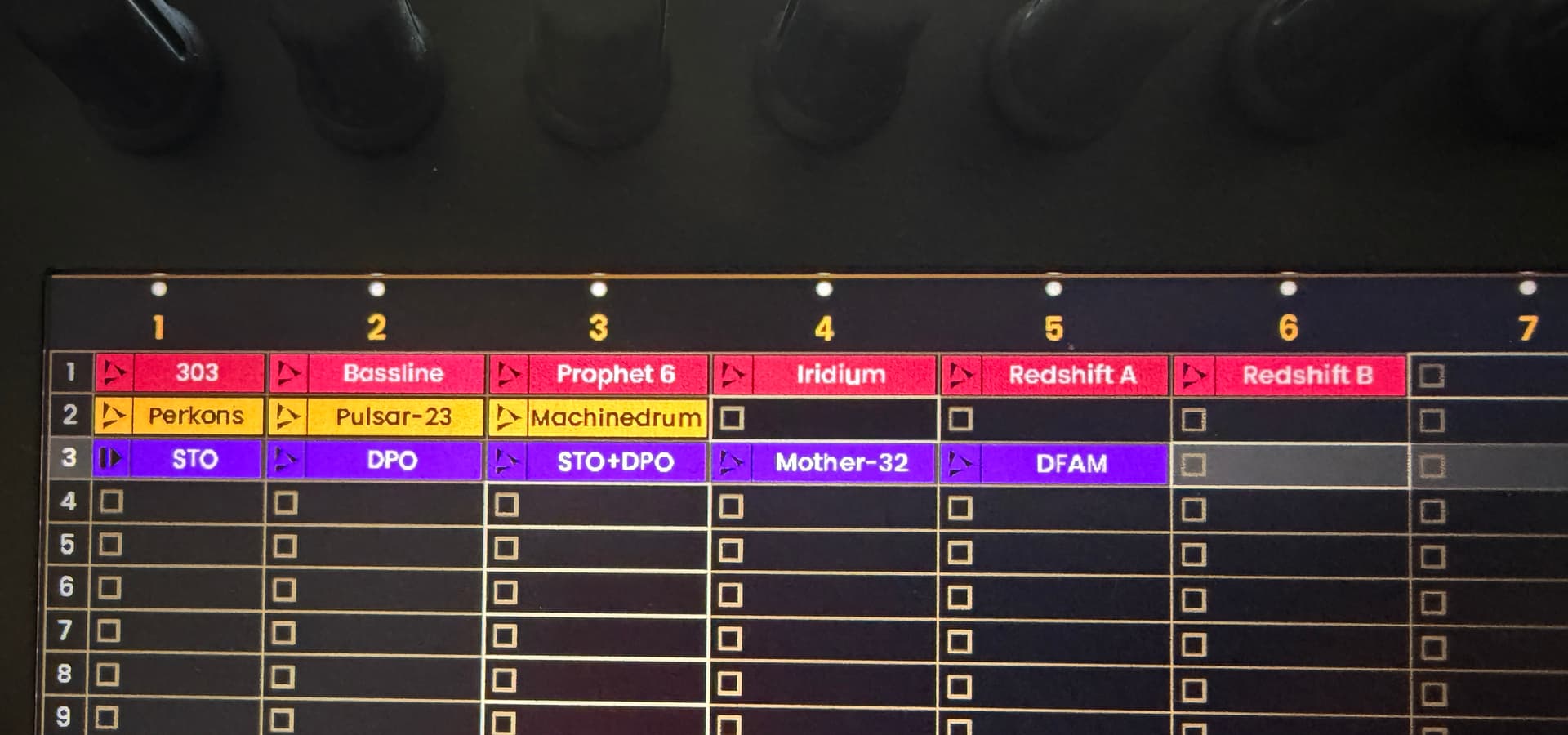
Much more flexible this way then my previous way of having a fixed track per instrument forever.
Also of course I had to get out of the mindset of one instrument per track as every clip on each track could in theory be a different bit of hardware or software, which if building a multi song project is what I will do! Each track has 256 clips so it’s ideal for making it a huge multi track project if for example playing a live set with no interruption. This new Clip mode really makes it feel like Live / Bitwig now
Yesterday I managed to play with looping a section of the pattern function which I sorely missed from my Oxi One.
I also played with the new custom output routing and multiple Voices which brought some cool results! Still not experimented with the sequencing different routing yet - that seems rather mind-blowing.
I really don’t regret selling the Hapax now at all, though I still think the Reliq has room to improve the MIDI FX. Its sounds like they are only just getting started and I am sure they will have something special in the next few months for Reliq 2.0
 ”
”