Catch is pretty good but it’s also a bit clunky, and you don’t end up with your sample in a Simpler. In the end I just record clips and convert them. It’s not too bad.
Funny that the Move has this feature and the Push does not.
Catch is pretty good but it’s also a bit clunky, and you don’t end up with your sample in a Simpler. In the end I just record clips and convert them. It’s not too bad.
Funny that the Move has this feature and the Push does not.
I’ve been round the houses on this.
I’ve tried syncing Elektron boxes with the Push 3 (controller mode) via Overbridge.
I’ve tried this via MIDI clock via USB into Digis from computer, and via MIDI DIN from the Push 3 MIDI port into the Digis.
I’ve also tried using external MIDI clock from an external hardware sync box with the ERM Multiclock plugin.
Overbridge is sample accurate. Running the Push sequencer and Digi box sequencers in parallel works fine, they are locked in tight. But there are a couple of gotchas, unfortunately. 1) This won’t work on Push 3 Standalone as it all relies on a third party plugin (ie Overbridge). 2) Overbridge introduces system latency of around 50ms. This completely messes up anything that uses live clock in the Push sequencer like the Note Repeat function… it is completely out of sync. Separately, I also don’t like a fundamental part of my setup relying on a specific third party plugin, that’s a vulnerability IMO.
Plain MIDI clock from computer into Digis is no go if you’re using the onboard sequencers on any Elektron device. Doesn’t matter if this is MIDI clock via USB or via MIDI DIN, the Digi boxes will lag horribly. Unusable IME. If you disregard the Elektron sequencer and treat each Digi box as a multitimbral device sequenced from the Push, they work pretty well. Latency is in the 1-2ms range, similar to any other modern hardware synth. But then you’re missing out on all the Elektron sequencer magic. It works fine, but it’s not what Digi boxes are about IMO.
Using an external MIDI clock device (like an ERM/Floating Point Multiclock) does work but I found it a bit of a faff TBH. I try to avoid complexity in my setup wherever possible and that was a step too far for me.
I love the Push 3 (it’s the centrepiece of my setup) and ultimately my solution has been to try to replicate the aspects of the Elektron workflow I love within the Push/Live/Max4Live environment. That is becoming increasingly feasible with the additions to Push under Live 12.2 and now 12.3 plus the great new M4L devices out now like the Isotonik Push Mutes (absolutely love this), Sting2, and pretty much anything from Fors. Adding a bunch of MIDI controllers also helps (I use FaderFox MX12 and EC4 plus MIDI FighterTwister… lots of options for hands-on tweaking).
TL;DR is I’ve now sold all my Digi boxes and I think I am well on the way to creating an Elektron-like workflow within Push.
I would love to hear any tips you discover about doing this.
So the push mutes device is worth the money then? I have to say, it’s such a simple (but great) idea, that I’m surprised it’s not already in Live.
Sure. A few thoughts…
Step Sequencer
The Push step sequencer is pretty powerful once you understand that you can ‘trig lock’ different aspects of each step by switching through the different Push view options (ie Device view, Clip view etc).
The Clip view gives you the option to trig lock pitch, micro timing, velocity and probability, similar to the Trig page on a Digi box.
Not all of the controls of each Device are visible in ‘trig lock’ mode unfortunately, but the workaround is to create Instrument racks with Macros… all Macros can be trig locked.
Trig locking works differently on Push to Elektron in that on Push, the parameter lock will only last as long as duration of the note. When you lock a step on Push, you’re drawing in an automation curve for the length of the step in question… the automation drops back to zero as soon as the note ends. The workaround there is to extend the duration of a trig-locked note to extend how long the automation is in effect… just press and hold the step on Push then tap a second step that you want be the end of the note.
You can also manually automate controls in a Device by pressing the Automate button, record enable the track then hit record and tweak whatever controls you like. Similar to Live Recording parameter tweaks on a Digi box.
You can’t trig lock FX sends from the Mix page unfortunately (or if you can I’ve yet to find a way to do this) but the Automate+Record approach works.
New stuff in Live 12.3
There are two new features in the 12.3 beta that take Push 3 even further into Elektron territory. One is the addition of MIDI generative tools for Drum Racks controllable from Push. Not quite Elektron Euclidean mode, but v powerful IME and a lot of fun. The other is the new XYZ performance pad which is like the Elektron macro mode performance effect on steroids, it’s superb.
New generation of M4L devices
It’s now possible for third party Max4Live developers to create a ‘Push takeover’ mode which uses the Push pads as a control interface. There are some outstanding new devices around that are very Elektron-like in use. My current favourite is the Push Mutes device from Isotonik which is designed to replicate the Analog Rytm mute mode (similar to MPC mutes) and has completely changed how I play with Drum Racks. It is fantastic. Also, Sting2 from Iftah, Fors Dyad, the new Euclidean Mode generator (also from Isotonik) are designed to give you a kind of Elektron-like workflow but with all the advantages of Push+Live on top.
My sense is the whole M4L for Push ecosystem is just at the beginning. There’ll be a lot more like this in future. Plus Ableton are clearly committed to expanding on Push capabilities over time.
I think so. It has changed how I use Drum Racks. It feels exactly like how I used to perform on my MPC Live 2 in mute mode but with the added benefit of mute group macros. I’m a big fan, I think it’s a seriously good device.
In fact, it’s so good it’s surprising it isn’t already a standard Drum Rack Layout option built-in within Push. My hunch is Ableton will probably incorporate something like this natively at some point in the future.
Thanks for this great write up!
The Overtake version 1.0 by Unroot on maxforlive.com device can fix this. I just tried it and it lets you p-lock fx sends.
Thanks, I’ll check this out.
Meanwhile here’s another new cool M4L device for Push that’s just popped up in my feed…
Looks really good.
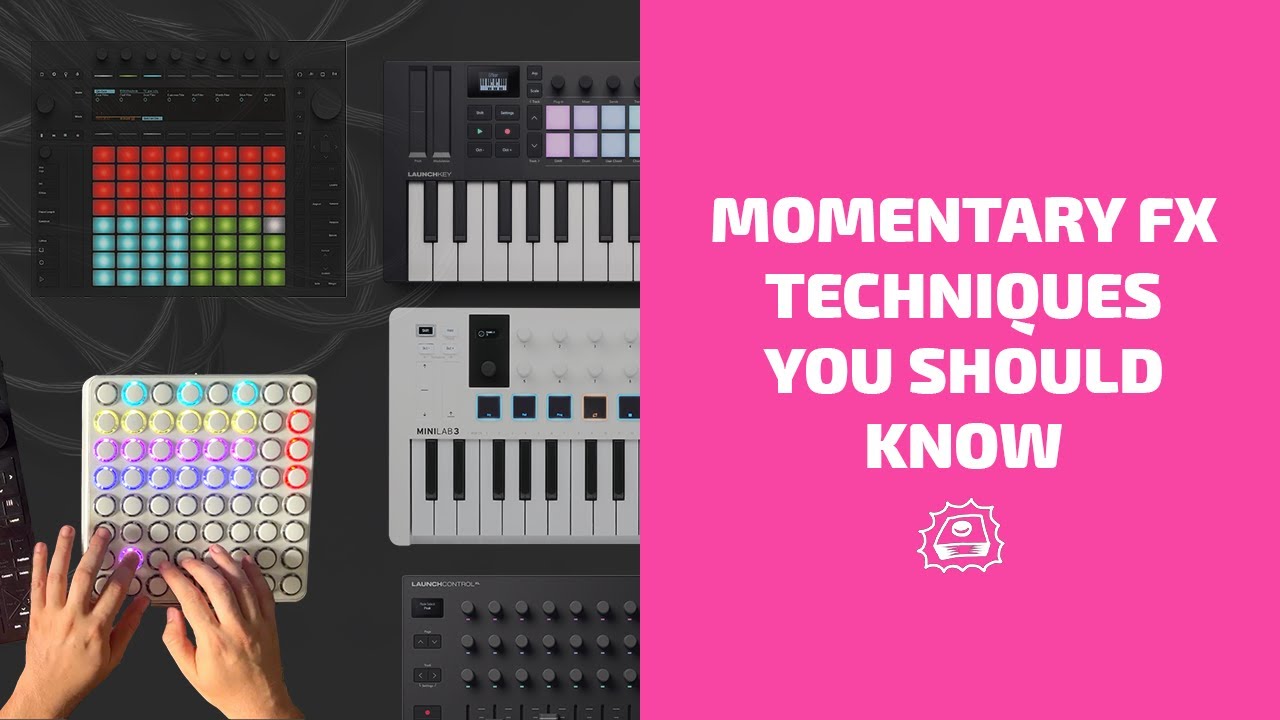
Plus the punch in/momentary FX (whatever you call it) in use like RYTM scenes.
First thing I did was to prep some racks in familiar Elektron setup so I just have to load racks like I’m switching engines on an Elektron.
Drum Synth rack, Ditto Rack, Opal rack, synth rack etc. with Filter,Sat/Roar, EQ, Comp, Limiter, LFO as a starting point structure you can build from.
A direct sampling feature into the simpler, sampler, and drum sampler devices is my number one feature wish for Ableton Live and Push 3.
I got Flin as soon as it came out, having been eagerly anticipating it since he previewed it some weeks back.
I enjoy its simplicity. Some of the other 3rd party Push sequencers are way more powerful and flexible, but I find some of them arent that much fun to interact with.
Flin also makes me wonder if there is anything else from the world of Monome that would be fun to bring to the Push in whole or in part.
Anyway this sort of thing is one of the reasons I didnt hesitate to get a Push 3 standalone when it first came out, theres something delightful about 3rd parties having the ability to add whole new modes that make fun use of the available interface. And when I look around my world of hardware I’m always sad that I dont have more stuff that is ‘open’ in some ways.
I’d like to make a somewhat wacky MPE sequencer one day. Shame I spent decades dodging max instead of becoming proficient at developing with it. I really will have to dive into it properly sooner rather than later.
I have to agree. Prior to Push 3 coming out, I actively refused to go down the max4live route as I always assumed it was hacky and liable to break / crash. But once Push 3 came out, I have always been of the mindset to stay native in Ableton Live, as I have always had an eye on performing live on Push 3 standalone. This led me down the max path which was great timing as devices like Fors Dyad and Sting2 really show the power, and fun, that can be had in/with Live/Push.
Just caught up with usb audio interface announcement.
Anyone know if the in/out ports on the back will still work with a usb interface connected?
There is a new Device submenu in the Audio Settings. You can switch between connected interfaces and Push, and you can use different devices for input and output, but as far as I know you can’t combine Push’s I/O with the USB interface.
Magic, thanks. USB outputs and built-in inputs works perfectly for me. Was waiting for this to order the upgrade kit and Live 12
Cheers for the chat on these new devices. I have to say it does feel like the floodgates are opening at the moment. Sidebrain’s last FX device was only released a few weeks ago, now another one, plus the sequencers coing out on Isotonik.
After I got Push, I genuinley did feel like it was a great controller for what it was even without these devices - but somehow static? Like, they even have some basic generative stuff in the Novation Circuit which this thing doesn’t do, which seems a bit of a miss.
With the new devices coming out that actively use the pads as an input device, it finally feels like it’s becoming an instrument (as advertised) in that notes, sequencers, and effects can be played on the pads (that X-Y mode thing looks fun). If they can get more of generative MIDI editors to be controlled by Push, that would go a long way to making it a much more generative playground in addition to the current sequencing approch.
My only challenge to Ableton would be to make as much of this as possible native to Live, as having several devices could easily become a complex web of installs and different approaches. But overall, it’s great to see.
Can you explain why this didn’t work in the end? I’m with you on the limitations of Overbridge as a sync, I don’t like the way it introduces latency.
My next step to consider was an external midi clock. Conceptually it doesn’t feel that hard to setup. What am I not thinking about?
The other issue I’ve had is trying to get patterns to sync with scene changes. I think follow actions on the clip + midi-message change pattern was the closest I got. Now that we’ve got follow actions supported on the push, I was hoping to give it another go.
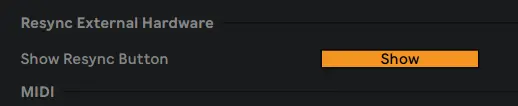
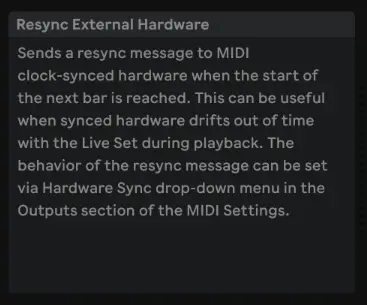
Nope, unfortunately not, patterns did reset at the beginning of each bar (which is what the Resync toggle does in Live when clocking external gear) but the latency was always there at the beginning of each bar.
I also tried this with adjusting the latency on the Push MIDI Out port in Live’s settings but it was still too far off the grid to be usable.
If anyone else has made this work I’d love to know how as I did really want to run Elektron sequencers in parallel with Push but without the downsides of Overbridge.