Releasing a new version based on @rosiusyves feedbacks: v0.48.0
Reworded description of “Fix Incompatible Samples ” Tool in the app
New “Reason ” column in sample lists of “Fix Incompatible Samples” Tool
New “Fix all missing samples ” Tool accessible from Audio Pool - covers all projects of Set
Slightly less emphasized styles for “Status” modal button in all Tools
Fixed closing of modals with ‘Esc’ key everywhere
User-guide has been updated with all this
6 Likes
lerba
September 29, 2026, 11:24am
515
Hey, any update on whether octakit will be supported? It seems pretty stable to me
k2z3k0
September 29, 2026, 12:20pm
516
I disagree
Try pattern chain and you get this
Mind you this is modified compiled binary!
Personaly i think any work on supporting this only have sense when it will be thoroghly tested.
1 Like
I tested v 0.48 -i think it would be good if it had a zoom function, and some help /info popup for which field does what, and possibly explaining the consequences of setting this up.
I cant set up trigs with this yet ? I.e. from the editor - so i can build patterns on the editor which i upload to the OT ?
lerba
September 29, 2026, 3:21pm
519
Hmm I can’t reproduce this problem. I just get a normal pattern chain playback… But I’m on mk2 - maybe that matters.
k2z3k0
September 29, 2026, 4:44pm
520
Im sory i forgot to mention ,to hit any track button while Chain is in effect
lerba
September 29, 2026, 6:25pm
521
Now I could reproduce this, thanks!
Hey @Sternenlicht thanks for your feedback
Agreed, some work is needed on that topic (maybe scaling, maybe better window resize, maybe something else)
Most fields / user selection display an explanatory tooltip when you hover on them with your cursor. Is there any place specific where it’s missing ?
Not sure to understand what you are about, can you please rephrase/detail ?
No, not yet but it’s totally planned for the future
4 Likes
Progress update: currently working on rework of Parts (long overdue) + Scenes
Also already implemented some additional bonus features as well
Next release is gonna be a big one
16 Likes
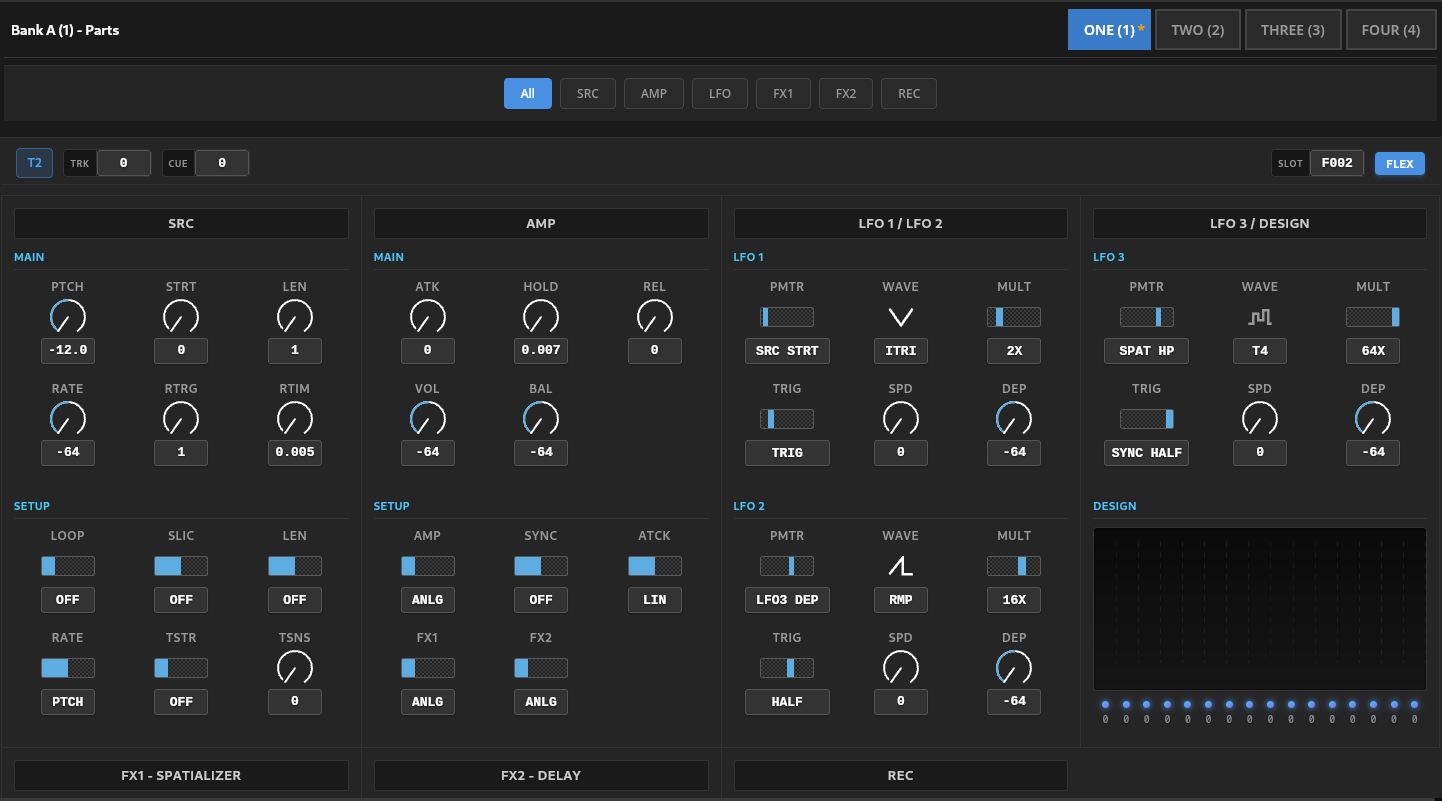
New Release: v0.49.0 with a new Scenes editor , Undo / Redo and a reworked Parts editor
New Scenes tab:
View and edit the 16 scenes of every PartCopy, Paste, Clear, Randomize (with bounds) and Swap A/B scenesNew Copy Scenes tool to copy scenes across Parts, banks and projects
Reworked Parts editor :
Ability to change a track’s machine (Static, Flex, Thru, Neighbor, Pickup)
Ability to change a track’s effects loaded in FX1 / FX2
Ability to change selected sample slot a track plays
Added REC tab with recorder setup parameters
Added TRK / CUE levels in the track headers (editable)
Added explanatory description in hover tooltip to every parameter
Reworked field validation, bounds, values and widgets of all fields
Global changes:
All select lists, values and fields are now mouse mouse-scrollable and draggeable
Undo / Redo for every edit made in Parts, Scenes and Sample SlotsFixed handling of .ot files when importing audio files to Samples Slots and Audio Pool
Added a new Bookmarked section in projects list
Thanks a lot to @ThePseudoreality @thoughtstarZ @k2z3k0 @Sternenlicht @marccc @Blasted_pingin @sezare56 @Tapepusher for helping shape these features, and to Thysbe for the GitHub contribution on machine and effect editing
User-guide has been updated. As always; testers, feedback and requests are welcome
Next : Parts override detail display, and moving sample slots around (@jdpnyc )
5 Likes