nice work here! did I miss something or does it have a functionality to check if a given file in the audio pool has been used in any of the projects of the set? or maybe even mark files that are unused. I have made a script (really simple one) that goes through the files in the audio pool and checks if they are mentioned in project.work files of any the projects and makes a list of those that are. But it doesn’t take into account if a particular sample slot is actually used in the project (I do not know the binary format in which patterns/banks are stored), and I think your program can do this kind of check. Would be nice to have an option to somehow mark files that are unused in this sense, to clean out the rubbish that crops up in audio pool.
Ha I didn’t think of that !
It does make sens to extend what was done for samples slots usage tracking to audio pool  I’m going to work on that right now
That’s precisely one of the very next feature planned 
It should make renawal of SD card content without risking breaking any project a breeze
Thanks for your suggestions @personnealienee 
testing it inside out right now.
how can i rename parts? how can i delete trigs inside patterns? i can’t find any “save” option in edit mode…
Both features are on todo but not implemented yet
As a thumb rule, your best guess is to check out the user-guide when in doubt
Are you talking about that ?
oh mannnn! I just discovered this while searching for Octaedit, and I’m stoked! Big ups to you 
Thanks mate !
+1 for a way to copy/paste arrangements.
Thanks, this tool is fantastic!
Noted ! Added to backlog 
There are a few areas which were left out for now (arrangements, scenes) but it will come in time. Current focus is on polishing current features
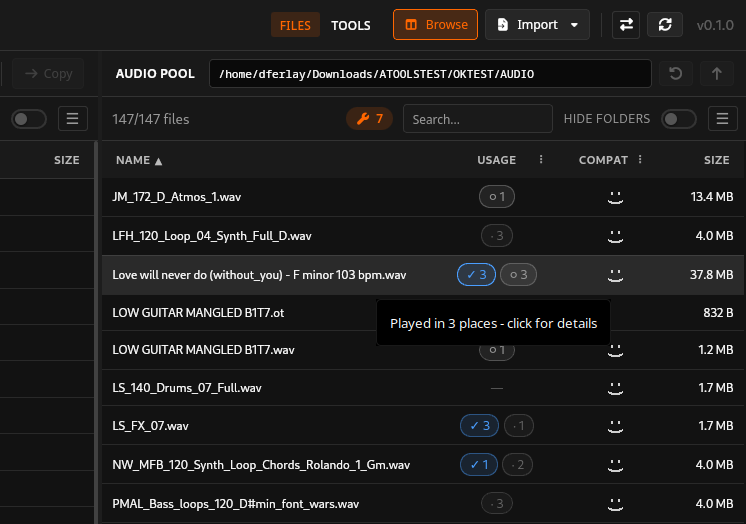
looking great!