That one is amazing and gets a bit far away from OM (which reminds me a french football team  ) for the best
1 Like
Very good points @Ulysses !
No need for a font in any case.
+++ to explore with 1:1 icon size
2 Likes
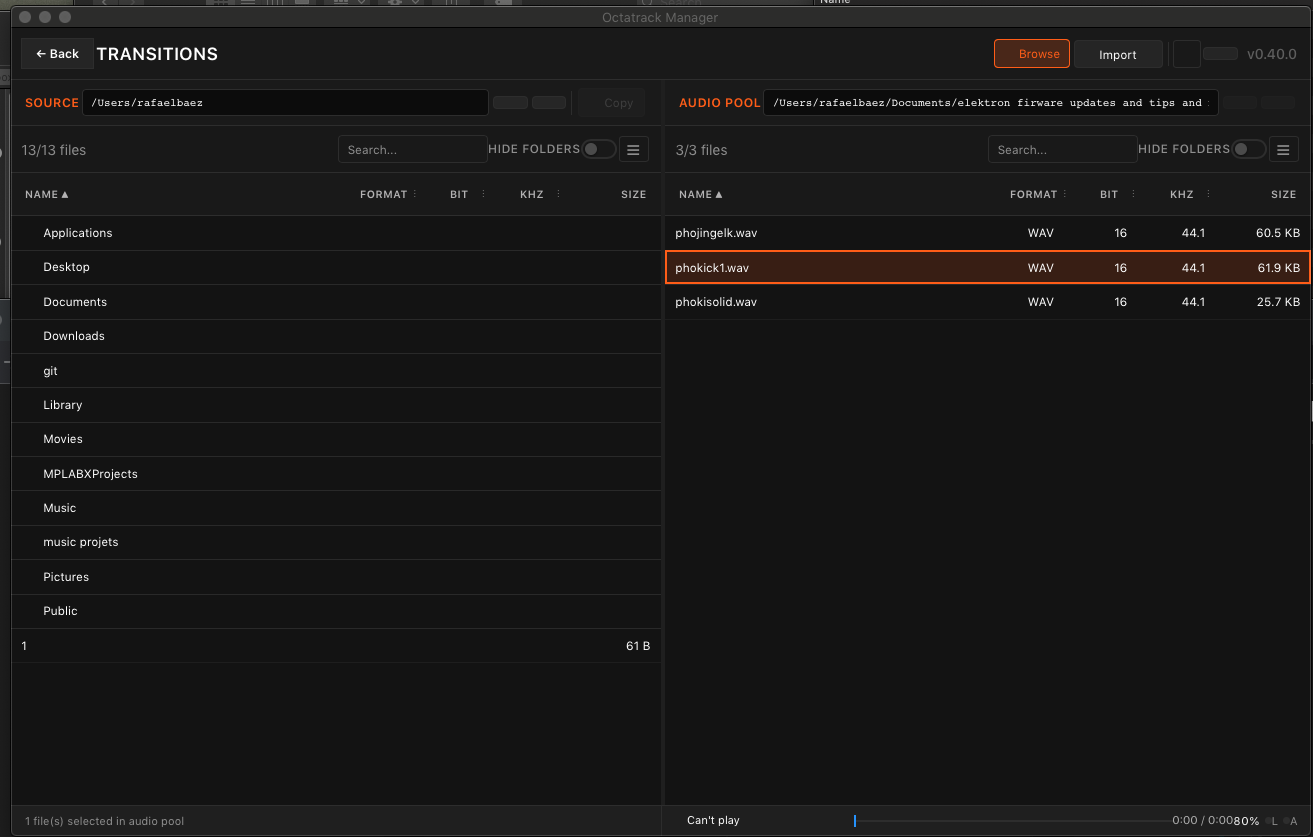
New Release: v0.40.0 with in-app Sample Playback:
- Play / pause with
Space - Drag or click the seek line (
Ctrl+←/→to scrub) - Set VOL (drag, scroll, or
Ctrl+↑/↓) - LOOP (
Shift+L) to loop samples - AUTO (
Shift+Enter) to auto-play samples when selected - Arrow keys
↑/↓to walk the list and play each one as you go
Works on both the Sample Slots tabs and the Audio Pool page.
Also includes some fixes regarding drag & drop on stuff on Audio Pool.
User-guide has been updated accordingly, including the keyboard shortcuts
As always; testers, feedback and requests are welcome 
14 Likes
This looks amazing. I finally have time to test. Work was crazy this year, and all this interesting stuff has built up. Your app, the new MnM firmware, the new Analog Keys upgrade and the new S-4 firmware. What a year. Thanks for all your work. You are legend.
2 Likes
@sezare56 Chef’s Kiss ! 
1 Like
Can these audio files be played by another app like vlc ?
Does that happen on any audio file or just some of them ?
- If all files: what OSX version are you running ?
- If only specific files: Can you please send some on pm ?
all files have no issues on playback on my mac just cant play on the oct manager player im on mojave 10.14.6
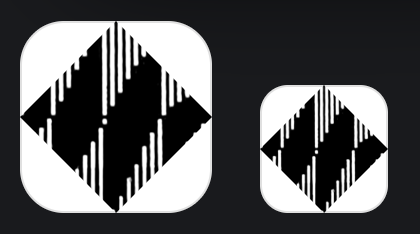
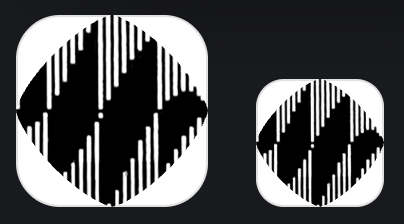
I keep thinking the logo should rely heavily on this pictures
Originally from this video:
4 Likes
I was just thinking about this too. Would be sweet logo for your app! It really is iconic and kinda sums up the whole Octatrack experience
1 Like
Roger that, could be because of the old OSX version. I’m going to investigate
Anyone else reproducing playback issue ?
7 Likes
No playback, Windows 11, OM 0.40.
Worked with VLC.
PITA to test, I broke one USB port on my PC. Can’t use my mouse and connect to OT. Buggy pad and full hard disk. 114 GB max. 
First install : in user manual, the link is 0.39.
Could install MSI, used Setup.exe
No SOLO display ? Can be usefull, common source or wtf silence.
Would it be possible to hide Swing ? I never use it, for me sequencers can’t swing like jazz players !
You sure about that ? All links I can find are pointing to 0.40.0
What do you mean by solo display ?
In Patterns page ? Yes a toggle could be added to hide it
Looks like I have some debugging to do for playback
They can’t, but it can be a shortcut to do rhythmic subdivisions that are annoying in other ways. I use 25% and 75% “swing” values on my Moog to get 1234 or 1234 emphasis.
1 Like
Whatever swing can be, for me it is visual pollution on a track already displaying trigs and plocks…and there are also slides, rec trigs, trig conditions, trig counts, microtiming, so imho there should be several tracks like TRACK TRIG EDIT display, or filters ?
Edit : Anyway SWING shouldn’t be displayed with value 50, as it does nothing.
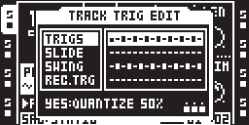
Here are 4 pages. I think it would be nice to have a filter switch next to each icon at the bottom.
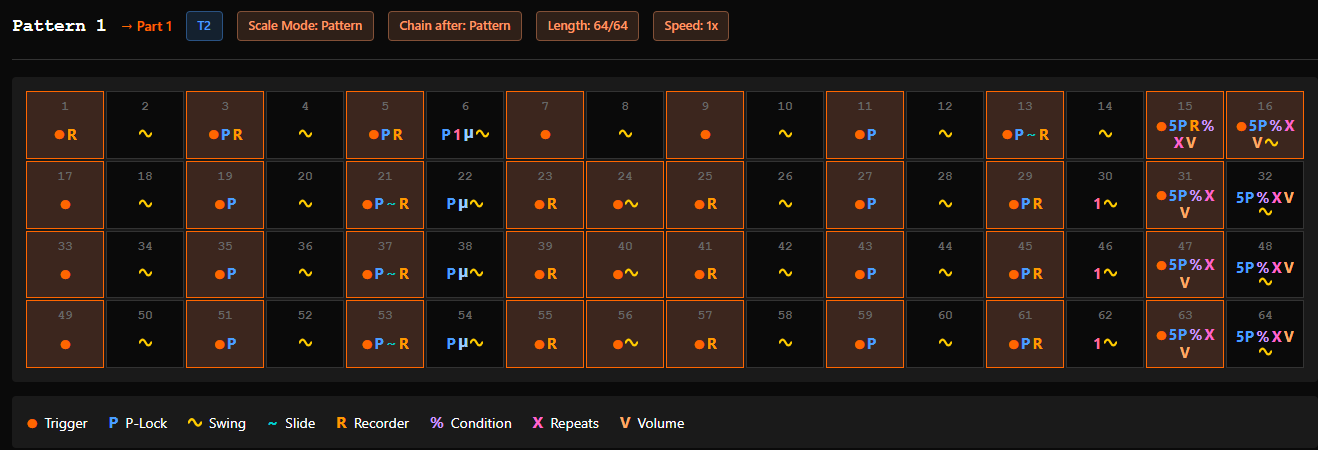
Errors :
One Shot Rec trigs not differentiated vs rec trigs
Wrong Slices values (slice mode)
Wrong positions for Slides on pages 2-3-4.
Wrong positions for rec trigs on pages 2-3-4
Haven’t seen One shot trigs on pages 2-3-4
…
I am sure I downloaded 0.39 from user manual > installation > Windows, (after you announced 0.40) but it doesn’t happen anymore, maybe I used a different link ?
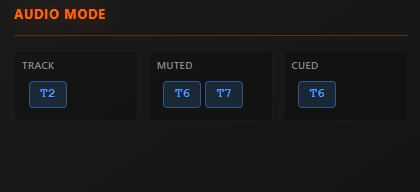
A way to see if a track is soloed (CUE + TRIG 1-16 in MIXER).
(On MKIs SOLO it is less obvious with their leds, and some people didn’t get why there was no sound. I remember someone sweared no SOLO, then sent me the project: bingo, SOLO!)
Example with Audio Track 2 Soloed (T6/T7 Muted) :
Example with Midi Track 1 Soloed (T2 was selected) :
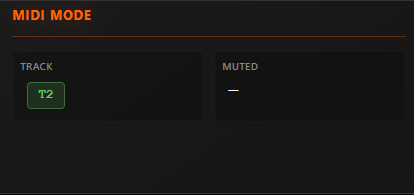
Nothing shown.
1 Like
In fact in works for me in EDIT mode ! (Window 11)
Would be nice to have it working in VIEW mode…
(Also with mouse double clic or right clic + play in menu)
I edited my post above, I found quite a few errors with trigs and stuff, especially on pages 2-3-4…
1 Like
Just trying it out tonight. So far it is working without incident. I copied my CF card to my desktop and I’m making a new Project. Only using it to fill the static bank. Will check back when I get done and load it into my OT. I like the workflow so far. Seems clean. Thanks again for your work.
1 Like
I’ve updated the Octatrack to 1.40C (realised I’ve been using it on 1.40A) and updated the Octatrack Manager to the latest 0.40. No issues with working straight on the CF card this time. Not sure if it’s related or I just got lucky, but I thought it’s worth mentioning.
I copied some banks from various projects and worked like a charm. Strangely there was a single sample that didn’t have its slice points copied over, the rest of the slices got copied ok, not sure what was the difference. I keep testing and see if I come across this issue again.
Good point, I’ll make sure it does not appear
Agreed. I’m considering adding some kind of global toggle for each trig type.
Using the already present pattern legend/label is a good idea but this would affect only it’s specific pattern whereas Iit may be better to get it configurable globally - wdyt ?
Thanks a lot for this feedback! I’ll investigate and fix these
Would it be possible for you to send me that project over in pm ? It would help to debug with it directly
Links within user-guide may take some time to update automatically when a new released is pushed, maybe that’s what happened
That said, the app auto-updates automatically, so no need to upgrade it manually after first install
Understood, I’ll implement that and make sure it does not conflict with other track state visible
Thanks again for the feedbacks @sezare56 : the more issues are reported, the more they can be fixed, and the more stable the app can get 