If I am not mistaken, most patchbays can do thru even without the button to do so. It requires to manually change the orientation of the module inside the casing though. Cheap / old patchbays might not be able to do it.
That might be correct. I kind of want them to be flexible without the hassle 
My first patchbay I bought was the ART P48 and I thought it was juts like the Samson S but the switch on the back but realised it only had normales or half-normaled and that would not work for me. So sent it back and bought the Samson. And I’m super happy for that since I have had to set several inputs to thru 
The Black Lion audio seems to have on version with just normaled/half-normaled and one with thru as well so one needs to be aware your buying the correct one.
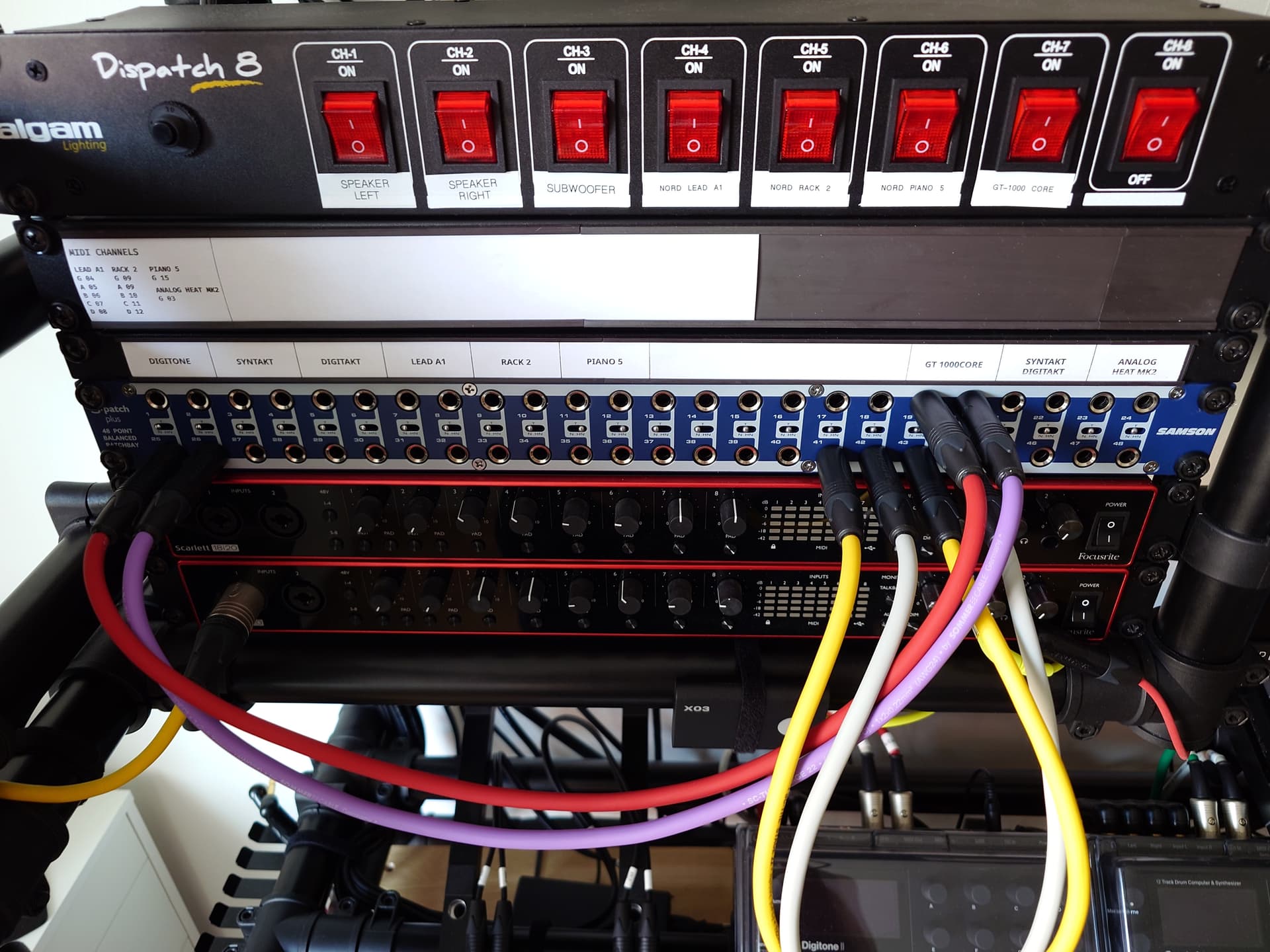
I use rack panels (1U and 1/2U) with C-profile magnetic strips for labels.
The pros are that you can just use any paper for labels. There is no glue. You can hand-write or print, or use colored paper.
The cons are that it takes a bit extra space and the labels aren’t literally around the sockets on the patchbay.
I had the blank panels before I had the idea to use C-profile strips, because I didn’t want to have holes, so the extra space usage wasn’t a problem for me.
9 Likes
This is a really great way of labelling. Well done and thanks for the excellent tip!
2 Likes
Are there different / better ways to do:
- Splitter - split the signal behind the patchbay and connect it to two cards if using (half-)normalling or to single card if using in thru mode and being ok with outputs on the bottom row
- Bridge - connect single card back panel jacks together and use front ones to bridge connect two cables
Any other commonly non-advertised functions?
Also another topic - I have read elsewhere , that it would be necessary to groundlift all cards if using TRS slots for stereo signals? Is it true? Could you explain what’s going on there?
Let’s assume there are no sockets used as mono first before looking at the mixed scenario.
1 Like
I do this, in a way. (I have no idea if what I’m about to describe is good practice but…)
I have the SUB bus from my mixer go into two (L/R) half-normaled inputs on the top back, and connected two cables into the bottom back of those cards that I pulled through to the front of the rack and leave open/hanging.
That gives me two sets of stereo outputs from the SUB: the top front ones that you’d normally jack into, and the extra two hanging out the bottom that I can plug into whatever. So far leaving them unhooked hasn’t seemed to add any buzz or hum.
I do this too, actually. My monitors don’t reach all the way to the back of my mixer anymore and I didn’t feel like getting new and even longer cables because they’re so damn expensive. So I’m running the mixer’s MAIN OUT to the back of the bay and routing those to the actual monitor cables to get myself a few extra feet of cables. Plus it opens you up for some outboard stuff (e.g. routing those MAIN OUTs to say a RNC or RNLA and then from there straight to the monitors).
1 Like
Cool. What you do with the SUB probably haven’t yet come to my mind in such a way. It gives you flexibility to patch both copies to any input, but also allows you to override the half-normalled copy with different signal. Do you do that sometimes for some reason?
I’m planning to use kinda similar approach for mix inserts. Well, actually not that similar, it just comes to my mind. I don’t think it’s worth the effort / cost / space to wire inserts into the patchbay. I’m planning to have 2-3 insert Y-cables between the mixer and patchbay. By default, they won’t be connected on either side. If I decide to use insert, I will connect it manually to the desired mixer channel (it’s easy to do from the front of the mixer, the insert jacks are the top ones above other I/O) as well as to the patch points of a given effect on the patchbay.
1 Like
All the time! Typically I do that because I’m mixing down multiple tracks, especially if I’m doing any fader adjustments, mutes, FX sends, etc. live in the mixer.
I bounce all those (what we would now call) “automations” down to one stereo channel, and then run another copy of that same signal through a compressor and record it on a second stereo channel. That gives me a compressed version and a backup version.
This way, I don’t have to reproduce all those fades and mutes and sends and whatnot later if I don’t like how the compressed version came out. I can just run the “clean” version through.
it’s also useful for doing 2 different mixdowns each through different a compressor (or reverb or whatever) and then A/Bing them (for instance, I have an RNC and an RNLA and sometimes I bounce a version of the Sub Out down through each to see which I like more).
This method does eat up a ton of channels and data though.
Edit: In case I misread your question; I don’t really use the ins below to patch a different signal in. I don’t have that much gear, so I’m not usually scrounging for inputs. Outputs, on the other hand…

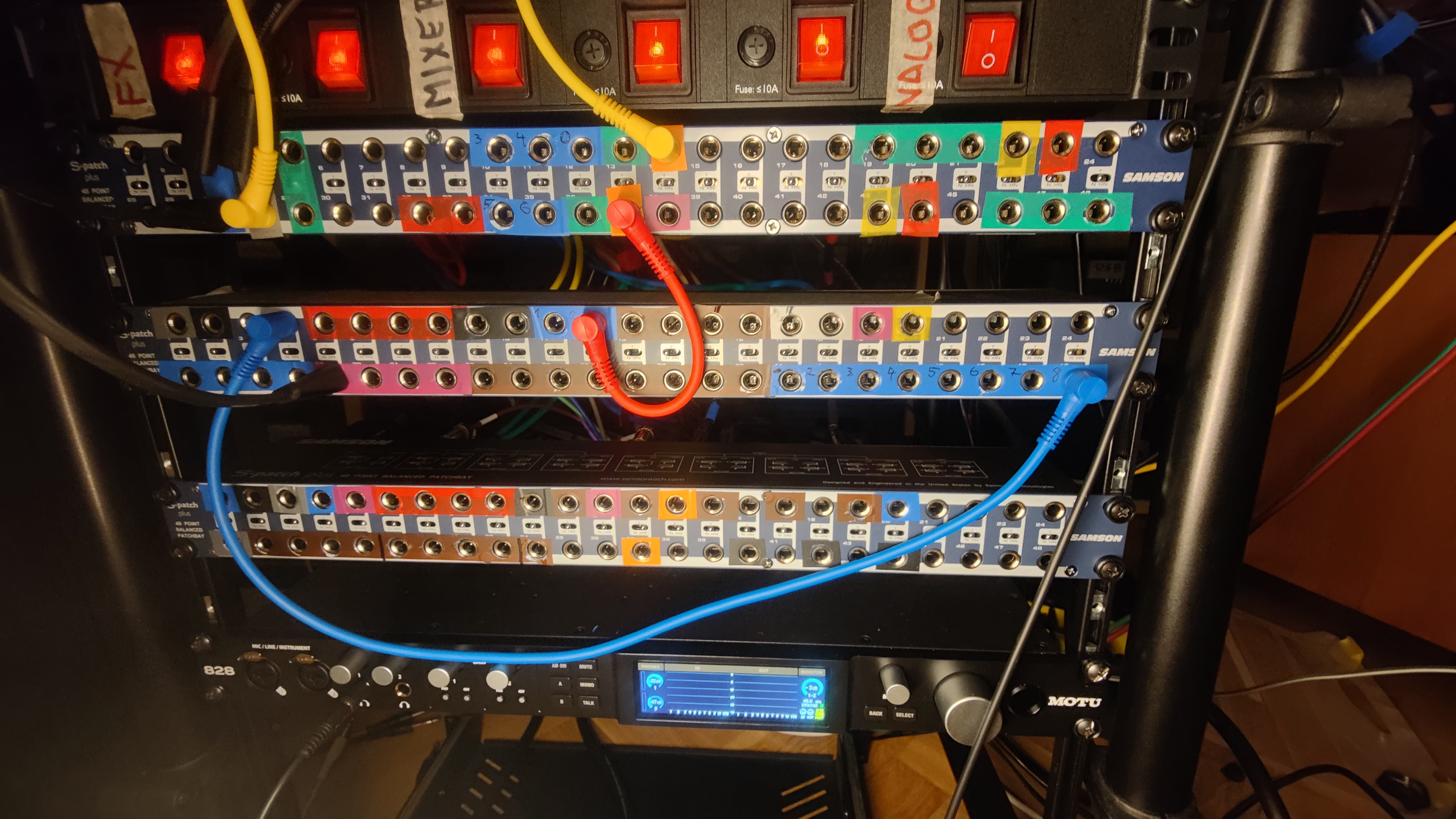
Small tip:
I have a mixer (Tascam Model 12) which has it’s headphone outs on a postion where the cable will hang over all kinds of knobs and gear in my studio. Kind of irritating. I also have a patchbay nicely out of the way on the left side of my desk.
I put a (TRS) cable from the headphone out socket of my mixer, to the back of a patchbay input. Put it to THRU mode, and now i can put my headphone into the corresponding front socket on the patchbay. No irritating hanging headphone cables anymore 
4 Likes
I’m currently looking at the Neutrik nys-spp-l1 seems like you can get in new for £58, does anyone have any experience with the unit?
I have two, that I bought used. They work, but they’re not without issues - possibly due to usage. I discovered 6db signal loss on one jack when normalling compared to plugging in a cable. Some jacks are a struggle etc. I don’t know how the Neutrik trs patchbay compares to other trs-bays like Samson etc, but my impression from reading up on line seems the critics agree they are cheap for a reason (??).