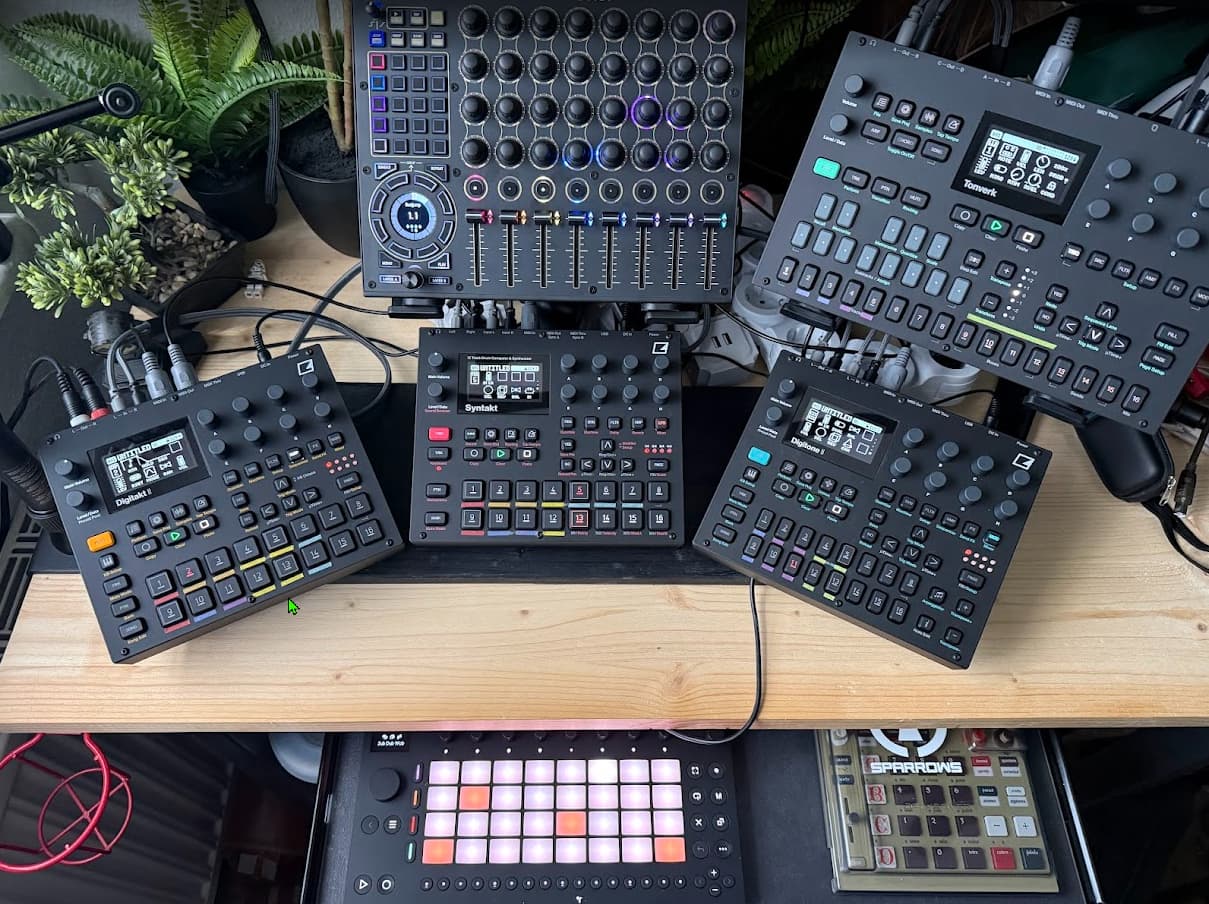
Just ordered one of these and it really does look like a beast! Gonna sell the Novation Launchcotrol XL3 and Launchpad Pro as looks like drop replaces these, and then some.
If anyone is using this with Reliq or Hapax I’d be interested to know how you use them together.
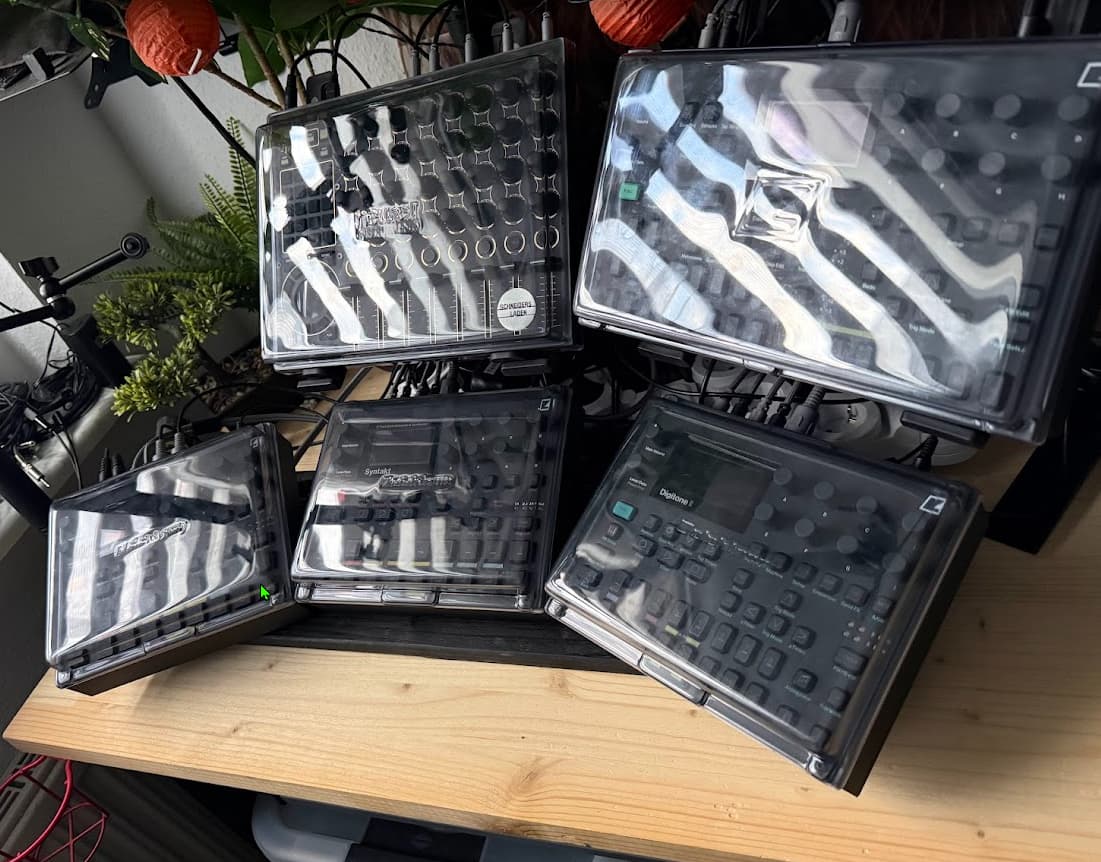
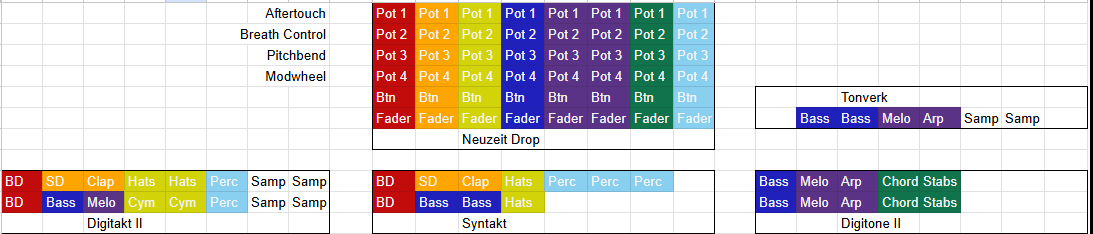
I used colored tape on my boxes to represent the LED colors of drop and came up with a setup that works for me.
so basically one column of controls on the drop controls one track in a jam. and one track can be split around multiple maschines. for example bass synth stuff is spread around all 4 elektron devices adn still the pots in the blue LED column control the 4 macro settings on each device on the respective midi channels.
I settled on:
Aftertouch: Delay Send
Breath Controller: Reverb Send
PitchBend: Bandwith of second Filter or first Filter Cutoff
Modwheel: Filter envelope + Amp Decay
this way a Row of knobs does a similiar thing on each sound.
soud design happens on the elektron device as you have to set up the macro pages there…if I have had done this on the drop, I would need project change on drop for every pattern on elektron as the macro pages alter their destiantions additive not absolute as drop would do.
ableton move is connected via USB to drop and Track1 plays Autochannel of TV, Track2 plays Digitakt and so on. so I can play with a nice pad matrix when it comes to recording into their respective sequencers on the device itself.
audio is daisy chained TV->DNii->ST->DTii
Midi master is DTii and send clock to all and patternc hanegs.
I know this setup will also change at some point, but I wanted to share a baseline I finally came up with and feel is very productive and clean but still powerfull when it comes to dawless fun.
I have a Drop + Oxi One Mk2 and am about to add a Tonverk to my setup (which will be replacing Ableton Live + Push 3).
How are you getting MIDI from the Drop into your Elektron gear? I am hoping to use the USB2 output on the Drop to send MIDI over USB into the USB2 port on the Tonverk (the Tonverk itself will be powered from the mains adaptor via the Tonverk USB1 port).
This works flawlessly with the Push 3. My current setup is Oxi One Mk2 USB into Drop via the Drop USB1 port, then MIDI merge within the Drop and send the merged output of Oxi+Drop into the Push via the Drop USB2 port. It is very simple to set up.
I’m hoping this will work in exactly the same way with the Tonverk. Theoretically it should work with any of the Elektron boxes as they’re all class compliant MIDI over USB. But it would be good to understand how you’re routing MIDI in this setup.
My MIDI Routing:
DTii → Midi Din1 In Drop (DTii is master clock and program/pattern change master)
Ableton Move (Type A) → USB 2 on Drop
Drop Midi Din1 Out → DTii Midi in
Drop Midi Din2 Out → ST Midi in
Drop Midi Din3 Out → DNii Midi in
Drop Midi Din4 Out → TV Midi in
so only Move is connected via USB, all my elektron Boxes receive Midi via normal Din Midi Cable connection as Drop has 4 I/O pairs.
Alle Elektron Boxes have a merger in Drop for ableton move notes receiving
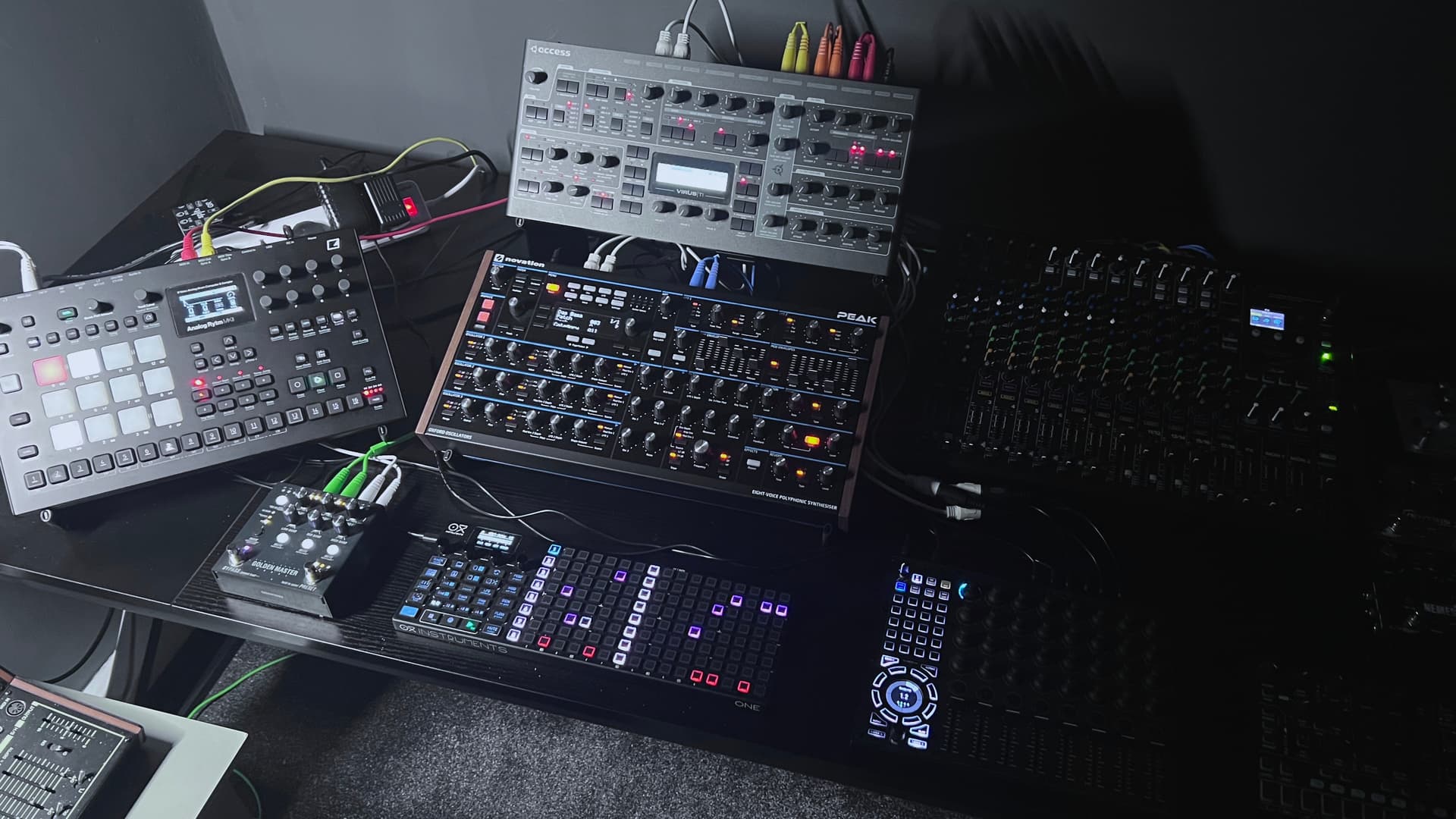
Drop Midi Out 1 - Analog Rytm II Midi In
Drop Midi Out 2 - Virus TI2 Desktop Midi In
Drop Midi Out 3 - Novation Peak Midi In
Drop Midi Out 4 - IK Uno Synth Pro X Desktop Midi In
Problem is this…
I can use
Channels 1-12 for Analog Rytm II
Channels 13-14 for Virus Ti2
Channel 15 for Novation Peak
Channel 16 for IK Uno Synth Pro X
The above works fine in USB mode with Drop Connected to Oxi One MKII but… as you can see above I can only access 16 channels when using my setup in this mode
I have 3 usb ports available whilst using my gear connected in this way which is a pain because greyed out are another load of sub ports. Wonder why Oxi didn’t open these up for even more possibility?
Secondly…
The only way I can use all the channels on all of my synths without issue is to connect my Oxi Split II which then gives me A-F and 1-16 midi channels for any synth I connect but… then I can’t use the Drop unless I’m doing something wrong I’m having to share 16 channels between 4 synths via usb mode.
Anyone got any ideas? I’m suspecting Oxi didn’t open up all sub ports in order that people would just use the Oxi Split.
you could use the oxi split to get more midi into drop.
for example via the 4 drop midi Din inputs and define them as seperate devices in drop and route them via mergers accordingly
When I connect the Oxi to the Drop over USB (via the Drop’s USB1 port, which also provides power to the Oxi), in the Drop Devices menu I can see a device with a green tick on USB1 (ie the Oxi) and I can then see 3 x USB sub-ports in the Drop Devices menu, directly underneath USB1. These correspond to the Oxi One USB Port A, Port B and Port C.
So the Oxi seems to be presenting all three of its USB ports to the Drop correctly.
I then create a new device on the Drop for each bit of gear I connect to the Drop’s TRS MIDI Out ports and to the Drop’s USB2 port. In the Drop Devices menu, I set each device to merge its MIDI data with the output from whichever of the three OXI USB subports I want to use for that device.
For example, Oxi Port A on the Oxi itself = Oxi USB1 sub-port 1 on the Drop, which I then merge with (for example) my Prophet 5 device which is routed to the Drop MIDI TRS Out 1. That means any data I send on MIDI channel 1A from the Oxi is sent to the Drop and is then merged with whatever data the Drop itself is sending on MIDI channel 1 that is output to TRS MIDI output 1 into my Prophet.
Works perfectly. I may have misread your post, but you should be seeing 3 x subports under the Drop USB1 when you connect the Oxi and then the MIDI routing and merging options are as I’ve described above.
Yeah I’ve always had the 3 available usb sub ports available on my Oxi One MKII the problem I had was merging the 4 synths but I got it working so…
The Drop
usb 1 from drop - oxi one mk2
midi out 1 from drop - midi in Analog Rytm MK2
midi in 1 Analog Rytm MK2 - midi in drop 1
and so on for 3 more synths, Virus ti2 desktop - Novation Peak - Uno Synth Pro X
Oxi One MK2
Device 1 - Oxi One MK2 no midi out - usb 1 activated + sub port 1/3
Device 2 - Analog Rytm MK2 midi out trs 1 midi in trs 1 merge activated channels 1 - 10
Device 3 - Virus Ti2 Desktop midi out trs 2 midi in trs 2 merge activated channels 11 - 14
Device 4 - Novation Peak midi out trs 3 midi in trs 3 merge activated channel 15
Device 5 - Uno Synth Pro X midi out trs 4 midi in trs 4 merge activated channel 16
So this is how it works for me. I had to adjust the Analog Rytm MK2 and change the auto channel to 10 so I could get more channels out of the other synths i.e the Virus Ti2.
However I would have prefered to be able to use all channels on all synths using the Oxi Split 2 using all A through F x16 available channels but I couldn’t use the Drop whilst using that setup so basically I’m using Oxi One MK2 in the I described above so Oxi 1a through to 16a.
Theoretically you should also be able to use the Drop USB2 port directly into an Elektron device as it’s a class-compliant MIDI over USB connection. You would have an extra output port available in future if you add another piece of gear.
Also USB MIDI is about 10x the bandwidth of MIDI via DIN. So if you find you have dropped notes/choking etc (possible I guess with sending a lot of data from Oxi+Drop simultaneously into a multichannel box like the AR) you would have the option of switching to the Drop USB2 port instead of a TRS port.
This is nice. I was doing the same where faders and buttons would control volume for “instrument buses” like you do. For the encoders, I did keep a Drop layout matching the layout of each instrument. As I added instruments to the drop, I found myself using the extra layers, but I am not enjoying it much for live performance.
Your template keeps it all on one layer and would always keep the drop in the same configuration so I can spend more time learning to use it like an instrument, rather than setting it up.
What I also like about your template is that you could remove or add instruments and the drop would not need to be configured each time except for clock source, but like you, I prefer having a the clock sent by the unit sending program changes rather than manging parts of it in the drop.
Sorry if I missed it but what do you use the faders and buttons for? I assume it follows the same logic and acts a a bus mixer?
I ended up not using the buttons to mute groups as it had erratic results at time, while using midi feedback.
One thing I ended up using the buttons for, was for switching some more exotic parameters, like switching to euclidian sequencer for a whole group. It has heen my cheap way to do breakdowns from the otiginal groove without switching patterns and without using tracks for that purpose.
Ran in to a problem tonight while mapping out the sliders on Drop… could be user error but…
Layer A
Mapped all 8 sliders to 8 tracks on my Analog Rytm MKII all good
but then
Layer B
This is where I mapped my synths everything good except after assigning the sliders to my synths it seems Layer A is duplicated on to Layer B even though whilst mapping the sliders I selected Layer A only and Layer B only NOT A&B anyone know how to delete assignments? So far I can’t do it tried to clear but maybe user error. Hope this is not a bug I don’t want the Layer A sliders controlling Layer B
Everything else is great with this controller love it
Hey, I have a follow up questions about your setup.
Do you prepare template projects in your Elektron boxes where the macros are already configured on each pattern of a bank? Since you know what each macro controls will be (ex: mod wheel is always delay send), that would save some time I reckon?
My big problem with Macros is that they are per track and per pattern )and need to be set/copied on each pattern separately each time I create a new pattern unless I remember to copy it over.
yes I have copied my first pattern of bank A to Bank B first pattern, deleted all sequencing data (REC on, Track+[1-16], [Func]+[REC], repeated for all tracks on all boxes) and used this blank sequencing data, but setup with macros to be copied across all bank on pattern slot 1.
I mostly use the same sounds with light tweaks for now and have notived that loading other presets also resets /loads other macro settings if any.
only real problem is the pitch bend, I really have to remeber setting these to zero in the sound setup menu for newly loaded sounds but other than that setting up macros is sound designing and except for TV (currently) all other boxes can copy/paste macro settings over tracks so it is quit fast actually.
it is a price I have to pay in my workflow as otherwise (I already said that somewhere) all settings from neuzeit would be absolute and not relative anymore (for example filter stuff)
TL/DR: yes I have a blank sequence data (but sounds loaded) with macros setup on all banks first pattern