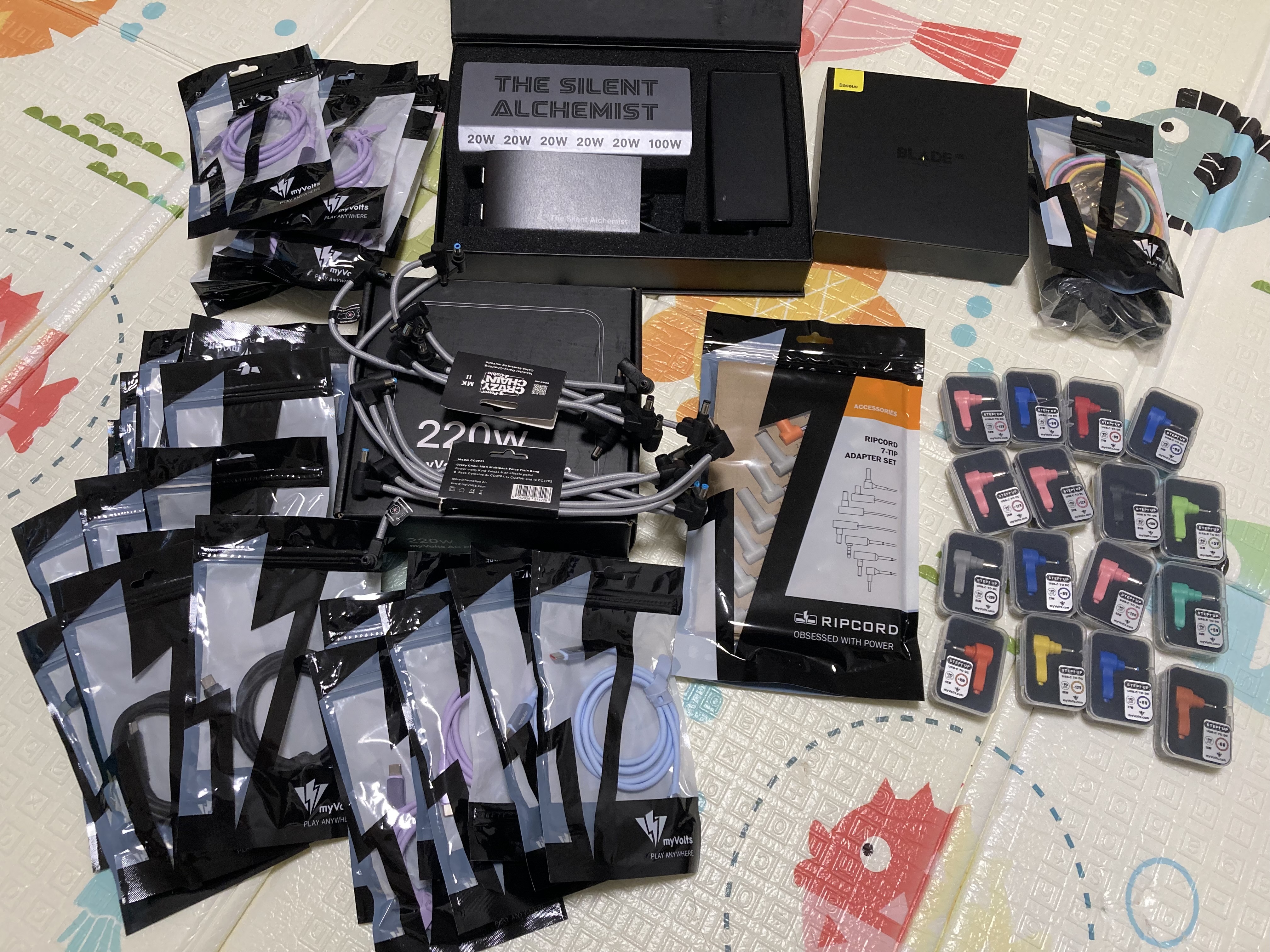
That’s the thing. My one and only setup is a mobile one. I’m so sick and tired of this fucking mess under my board.

3 Likes
Makes sense! 
tl;dr:
For DC-powered devices, the MyVolts solution recommends daisy chaining devices, you can do that way cheaper, and in a more flexible way that does not limit the layout of your setup in the same way the MyVolts solution would. But you can mix and match with MyVolts stuff to achieve the best of both worlds
The long version:
Since they now fixed all Elektron devices (oxcept for the Overhub MK2) in the PowerMyGear App, and I experimented with it a bit more, because the app tells you exactly which parts you need to set everything up when you hover over connections.
It’s probably obvious to you, but then it might be worthwhile for other people to read that. Here’s the setup I used, so you can see for yourself:
- devices with the same voltage and polarity are simply daisy-chained to one output until that output’s power is exhausted.
- sometimes they use converters after their daisy-chain cable if the barrel plug is a different size
- sometimes they use polarity inverters
- each device that is USB-powered gets an individual port
This can, of course, can be achieved entirely without their expensive hardware, even for portable setups if USB-noise is not an issue.
For all your DC-powered devices, the simplest and most cost-effective thing that can be done to reduce clutter is getting a few strong and reliable PSUs (prices vary, branded 12V PSUs with 80W cost around $35, see this thread) and then daisy-chain your stuff.
The daisy chain cables recommended by MyVolts are not a good idea, because they are expensive ($10) and too short (30cm), and thus would define the layout of your setup, which is a bad idea. One way around this is to get a decent but shorty daisy chain cable with a suitable number of outputs, and then use DC extension cable of with the appropriate lengths. If bought some on ebay last year that are 60,90 and 150cm, for ~$5 each. You can secure the connection with heat shrink tubes, and I recommend putting labels on the end of the cables (device, or voltage and polarity). Secure unused ends of the daisy chains with some tape, or also put a heat shrink tube on.
You can get PSUs with different polarities if necessary, or use polarity inverter cables.
If you want to know how much power your device requires: check the PowerMyGear App 
One nice thing about the MyVolts solution, but also about what I describe here is this: if you buy and sell stuff, this would not affect your powering solution much, as long as you have a few extension cables at hand. Only if you require a new type of connector, or the maximum power your PSUs provide is exhausted you need to figure out how to extend your powering system. Until then, you can simply use the PSU that came with the device.
Unless you have noise issues with your USB-powered devices, get a powered hub (one with individual switches if you prefer switching devices on and off individually), with an appropriate number of ports and a PSU that is strong enough, e.g. this one I have for $90 that has 16 ports and comes with a 60W PSU. With that you can connect all your stuff to your laptop, too, in case you need to.
I think there are cases where the MyVolts solution would make things simpler, because you don’t need a dedicated PSU for each voltage, but you can mix and match a setup that handles the most common things (9V/12V) via separate PSUs, maybe add a Ripcord or two to a powered USB-hub for the occasional device that would require 3V or 5V, and only user an Alchemist actually makes a difference.
And since you need to do some planning anyway, because what the App recommends is in no way the only, or even the best solution for your setup - you might want devices in different places, and find other combinations of converters and inverters etc. - you might just as well create your own solution and save some cash.
But they have it trough Amazon.
1 Like
Something is still broken in the app, they route power to the OT1 via a 6V Step Up Tip that has no picture and does not exist on their website.

The kickstarter campaign is only 3 more days. So in case anybody is still interested. https://www.kickstarter.com/projects/myvolts/the-alchemist-power-anything-anyhow-anywhere/description
2 Likes
Came here to check if anyone was discussing the Silent Alchemist - deposits are being taken now
It looks pretty tempting I must say, laptop power plus multiple usb powered audio devices without usb noise, it sounds very useful
1 Like
I guess that the benefit is proportionate to the cost but $350 feels like a lot.
2 Likes
Yeah. I’m not sure how much would be a good price for a unit like this, but it seems fairly unique on the market, especially if the noise cancellation is top notch.
For me it would save about 6 plug sockets in a very cramped environment which is quite appealing
Given the number of USB ports it seems surprisingly under-powered (144W total) given you can get 240W GaN chargers these days (e.g. this one).
In the example you linked, are the outputs isolated?
Looks like there are 7 x 20w ports and 1 x 100w port, for 240w output in total.
Have tried ugreen gan chargers, while they have plenty of current, they don’t resolve ground loop issues due to not being isolated.
Regarding price, it looks competitive against offerings such as Cioks 7 (which I currently use) and Walrus Audio Canvas 15, in comparison they have much less amps available.
2 Likes
I got the 144W value from the Silent Alchemist FAQ:
[+ What power is available from The Silent Alchemist?]
The power available depends on the power being inputted.
If you’re powering from the DC power input, you need to multiply the voltage by the amperage on the power supply to find the total wattage. For example, if you’re using a 12V 5A power supply, you will have 12 x 5 = 60W available.
If you’re using a 24V 6A power supply, you will have 24 x 6 =144W available.
If you’re powering from the USB-C power input, check what the max power output of the power source is, for example a 65W power bank has 65W available
A 20W power bank has 20W available.
A 27W phone charger has 27W available.
The available power must be greater than or equal to the total power your setup requires.
Note that a power supply doesn’t actually seem to be provided with the Silent Alchemist, so add another $15-20 bucks…
I’m not sure about the port isolation for the StarTech example I posted above, but I note there are two separate transformers so I would guess that at a minimum ports 1 and 2 are likely isolated from 3 and 4. I’ve found StarTech tech support to be responsive in the past so I’m guessing you could inquire and get an answer if you’re actually considering going that route.
I’m guessing a 24v 10a or equivalent power supply would need to be provided for the full 240w.
Maybe 24v 10a makes no difference.
Another FAQ looks inconsistent. says max 24v 5a max which is 120w, even less than the 144w example:
What are the power input specifications on the Silent Alchemist?
There are two power inputs on the Silent Alchemist:
- USB-C: 100W PD3.0. Connect a USB-C power source such as a power bank or wall charger in here.
- DC barrel 9V: DC to 24V DC, up to 5A (middle DC power input). Size of power input is 5.5mm outer diameter, 2.1mm inner diameter. Connect a DC power supply in here, for example a laptop power supply.
Yeah. “Inconsistent” seems a good description of the whole endeavor to date.
3 Likes
Been reading through the Kickstarter updates, there were quite a few changes:
- the Silent Alchemist now has a hot-swap feature, i.e. when you plug in both inputs, and unplug one, the powert is not interrupted, but DC takes preference. That means you can use a power bank to ensure your devices stay powered when mains power is interrupted
- the Silent Alchemist now has a „silent“ fan
- the housing is now metal
- the Silent Alchimist is finished and will ship in September, there is no date for the Standard Alchemist (you can get a refund, upgrade to the silent alchimist, or you can wait) and the DIY option is cancelled (apparently they upgraded everyone to the silent alchemist for free)
That is the maximum output of each port, but the inputs are limited, too (100 W via PD, and something between 96W and 144W for DC).
A pity there‘s no display that shows how much power it actually draws, so you have no idea how much is left for new devices.
3 Likes

2 Likes
I’m excited for this, even tho it’s expensive, as long as it really does eliminate the headaches like phantom reboot and usb noise.
Hopefully the delays are down to logistics rather than it being harder than expected to fix those problems.