I was thinking exactly about push 3 standalone, it can use mat as an usb audio interface 
1 Like
Okay, now I get it—you want to mix multiple stereo channels from the Push Standalone using an analog mixer. In that case, “8x16” was the right choice… That’s where having lots of stereo outputs makes sense. Do you already have an analog mixer you want to use? Otherwise, you could also just connect a MIDI controller to the Push and use it to control volume, pan, and much more directly… just a thought. But of course, I also understand if you specifically want to mix with an analog mixer.
In any case, thank you very much for your input here. It’s great when users share their thoughts and plans for potential uses of the MAT 16x8 with me. I’ll definitely keep that in mind. But for the reasons mentioned above, I first need to sell a few units to have the funds for further development.
1 Like
Has anyone here tried the 16x8 with an MPC Live III in standalone mode?
Any issues with ground noise or hum?
Works with the live 2, should be the same with the 3, you need to boot the MPC one time into a kind of 32 Channel mode. There is also an article on the website: MPC test – Modular Audio Tools
2 Likes
I just purchased one off of Reverb that is already in the US. It will be here in a few days. I intend to mostly use it with my iPad but I also have a MPC Live 3 that I will test it out with.
In a way, I am hoping that this and a 16pad midi controller replace my Live 3. We’ll see though.
2 Likes
Jakob has made a nice video:
4 Likes
any luck with the Mpc?
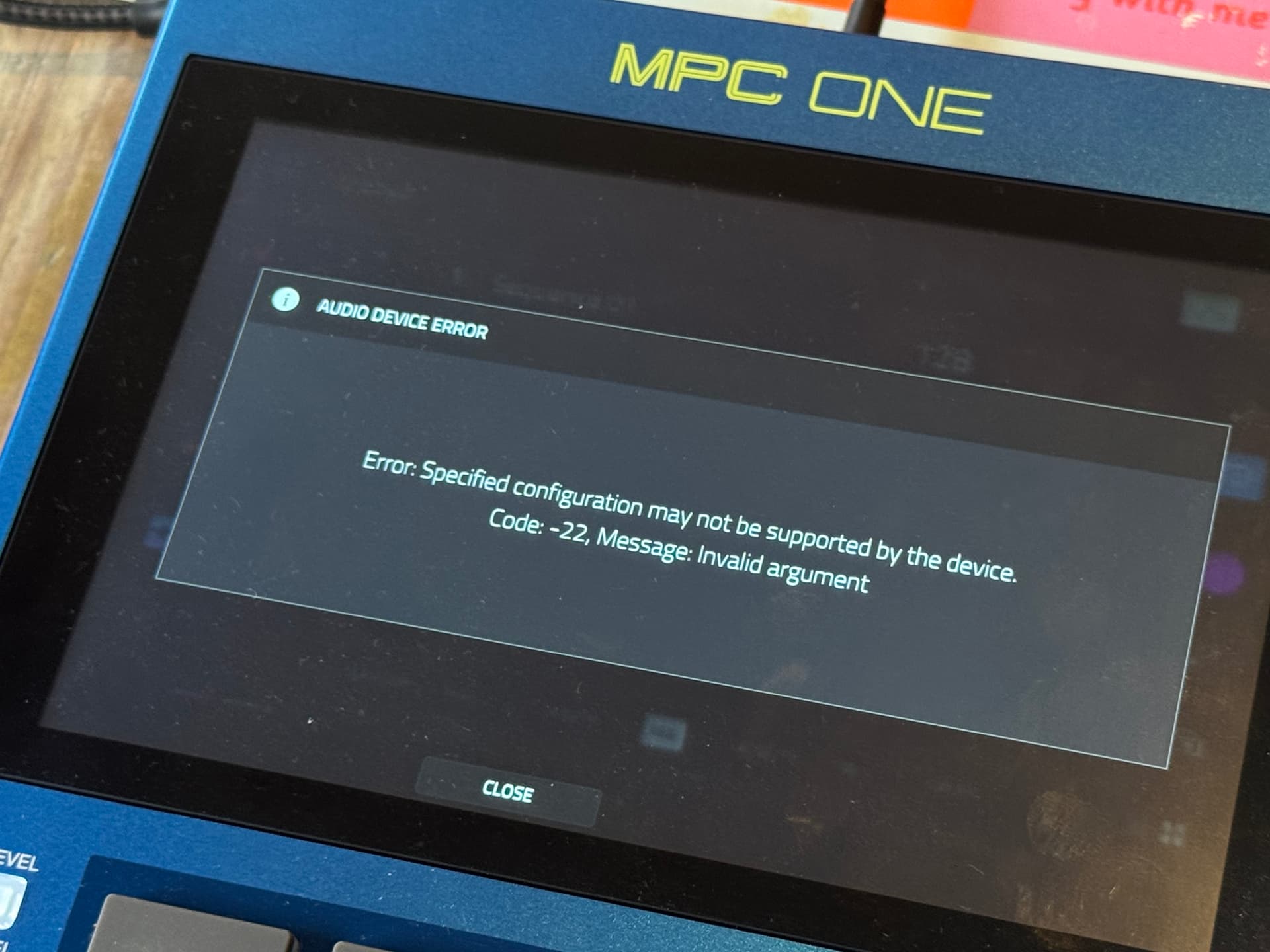
Unfortunately, I can’t test this myself on the MPC One, but I did get it to work on the MPC Live.
Here’s what the AI says about this:
"This error occurs specifically when using the Modular Audio Tools MAT 16x8 audio interface with the MPC.
To resolve the issue, you must set the MPC to a special compatibility mode, as the interface uses a configuration by default that the MPC cannot process in its factory state:
Step-by-Step Solution
- Disconnect the interface: Unplug the USB cable of the MAT 16x8 interface from the MPC One.
- Start the MPC in standard mode: Turn on the MPC One without the interface connected to bypass the error message.
- Enable 32-channel mode:
• Go to Preferences.
• Look for the option for 32-channel mode (32 Channel Mode) for USB audio devices.
• Enable this option. - Restart: Completely restart the MPC One once so that the change takes effect.
- Reconnect the interface: Reconnect the MAT 16x8 interface to the MPC via USB.
Background: By default, the MPC supports only certain channel counts and a sample rate of 44.1 kHz in standalone mode. The MAT interface provides a different layout by default, which the MPC rejects as an “invalid argument” (code: -22) unless 32-channel mode is enabled."
I hope this helps.
Anyone knows if this will work standalone with Push 3 also standalone? thanks
Yes it works.
Thanks mate!
Thanks I will investigate