Happy XR18 user for the last year. No complaints other than some fiddliness with getting it on my network (ended up just running a cat5 to it). I keep it powered on 24/7 with a silent USB fan to keep it cool (just for my peace of mind). Couple snakes to my patch bay and it’s perfect for just being able to jam when I want and route how I want. I use the software controller on my PC to adjust sends or other things, and sometimes the iPad app. I am often using the side-chain compression feature which lets you choose any channel as a source. Can’t comment on the pre-amp quality for mics or guitars since all my gear is line level. I do use the preamp gain to boost my quieter stuff though and that has been clean. The built in FX are plentiful and decent quality. I actually don’t use the multi-track USB recording as much as I thought I would but it’s nice to have. Latency is minimal though I’m no snob in this area.
I have a Qu Pac and I am very happy with it, but I do not use it for streaming via USB. There is a long discussion on the A&H forum concerning issues some Qu series owners face with streaming via USB3 ports. The Qu series complies with USB2, and it seems that USB3 may not be fully backwards compatible.
I’m just glad you didn’t have to deconstruct them! That can be a huge pain depending on the slider. & your set up looks great, I’d definitely be curious to hear some renders of the differences in summing.
Super quick A/B test - ableton mixdown through the master bus (no processing) vs A&H GS1
GS1:
Ableton:
I probably should do this again properly, with a finalised project (I used this one because it’s something I’m working on at the moment). There’s a lot of noise in the drum track, and spend a bit more time matching the levels.
My early impressions are that the GS1 seems to bring the track together in a different, maybe more pleasing way than ableton. It’s going to take a bit of time to understand how to use this in a proper mix down as it’s obv not as convenient as throwing plugins around in ableton. I think it’ll be worth the effort.
I’m going to do some tracking with it this weekend and see how that goes.
I connected it between the aux and the stereo return. I think I like it better this way for now. 3-4 is also possible if I’m recording and not performing yes. Or to the OT as you said.
One thing i noticed when starting to use an analog mixer again was that noise gates are essential. (Or trimming everything manually in the DAW.) Its not that my mixer is very noisy, but if you first record several tracks through it, then send all those tracks back through the mixer it adds up fast. It wont be as clean as having everything connected directly to my audio interface. But i feel it brings something extra so its definitely worth it.
How flexible is Ableton when it comes to routing to and from the mixer?
@Riuozami can you say what it is that sounds better? Bear in mind levels are out
@thomaso This is probably a good idea, I’ve noticed that the noise does stack. Ableton is super flexible with routing, and setting up submix groups etc. No issues there, I’ve got 30 ins and 14 outs on my interface
@macinski 4 stereo submixes into the 2 stereo tape returns on the GS1. Levels are off, I should have normalised them Will do a better comparison this weekend. Will also try tracking through it, should be fun
Are the levels of the individual tracks somehow differing too?
The snare and the hats seem very bright on the Ableton mix, while the hardware mix is very soft and has the high end very quiet. Would be weird if simply the mixer itself would roll off so much content.
Yeah for def I need to do it again checking the levels and EQ are balanced. This is what I get for doing things in a hurry rather than doing them properly!
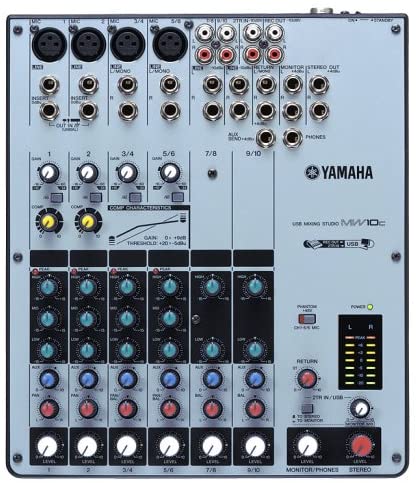
Looks like my new one will be here wednesday. Really looking forward to it. It’s got two mono analog fet comps, they’re just one knobs comps, so I guess I’ll jiust have to mix into them at -18dbvu and see what happens. Those two mon channels have their own inserts loops too. Apparently it’s class compliant usb and then I can use the Yamaha Steinberg Asio Driver if needed. I’ll be pretty chuffed in the EQ is decent, it’s Yamaha so it surely can’t be that bad?