Agree with all @_dspk comments, adding some thoughts:
CC control makes the circle move stepped. I guess it may be the 127 values it can take, and it’s only visual, but it’d be nice if it could be smoothed out
the white space may be a thing coming from iPhone? anyway, AUv3 demands resize-ability to have some flexibility. The UI could be way bigger if it was fitted to the actual elements and not the white background
would be cool if trace path was stored until redrawn, because turning it off deletes the path now
host sync doesn’t follow the beat, it’s phased and turning it on/off doesn’t reset the phase. It should reset with the transport of the host, otherwise elements on beat have the sound cut between jumps if set to that
Agree that an option to have more speaker setups or freely move/add them on the space would be amazing. Audio Routes max4live is a great example of this implementation and has some cool panning ideas for multichannel setups, may be of inspiration.
It’s good as it is, but I think for the cost it may still need some refinements.
Hi all. I’m a long-time lurker here, finally surfacing to introduce what is hopefully a relevant iPad app to the interests of this community. It feels slightly embarrassing (and terrifying) that my first post is showing you something I made.
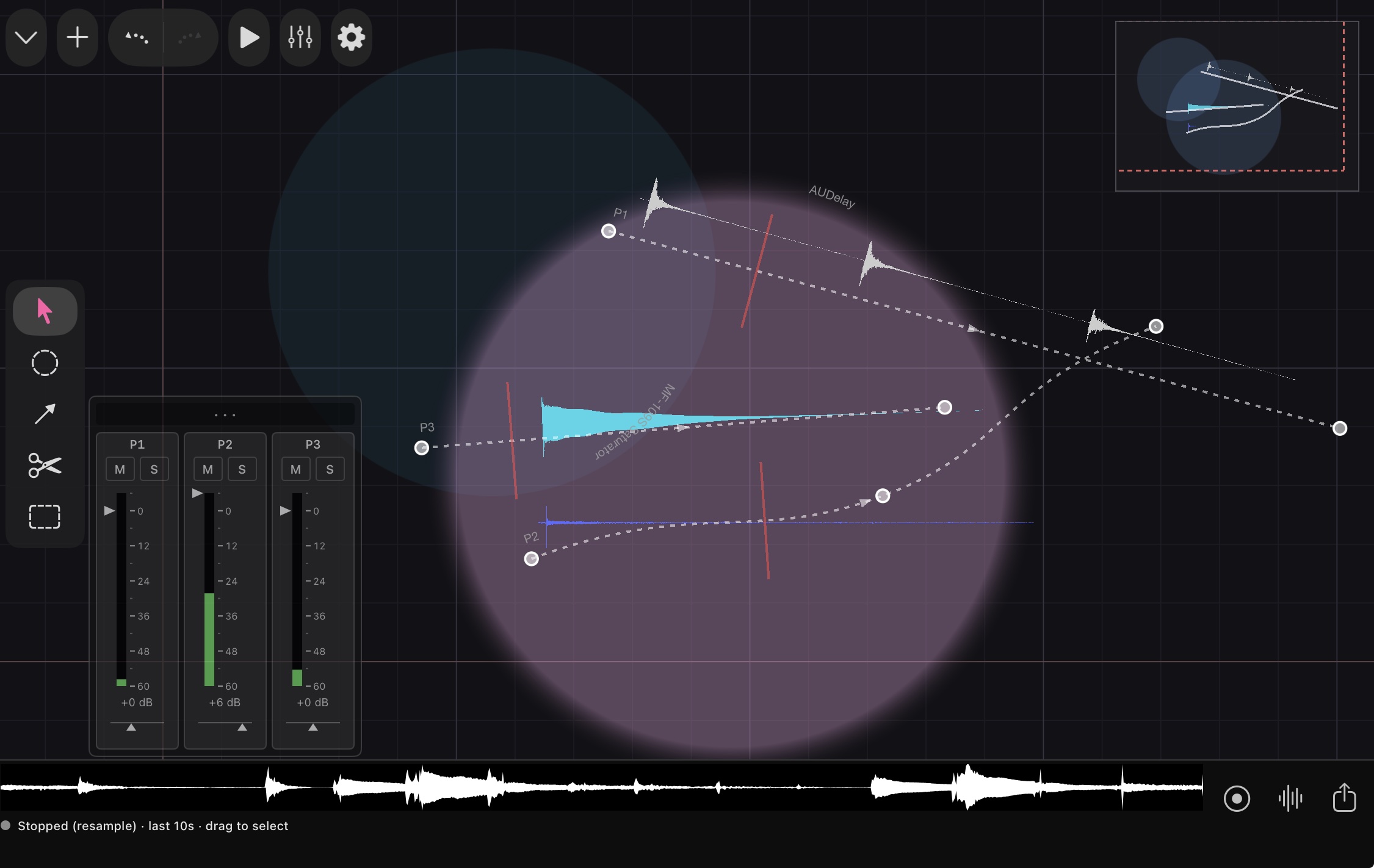
nondaw started from a simple frustration: every DAW has a fixed timeline, and the timeline influences what kind of music you end up making. In nondaw, instead of arranging sounds in time, you place samples in 2D space, and you play by sweeping paths through them. The angle you cross a sample at, the curve of the path, and how samples overlap all modulate the sound as you go. When a path crosses a wave in a so-called aura, it gets colored by that aura’s AUv3 effect.
It began as a MacOS prototype that I built for my own use, and I further developed and ported it to the iPad over the summer.
You can capture and resample live (the output of your own playing becomes new material to place back in the space). It hosts AUv3 effects, and it ships with example scenes and a built-in tour. There’s a per-playhead mixer. Multiple playheads operate at independent speeds, and can be scrubbed simultaneously.
It’s on the App Store, with a one-time payment. No IAP, no subscription, no data collected.
There’s a version history on my website. Updates will continue regularly.
I’ll be happy to answer anything about how it works or why I made the choices I did, and if you try it and something feels wrong, I’ll be pleased to hear and hopefully fix or improve it.
I see your UI point. I want to be able to have 4 instances on the screen so it’ll probably be better do remove edges like you’re saying. Will look into it. Have added it to the list
I tried faders but somehow was enjoying the knobs more. But maybe with a wider layout I could try faders again.
As for speaker channels - that was part of the long term goal, just wanted to get this version up and running and sort out glitches if any…
Thanks!
Tbh, I didn’t get around to fully testing CC control properly. I will look into that and smoothen it out.
I did try to make the size a bit flexible but somehow in AUM there are a few issues, it doesn’t work exactly how one tries to implement it and I haven’t quite figured it out fully - but there have been a couple of people who’ve mentioned UI improvements so I will definitely look into it.
Didn’t think about the trace path being redrawn because I felt you could just draw it the same way again - I want to keep the UI simple and not have too many controls but yeah instead of adding a clear control maybe it can just store till you redraw. I do think drawing from scratch is more fun tho + the fact that you cant always recreate it adds some imperfections that are nice…
I tested host sync quite a bit and it seemed to work fine - not sure what the issue is. I’ll look into the phase issue - thanks!
I haven’t looked at Audio Routes, thanks for the recco and all the feedback
Hello lovely Elektronauts, I’m back with a walkthrough video of Vascular - Tactile Synth by Absolute Management SIA.
Vascular is a music app on iPad and iPhone that leans into randomness and the joy of musical discovery, rather than the control obsession that many of us have over every single synth parameter and MIDI note these days. It’s a refreshing example of something new, which I love to showcase on my channel!
Set off a bunch of random generators and effects in various abstract, rhythmic or melodic categories, and then use functions such as the intriguing ‘Angiogenesis’ to evolve your session in unexpected ways. Or establish at least a semblance of control by picking exactly which generators you want from a generous list, adjust their parameters to your liking, and then use control generators to lock in your sequences. My advice, though, is to throw out your usual rules and see how it feels to embrace the chaos!
The app is being constantly updated. New stuff has been added even in the 3 days since I recorded the content of this video, so I may well return to Vascular on this channel in a few weeks to see what else is there at that point. Maybe it’s a good candidate for a livestream…
Enjoy the video, folks! Don’t forget to like and subscribe if you haven’t already!
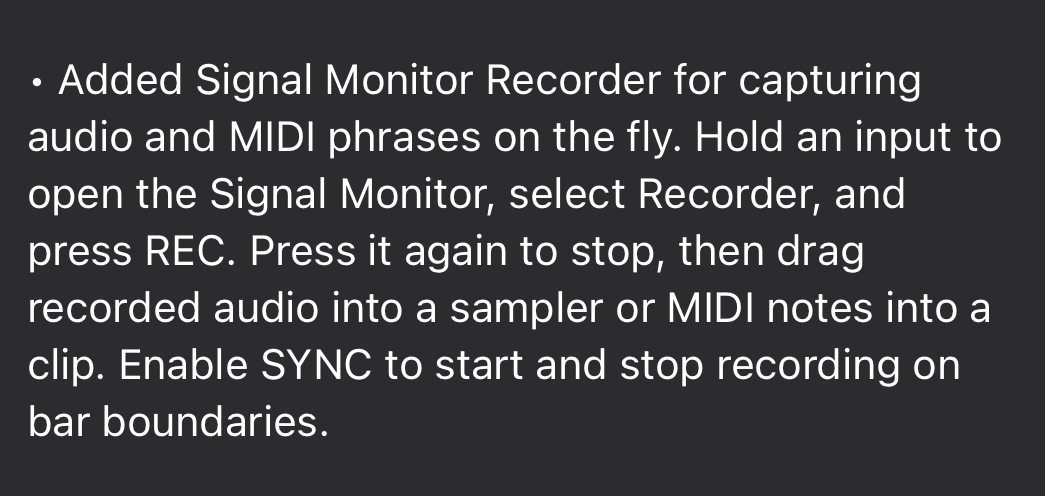
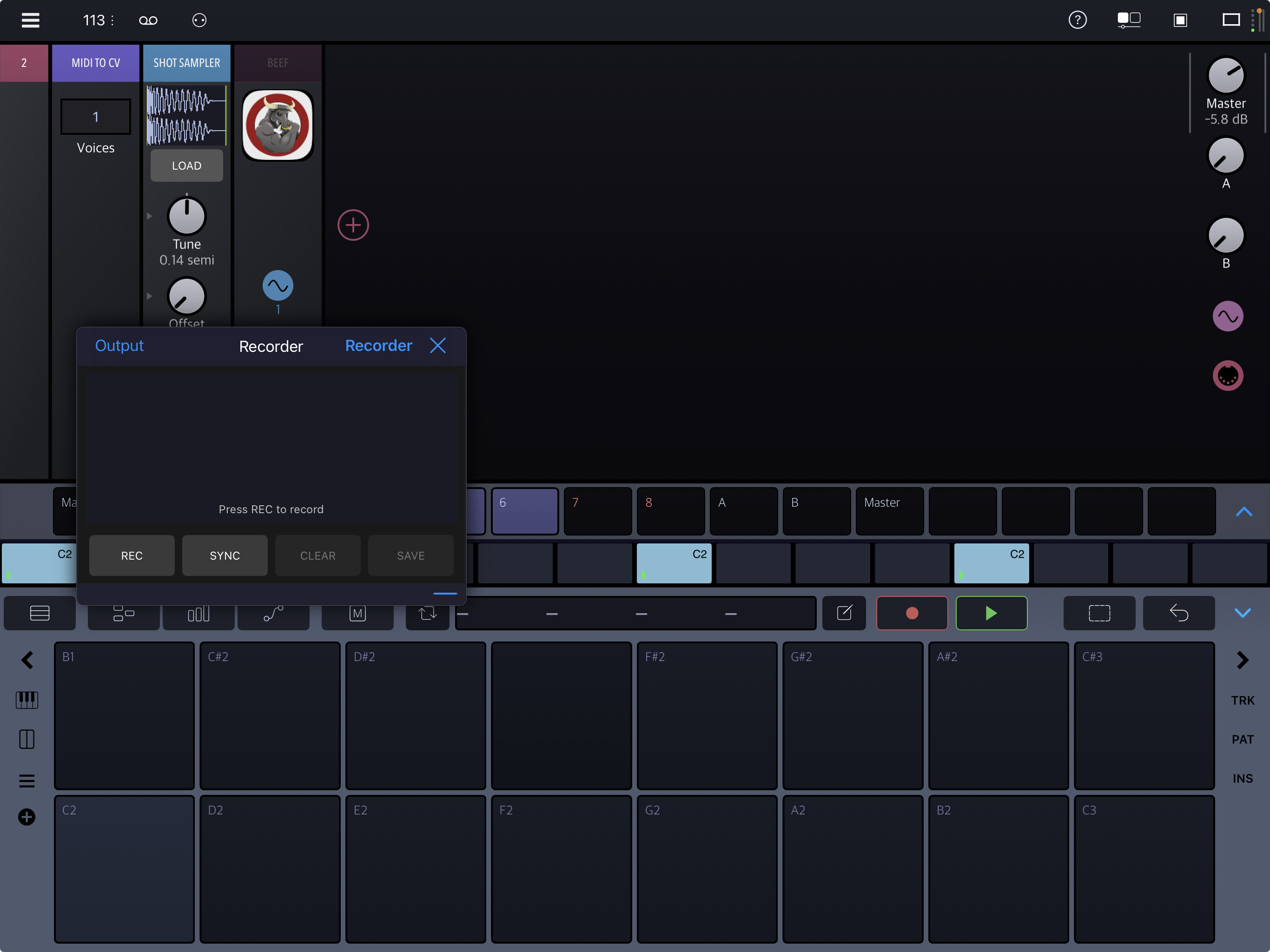
Anybody knows how to do the signal monitor recording in the new drambo update? I am going nuts trying to understand it. I cannot see further explanation in beepstreetforum or online.
LinkEffekt came up here in May, I’m the dev. Just a heads-up, version 2 is out and it can receive now as well. Any AUv3 host can stream audio to and from Live, to another iPad or iPhone, or to another app on the same device. With AUM and Logic it plays in time, other hosts have Bar Sync, one bar later but locked to the grid. You can check it out here LinkEffekt App - App Store
Aside from my adventures in Battalion, I’ve been exploring Anima [a wonderfully simple and intuitive physical modelling synth] and RasterFX which seems fairly straightforward but the LFO and Macro control makes it look very useful. While I’m at it, I’ve discovered Degenson, which is far from perfect but models itself on the Perkons… needs tidying up or perhaps even something Bram Bos might want a go at… but it’ll do
Wanted to ask, is the engine well crafted? for example, fine tuned parameters with audible and expected changes in all the range? out of place artifacts maybe?
The UI looks very playful but I’m kinda fed up with the quality of the latest AI apps that I tried.
Over on the LoopyPro board the designer of Crux (a really deep synth thats influenced by all sorts of stuff) has opened up the Testflight to everyone in reaction to not being able to get his products approved by Apple. Really deep synth, and Id say among the best available. He also just added Beads to the efx on it as well. Roll on over there to get the whole story, and get on that Testflight list.
It’s well done. I was aware of the AI input, but took a chance. The UI reminds me of Fors or Elektron, wouldn’t be surprised if that was the inspiration - it’s intuitive and it’s sonically very nice. I was whizzing about the interface and creating presets in under a minute. £8 I didn’t mind spending.
hi murat, just wanted to try this but it seems to be not available in the german app store. is that on purpose? app looks amazing btw - is the canvas zoomable, scrollable and infinite?