Utilities - patchbays, looms, routers, power supplies, even MIDI interfaces these days unfortunately - they are not very shiny shiny and don’t make sounds - but they do hold all the shiny stuff together and make them meaningful.
Yes - I am well aware there is a trade-off. Unfortunately you pay a heavy price for all that convenience and flexibility.
On the mioXL - I’ve measured it here. Over RTP-MIDI to 12 DIN ports it ran 366–562 µs Jitter Max with Port Skew Max up to 1223 µs, and 0% of events landed under 50 µs. I also captured it as a standalone DIN router, no computer involved, and it still showed 279 µs Jitter Max and 1148 µs Port Skew, so that part is happening inside the box itself, not on the USB or network side. So moving your Elektrons straight to the Hapax DIN outs takes the mioXL out of that path completely.
I haven’t measured the Hapax DIN outs yet - I must get one in to check, as one of my clients swears the MIDI out isn’t real special.
I did check years ago when I initially set it up. At the time I was using ext inst devices in ableton. I do recall still having to adjust the latency compensation parameter to get it transients as close to the grid to my liking.
The numbers you’ve posted on the mioxl seem to match what I was experiencing but at a certain point I had to crawl out of that rabbit hole because it started to consume then halt my creativity/income as a full time producer. I just accepted the jitter and manually adjust things as needed.
I put it into other hands, like yourself, dedicated to solving midi sync / jitter to maybe figure it out one day!
No analytical testing, no. Having just stabilized this setup, I’m transitioning into jam and explore mode. So far it feels good, is fun, and works as I was hoping…if I get the sense that timing isn’t feeling tight enough, I’ll dig in.
The mioXL is performing much more reliably than the H12MIDI Pro was on its best day - no crashes, drops, timing freak outs, lockups, or inexplicable craziness so far. Maybe there’s hope.
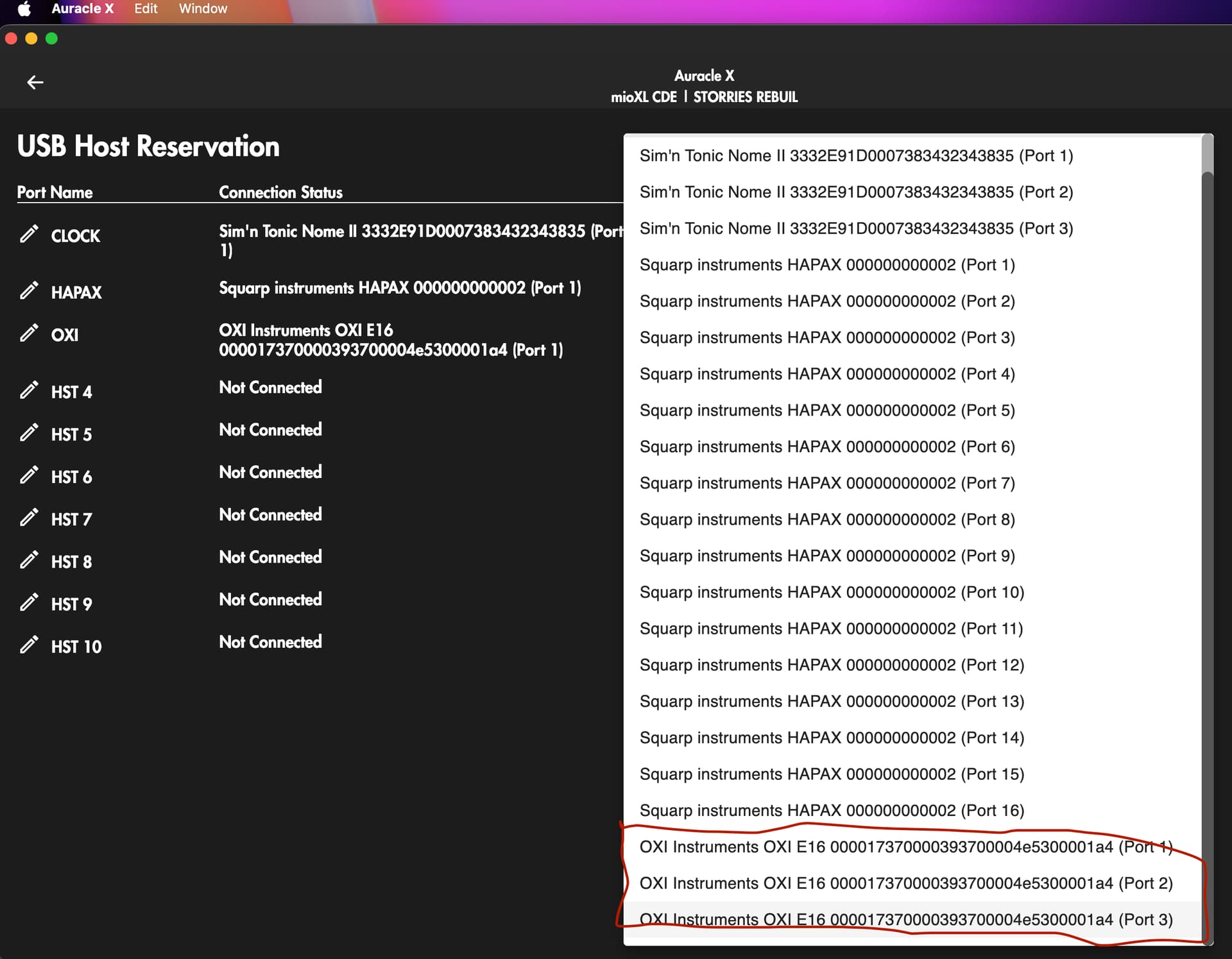
Hey Tjech, I use the (mioXM the smaller version of the mioXL), and am looking at the oxi e16 to control OT, AR, A4 and DT2… Oxi E16’s manual says it has 3 “virtual usb ports”, do all 3 show up properly as inputs/outputs in AuracleX so I can route the three different ports to different machines?
incredible. thankyou for the reply, I’ve been looking more into this multiple virtual port thing and I think it looks like it’ll work. (sorry for derailing the thread guys)
To go back on thread topic: As I mentioned briefly above, I have the smaller version of the mioXL, the mioXM, its about the width/depth of a digitakt, 4 din i/o, 4 usb ports(using a usb hub you can run 8 usb connections into it). I’ve had mine for 5+ years and its great for what it does.
the usb ports are MIDI ONLY, I cant run digitakt midi via usb mioXM and expect to use overbridge, for example, which is annoying. Also means for using controllers like Roto-Control or Bridge6 that have editors I need to plug them directly into the computer, not via the mioXM’s usb ports to access that. I imagine this discete midi only functionality improves stabilty or something, but for me its a pita.
Regarding power: the usb ports on mioXM power the launchpad and bridge6 (looks like it will power oxi E16) but NOT roto control (motorised knobs are thirsty beasts), I think the power output per port is 5v(500ma), so that should work for a lot of the midi contollers out there that take their power via usb.
I wish iconnectivity would write a manual, theres are video manuals for various aspects but for reference this is not efficient. wtfm iconnectivity!
Powering via USB is a really convenient feature I hadn’t even considered when getting the MioXL. Running a Waldorf Rocket, Streichfett and Protein plus a KeyStep 37 works perfectly fine. Protein needs the bulky usb-power-isolator (supplied by Waldorf) to run noise free.
PSA. A new Auracle update is out which allows for all sorts of Midi processing: cc remapping, event remapping, keyboard splits, transposition, chord generators, etc, just lots of stuff one used to need an additional midi event processor for. Doesn’t look like there’s a way to control these via CC like on a Blokas Midihub but a lot of common tasks should be covered.
Not available on the website yet, only via updating through the app.
lots of crazy new features I really don’t need but nice to have if the situation ever occurs. I can’t seem to install 2.6.0 thru the app on mac though, it freezes everytime it tries to extract the update.
If you want my advice:
-Take the time to name all the ports on Auracle X, I got the label maker out and physically labeled the ports on mine as well.
-Draw up a plan of what you want to route where before you start.
-Follow @pc77 's lead and ask an AI questions about setup rather than watching the video manuals. I’ve found AI is really good at explaining midi configuration!