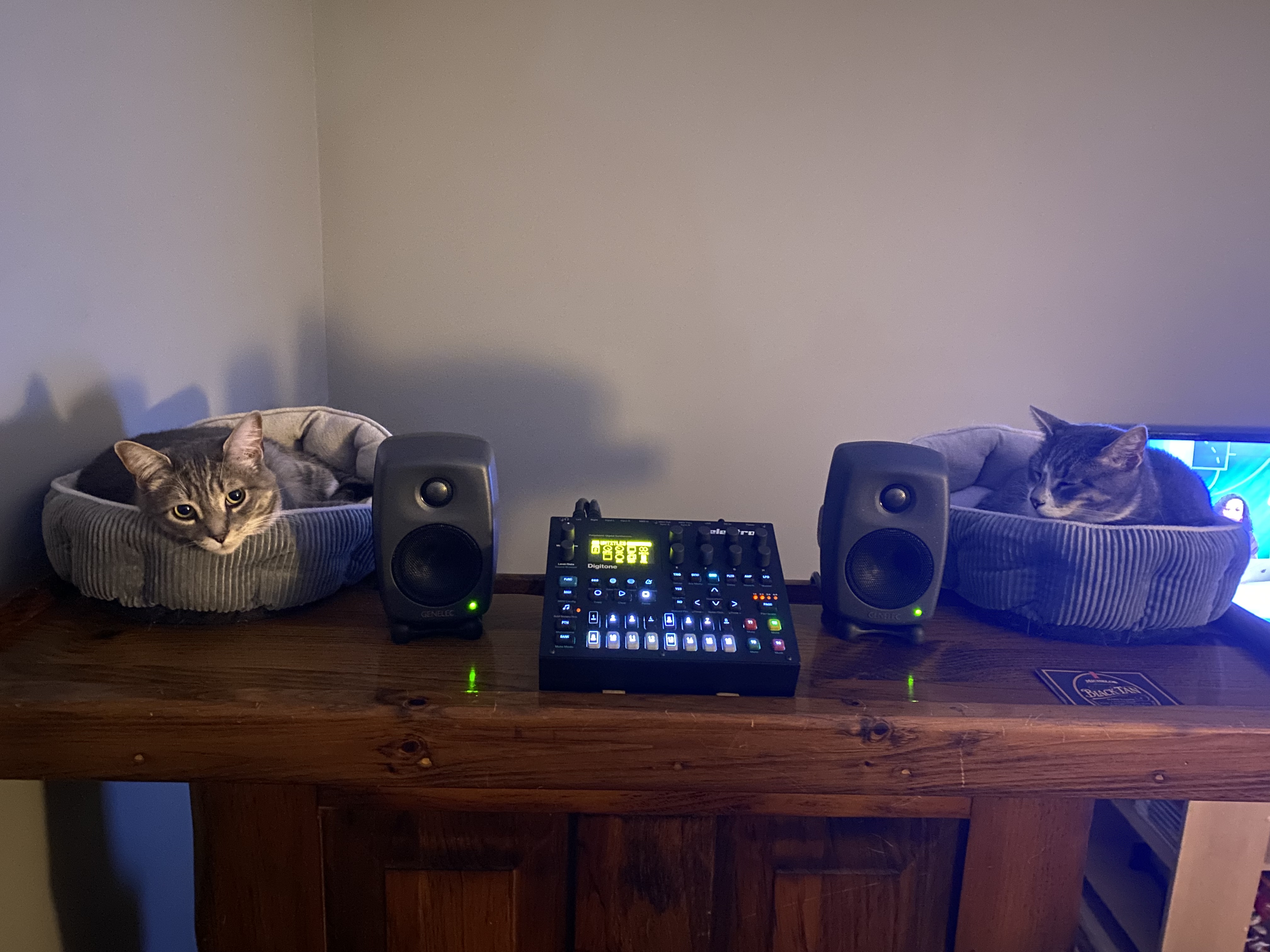
No worries, all good! No monitors or cats were harmed!
7 Likes
Could you just iterate my reasons for why simply adjusting the master volume knob won’t work for me (or at least why I believe that it won’t even if you don’t agree)? I’m not quite sure that you’ve understood the problem that I’m trying to solve here.
Love the picture 
What happens if you turn up each track on the Digitone to the max as well as turn the master volume knob all the way to the right? Will that be too loud for comfort?
I’d imagine so, just like headphones
1 Like
Ok, in that case, it’s unfortunately not the solution I’m looking for. But I can see that it works great for you 
Why would you turn everything up though?
It would be the same when all my gear is hooked up to my mixer with those same monitors. Turn the volume up and bam, too loud for comfort.
1 Like
Are you adding effects devices which can create extreme frequencies beyond the scope of human hearing and with radical jumps in dynamics/volume like the Sherman Filterbank after the Electron?
If not, you are adding in unnecessary hypotheticals with variables not present in your working environment.
If you want to be super duper theoretical safe about everything, you can use a limiter and a hardware EQ or run your Electron into an interface and ensure everything is filtered…
But as of now you’re not providing any reason for why these theoretical are present in your Electron device, just that a theoretical can exist and trapping yourself in the existential hell of philosophy 101 mind-games.
Like, I get it. I get stuck wanting the best workflow and don’t want to ruin what I have, but I work to try and avoid nailing my foot to the floor and pacing in circles. Awareness isn’t always enough, but… it’s fine.
You’ll be fine.
If you want to chat with your monitor vendor, please do! They’ll be able to take the time to discuss likelihoods and best practices and at least give you that slightly more official warranty approval of this use case
I might do it by mistake.
Fair, though I have made this mistake and everything survived. I think you run this risk no matter your setup. Even with just headphones. Just be mindful of volume and all is good in the world.
1 Like
Anyone else recall turning on the SP-404SX internal mic while amped or open back headphones? A very unhealthy wall of instant feedback that damages your state of mind as much as you’re hearing. If monitors can withstand that, it’s all good.
1 Like
sadly there is no such technology that will prevent you from making ground level mistakes.
i understand that it can be stressful and distracting to have something that can damage your ears within reach, so i think i thought of a solution for you. 
Carefully set your volumes where you like them, mark it on the device.
Get yourself one of these that fit the volume knob.

Allign it with the dot on the volume pot and make sure its a tight fit.
Then superglue an acrilyc post to where you left a mark in the step one.
This way youll get a physical stop, preventing accidents.
Regarding this ill just say: electronic music devices generally output line level signal, which is fine for speakers. Musical instruments such as electric guitar or a dynamic microphone output instrument level, which is also fine for speakers but you wont be able to hear much. Eurorack modules can be a bit too loud tho, or so i heard, cant say much about them.
2 Likes
I’ve found this on Thomann, which seems to be an XLR adapter that can lower the signal by 10 dB, 20 dB or 30 dB depending on how the switch is configured. This isn’t optimal since I’m using phone jack plugs, but I guess I could get some jack to XLR converters as well (or maybe I can find something similar for phone jacks directly).
So, if I have +20 dBu out and put one of these on the cable attenuating 30 dB, will I get -10 dBu out instead?
Like everyone else has said, you’re overthinking this. If you’re that worried about it and you definitely don’t want a mixer, you could probably get a monitor controller like this one or similar. With mutes and volume control, plus the control from your device, that should be more than enough.
If that’s still not enough control for you, then I’m not sure you’re going to find a suitable solution.
4 Likes
Something like a Mackie Big Knob?
2 Likes
Just talk to the speaker manufacturer before you spend money on a series of potentially unnecessary / unhelpful items to solve a potentiality you don’t have experience or technical knowledge enough to define.
Hopefully that doesn’t come across as snarky, I’m saying you have access to experts on their own devices within reach so you don’t get stuck in a loop of paralysis, worry and over-engineered* “solutions”
*I want to be right and safe and know the perfect workflow in a lot of circumstances so I can empathize with all of it!
2 Likes
So the booklet that came with my Digitone says the output is “+22dbu” whereas the full manual says the output is “+22dbu peak” (the digitone input btw is rated +19dbu peak).
I’m guessing that means it’s probably pretty rarely putting out that much voltage unless you create delay feedback or something like that.
With that in mind your worry that it will be pumping out superhot level constantly might be overblown and short spikes from a rare slip up of the controls are probably unlikely to damage your speakers.
As an example my mackie active monitors say they are calibrated for +4dbu when the input level on the speakers is fully clockwise. It’s likely they’re providing input attenuation at any setting other than max. The manual says turn the input level down only if you need more sensitivity from your mixers volume control.
So your case might depend on whether your speakers have an output volume control (how much amplification is being applied) vs an input volume control (how much level is going into the amplifier).
There’s any number of affordable passive attenuators that will help give you peace of mind. All you really need to do is set your speakers input level (not its output level) to max, elektron output to max, attenuator volume to zero and then slowly increase the attenuator volume until you’re at the absolute loudest you want to listen. Then hide the attenuator box so you can’t bump it and use your elektron main volume to come back to a more comfortable every day level.
2 Likes
I received an answer from Yamaha now. This is the email I sent them:
And this is their answer:
I fail to see how you can say that I’m overthinking something when the manufacturers themselves say that they can’t guarantee that the product “wont be damaged or perform properly” if I’ll just do what has been suggested here without thinking so much about it here.
I’m still open to the possibility that I can be wrong (and that Yamaha are wrong/overly cautios in their answer) since I don’t know much about this topic, but I’m going to say that the burden of proof now lies with those who say that I can feed my speakers with a signal much hotter than +4 dBu (if anyone care to justify this position with some hard facts). Or we could just drop this whole discussion. That’s fine too.
However, for the time being, I’m going to assume that I need to attenuate my signal somehow (I’ve got several good tips in this thread, so thanks) before sending it to my speakers.
It’s gonna blow up if you go to anything higher the +4dBu! Never in the history of professional sound reinforcement has a signal exceeded +4du…
Really, the process that is way older than the first consumer grade synth. You’re not over thinking it, you just don’t understand this process. So let me try to relay it to you in as simple of terms as I can.
First- the input signal is not “volume” but “gain”. There is a big difference, so let’s just say volume is at the last stage of output. The dial on your monitor which is marked for +4Bu is a volume knob. The question is about the input gain- that is where distortion comes from (the kind of distortion that destroys speakers).
Your elektron gear’s “master vol” is only such if it is driving a speaker. If it is going to an amp to drive a speak then it is an adjustment of signal gain. This means the signal going into your monitor’s amp must be at a level it is designed to handle for optimal performance. This is where +4dBu comes from- industry standard line level signal. If you want to ratle the walls, the main vol of the Digitakt is not what does it, its the output volume of the amp/monitor.
And it’s not precisely exactly +4dBu, that’s why there are knobs; to adjust signals from one piece of gear to the next to maintain “unity gain”.
Now, before I go on, ask any questions you have based on what I’ve written so far…
1 Like
Just chime in to say for me I’ve used active Near Fields with a sub woofer all these years directly plugged into my synth gear. No issues.
I’d say they are being overly cautious. But you are also overthinking it- which is understandable if you are new to all this. Some of this stuff can be highly technical as well, so even having a working understanding of it all doesn’t mean many of us will fully understand it technically.
I don’t understand why you want to have the Syntakt volume on max and then adjust the volume on the back of the speakers? I mean I get it from the point of view of let’s make the Syntakt as loud as it will get, and then set the speakers to a good level. But the reality is when you’re jamming you will want to turn volume up and down often.
Also the HS5 manual gives instructions on how to plug a synth directly in (same instructions for any source). Set the synth volume to zero, set speakers to 12 o’clock, turn synth master volume up until it’s as loud as you need it.
If you do that I’m guessing you won’t in normal operation get close to max Syntakt volume or to hitting the 19dbu peaks.
The other thing to consider with having an attenuator between the Syntakt and your monitors is that means to avoid a rare and random peak output that might never happen, you will be constantly feeding the monitors a lower level input signal than they particularly want. That just means the amps will be constantly working harder to amplify to the volume you want. Still in their normal range I’m sure but still.
2 Likes