PatchboxOS looks interesting. They have the concept of modules, which can be swapped so you don’t need to change system-wide settings. Currently available modules:
Looks like this Pisound audio interface is compatible with almost any Linux distribution though, because the audio and MIDI drivers are included in the mainline kernel. I’d probably use Arch Linux, just because I like it, but it doesn’t really look like the Linux choice is all that important for compatibility. I’ll check out this PatchboxOS module stuff though… Looks like a nice concept. Thanks
I need to buy a MIDI interface to send MIDI from Renoise to my gear. I know the Midihub is so much more (and I’m very interested in that “more”) but do you think it would be a good choice if “just” sending regular midi is my first need?
I am looking for something which has low latency, tight timing (maybe that’s the same thing sorry, non-native English speaker) and is well built and supported.
The other cheap midi interfaces on sale don’t look very good to me (but I don’t know shit so I might be wrong)
How many pieces of gear do you have? If you have several synths and controllers that use DIN MIDI I think a Midihub is a worthwhile investment.
I haven’t done a lot of transmitting MIDI from the USB source to stuff but it seems to work just fine, and you could do various splitting tasks and other stuff with it quite easily, though that’s not such a big deal when you’re coming from a DAW I guess. It probably is a bit overkill if that’s all you want to do.
I’ve not tested it scientifically but I once decided to test how tight the timing was by sending steady 16ths at various tempos going up into like 800bpm and it sounded consistent at that tempo too and this was from my computer too so I’m sure that for non usb midi it’d be even better
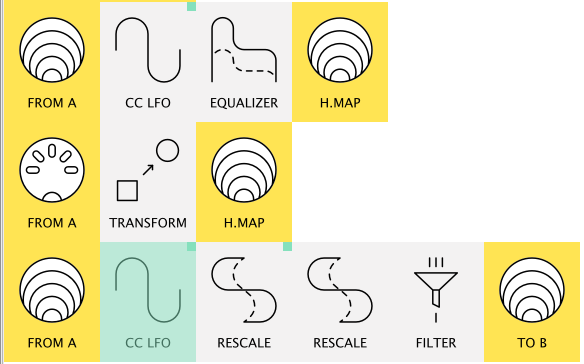
OP’s is hardware-in, Mac & hardware-out and is quite specific.
I’d imagine yours might be more like “Notes CC, PC on 12 channels, PC on channel 16” or the like from Renoise, etc
(There was a much more relevant one –which I can’t find– that had several “receiving” devices and a splitter box and MIDI cables back to Midihub)
This setup...
was used by a live artist for improv audio-visual performances
(then he was using just two Midihubs, now his rig has four so who knows what his network diagram looks like now!)
This is him:
Now you know you can count with me as a potencial customer for a XXL 16 IN - 16 OUT Midihub I still can´t believe how much this thing changed my creative life!
This would help get some more specific answers from Blokas on latency.
(I know Giedrius has that as a top priority but he’ll be able to give finer datail)
Well built and supported? IMO Yes & Yes – their forum is good evidence of this.
re
(and I’m very interested in that “more”)
Once you’re happy about the latency/support , we can talk about the “more” : that’s where the fun starts!
PS. Midihub can even take a Program Change on a given port&channel and use it to switch between its 8 presets(patches). So you could have Renoise sending PCs on ports 1, 2, 3 to pass on to devices and a dedicated one on port4 to switch to a different configuration. Insane!
If it has enough MIDI ports for you, I would totally recommend it. It works very well for simply routing or forwarding plain old MIDI – the graphical interface is super easy and fast, and you can save some presets that can be accessed by the physical buttons (rather than the graphical UI).
Regarding the “more”: I got the Midihub because I was very interested in all the MIDI transformation it can do, and I’ve definitely used these more advanced features, but lately I’ve just needed something to route plain MIDI from an Octatrack and foot switch to other instruments and I’m happy to have the Midihub for these simple functions.
Long story short: I use it for both advanced and basic needs. I like it because I can very easily go between these different configurations with the preset button.
Before having the Midihub I used a couple Kenton boxes and almost all my MIDI thru ports. My basic MIDI needs were covered, but with the Midihub I’m using less cables and power outlets. It’s also much faster to visualize my MIDI flow.
If I were to try, the only negative thing I can think of is the number of ports – sometimes I wish a had more. This isn’t really criticism of the device… The number of ports is the number of ports! If it’s the right number for you, I think it’s a good choice for a MIDI interface for all needs
Cue people in 2028 saying “what I wouldn’t give for 16 I/Os”
A few weeks back, Giedrius made a cryptic comment about a couple of new projects in the pipeline.
I think a Midihub USB host would bring a lot of new customers but I have a hunch it’s more likely to be a Eurorack Midihub (TRS MIDI) module possibly with CV ↔ MIDI ( I recall someone mocking up what it would look like and Giedrius sounding like “Hmmm?”)
I have no inside knowledge, though, and Blokas will probably surprise us all!
Since I had to sell my sequencer, my only pieces of gear now are a Vermona DRM1, a Reface DX and a Midi Fighter Twister. I don’t need a lot of DIN ports.
I know I could get a 30 € midi interface or a cheap audio interface with a midi output, I’d just rather go for something a bit more quality
Oh yeah, what sort of “more” stuff you intrigued by?
Notes generating other notes?
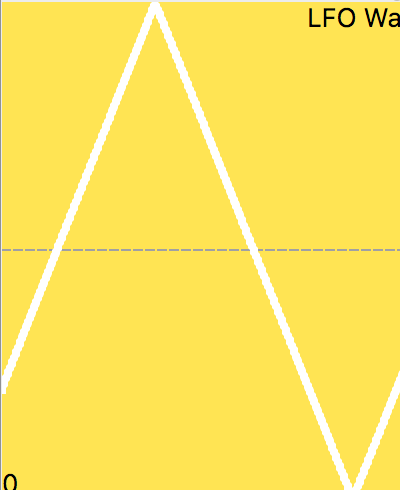
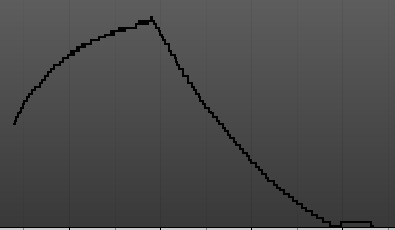
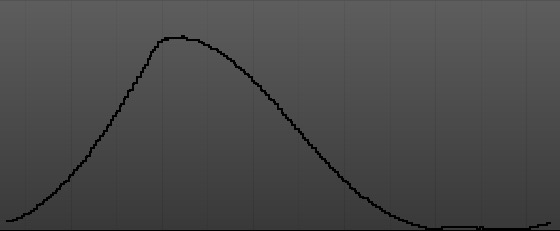
LFOs modifying stuff?
(not forgetting…
…though I do do a lot of “what if?” experiments, I do a lot of “that mapping is already set up on that synth” while “that controller is configured like that” and it’s just so much easier to get MH to do the translation…)
Yeah, if there were a version with 6 or 8 ports I would have chosen to get it. But it turns out I’m no longer using more than 3 instruments at a time these days, so it’s totally fine for me! I use all 4 output ports: 3 instruments and a recorder (or sometimes DAW)
“the figure to officially quote for Midihub’s latency is 1.5ms or less”
In more detail:
The theoretical lowest limit is 1.28ms to transfer a 3 byte message from DIN-5 output to DIN-5 input, plus (fast) transfers of data through USB happen periodically usually at intervals of up to 1ms, but it’s difficult to predictably estimate, anyway, the min max and avg timing values of a 3 byte message sent from PC → USB → Midihub DIN OUT → Midihub DIN IN → USB → PC seem to fall very close to where the theoretical lowest limit lies.
For comparison, my Roland Quad Capture and Roland Studio Capture both had around 2ms average latency performing the same test.
and
You can also specify the 1.28ms figure as the time it physically takes to transfer and make sense of a 3 byte MIDI message via DIN cable, so it’s clear that this is the very lowest limit, before even taking USB into account.
I’ve never used this but I have two Cre8audio Nifty cases but both only use channels 1 and 2 for their midi to CV.
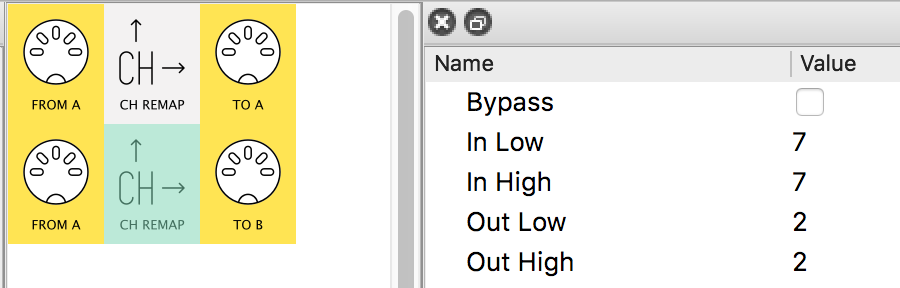
In playing with the editor I have From Midi Channel A through the CH REMAP which has inlow and inhigh as channel 6 and outlow and outhigh as channel 1. That would let me use Channel 6 on my Polyend play and the unit will switch to Channel 1 on the output for one of my channels on one of the cases…right???
I assume I can plug in my Play and have multiple outs with channel changes for the two cases?
In theory this is very basic and should work, just wanted to check. Thanks.
In this update, you can control pipe parameters using MIDI messages generated within the Midihub itself, eliminating the necessity for physical loopbacks. This opens up a realm of intriguing possibilities for internal modifiers and self-modulation techniques. Moreover, the update allows for more detailed and precise manual MIDI mapping, enhancing control and customization.
Clock Pipe Revamped
The clock pipe has received significant enhancements. You can now place it either at the beginning of your pipe chain or in line with other pipes. The update also introduces a mappable Tap Tempo button. Additionally, there are Nudge Up and Nudge Down buttons for adjusting the tempo to sync with external sources more easily.
New Dispatcher and Arpeggiator Algorithms
The Dispatcher pipe got some nice new algorithms, allowing for some new creative uses. To name a few: Random, Ping Pong, and Chord. Arpeggiator has two new algorithms, too – Entirely Up then Down and Entirely Down then Up.
14-bit LFO and S&H Waveform
LFOs can now output 14-bit values and can now use Sample & Hold waveform – either using internal noise for sampling or the incoming CC value (which, among other things, can come from another LFO placed before it).
[/quote]
And a discount
[quote=]
Midihub Flash Sale!
To celebrate the launch of the 1.15 update, we’re offering a flash sale with 14% off Midihub, valid until the end of this weekend – midnight February 11th (GMT+3). Don’t miss this chance to add the Midihub to your setup – visit our store and use the “ENORMOUSUPDATE” code during checkout!
[/quote]
 sorry, non-native English speaker) and is well built and supported.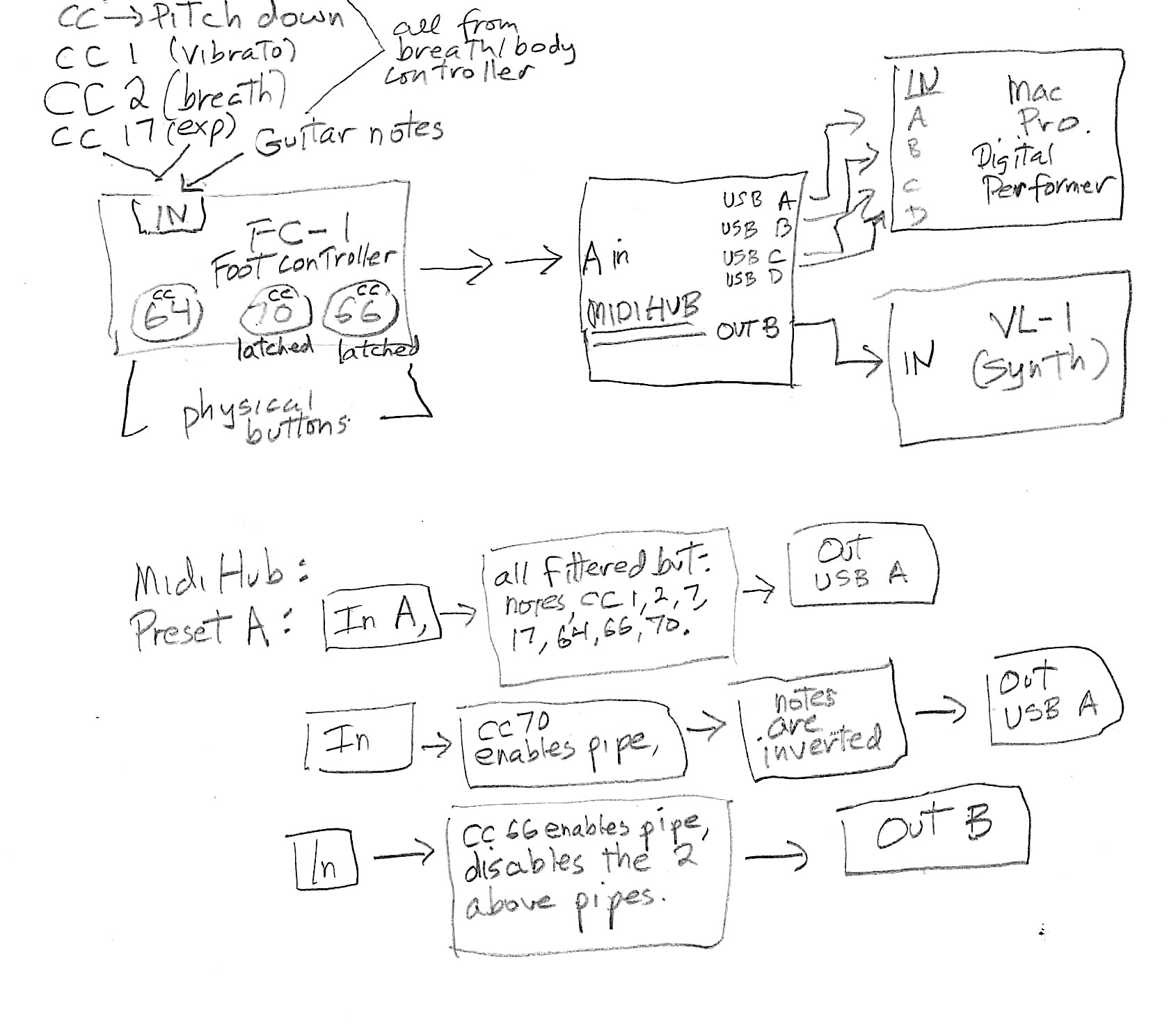
 I still can´t believe how much this thing changed my creative life!