Doesn’t the video show you use the shadow ui with move sequencer and everything?
Doesn’t the video show you use the shadow ui with move sequencer and everything?
Wait yes - just found out how to do that, again it’s a little janky, you have to have your tracks set to send MIDI out to the corresponding “shadow” track’s MIDI channel.
You’ve still lost access to the Move’s effects and other aspects, you’re totally outside the Move’s audio chain
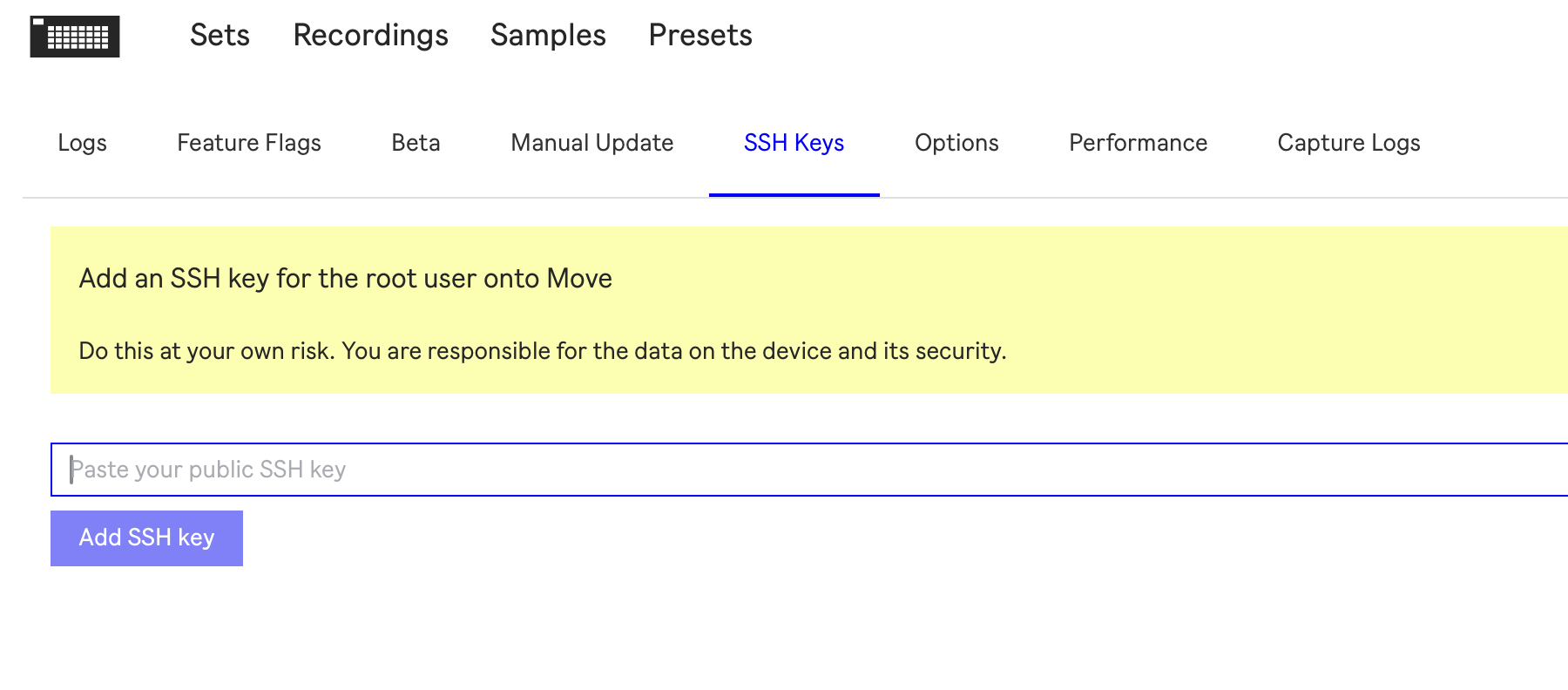
I think I generated a public ssh key on my Mac, but I am uncertain what I have to paste in the Move manager. What should the key look like? Just pasted different things I generated in Terminal, but to no avail. Not much experience with this stuff, so n00b level.
Hi! I made this (building on some great existing work from the Move Anything project): : if you set the Move track’s MIDI OUT to the same channel the Shadow UI’s slot is receiving, you can use the Move’s sequencer to control Move Everything synths. But yes, it does exist outside the Move’s audio chain - think of it like running external sound modules, they just live in your little box.
if you open the .pub file in a text editor, you can paste that, it will be something like ssh-ed25519 AAAAC3NzaC1lZDI1NTE5AAAAIBLEURucCueNvq4hPRklEMHdt5tj/bSbirlC0BkXrPDI user@email.com
Very much an unsupported thing, but so far the only issue is updating requires reinstalling Move Everything
Cheers. I do not want to take up heaps of your time, but: where should that file be? In terminal it points me to a /.ssh directory that I can not find in the library.
(Maybe it’s just to difficult without any knowledge of code or ssh, so I am fine leaving it at this)
in terminal, try typing “open ~/.ssh” to open the folder. if you need more help, we have a discord, happy to!
(also don’t want to derail this general move thread; was planning to make a thread about this later this week after some cleanup but my video got more attention than expected!)
That did the trick! Thx. And for installation: is that pasting
curl -L https://raw.githubusercontent.com/charlesvestal/move-anything/main/scripts/install.sh | sh
in terminal?
Yup!
Just added quantized sampling (record exactly x bars), 404-style audio skipback (dump the last 30 seconds to disk) and a port of MI Braids  . I’ll spin up a new thread if anything else fun shakes out.
Once I realised the chromatic mode is the effectively the same note layout as a bass guitar, it became super easy to use since that’s what I know!
personally i’ve never really enjoyed a grid keyboard like on the digis or anything else. the lack of proper black key offsets is disorienting. i like the fourths layout.
holy cow, the jv-880 emulator on my move??? mind blown…
you’re my hero
just seeing this and I need to spend more time digging around, but being able to use all of these synths and modules on standalone Move hardware instead of running on some computer is massive. Like, if I hook this up to my MPC, I can use MIDI programs on my MPC to play these synths that are hosted on the Move?
hate to use the cliche, but this is really a game changer for me. Move runs JV-880 and DX7???
all of this capability makes me wish there were multiple physical audio outputs on the Move. not sure the feasibility of this, but what are the chances of dedicated digital audio output channels for different synths? how is all of this audio routed internally?
not necessarily asking you to implement this @charlesv , just dreaming about the future…
way to make the most of the rpi compute module… the beauty of a single-board computer running Linux. This kicks ass.
I haven’t done any digging into low level audio stuff. I basically write to the audio mailbox and let the xmos figure out the routing. It might be possible but seems like a long walk for a ham sandwich.
And yes! I added multi channel today so you could have the four channels addressing the same jv performance now too
Did a little poking around and it looks like the best approach is gonna be hijacking outputs 3/4… gonna take this over to the discord at some point 

It’s probably time to start a thread specifically for the ‘Ableton Move: Move Anything’ project. 
I keep seeing updates here and none of them have to do with the Move native OS.
@charlesv was super helpful on Discord, but god: I really struggle with that platform. Managed to get Move Anything running with zero knowledge of coding, but then missed all kinds of preset libraries and no clue on how to add them.
What I am trying to say: I would really appreciate a little Move Anything corner here where we exchange knowledge and tips, cause I am really not wired for the visual overload on Discord.
Agreed, last one! Ableton Move: Move Everything